Your Android phone's hotspot can do much more than share data with a laptop. How-To Geek lists several other uses, including a travel router, a stand-in for your home internet and a Wi-Fi extender. An old phone could take on the job while your main phone stays free.
Travel and road trips
A phone can replace a dedicated travel router. Turn on the hotspot, and add a SIM with a mobile data plan if you are abroad. Then every device you carry can get online. A USB-C to Ethernet adapter helps if a device has no Wi-Fi.
The phone does not have to use mobile data. It can join hotel or public Wi-Fi and pass that signal to several devices. If the Wi-Fi turns poor, it can switch to mobile data. On a road trip, it can create a Wi-Fi network for laptops, tablets and even the car, if the car supports Wi-Fi.
Around the house
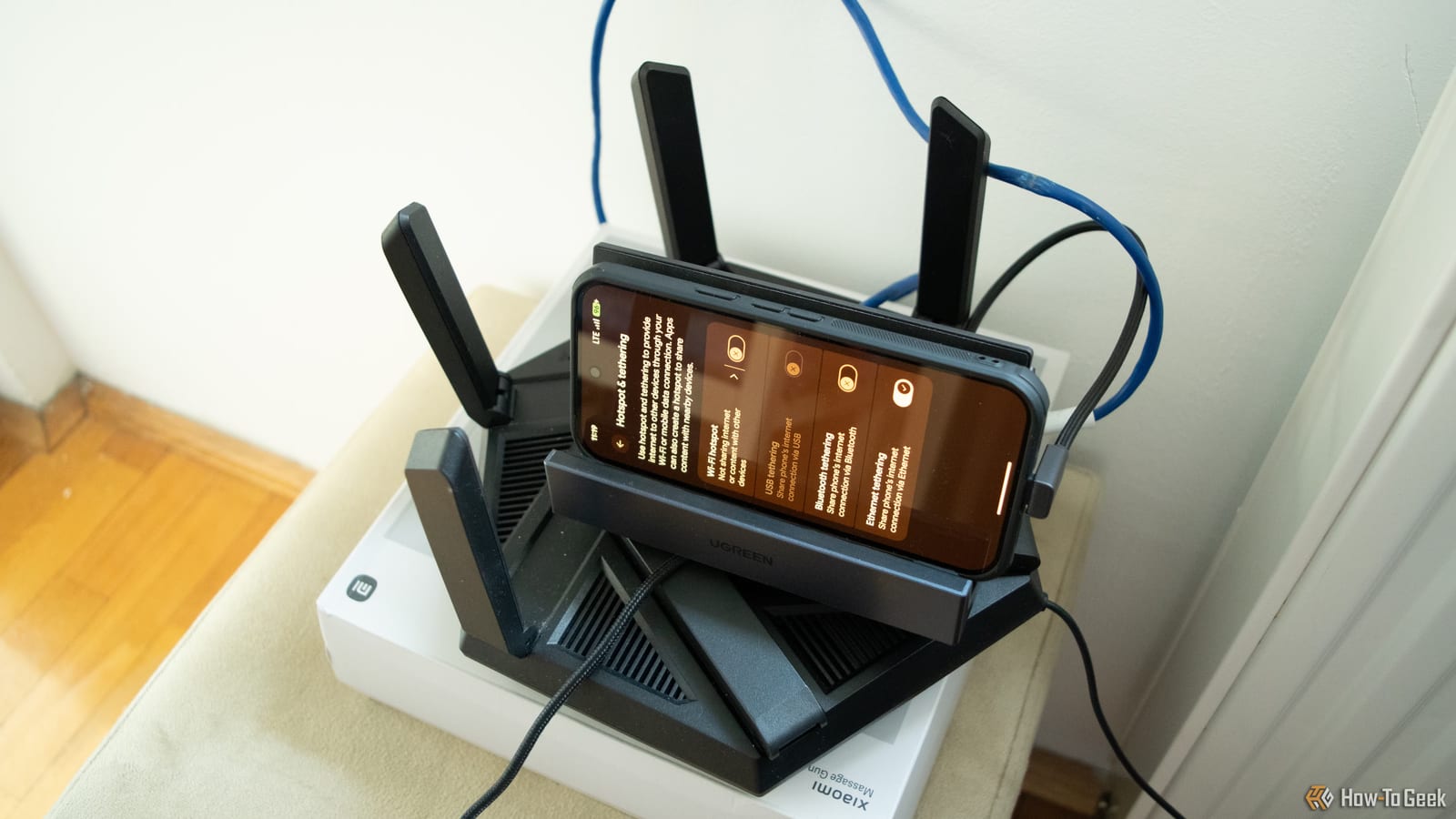
In a pinch, the phone can act as the modem for your main router. It connects by Ethernet or USB tethering, if the router supports that. Some routers also have a mode called WISP, which links to the phone over Wi-Fi with no cable. Your whole home, wired and wireless, can then get online.
This beats a plain hotspot because many Android phones allow only about 10 devices at a time. One catch: some routers do not work well with a phone. The writer's old router from his internet provider refused to work, while his current one did fine.
A phone can also repeat Wi-Fi into a weak spot. Connect it to your Wi-Fi, turn on the hotspot, and give it a name and password. Use a different network name (called an SSID) than your main Wi-Fi, or devices may keep flipping between the two. The 2.4GHz band, if your phone offers it, reaches farther and passes through walls better. A dedicated repeater is generally the better tool.
What to watch out for
- A phone VPN usually does not cover devices on its hotspot, so each device needs its own.
- Hotspots drain the battery fast and can make the phone hot. Keep it plugged in and cool.
- Turn on a charge limit if your phone has one.
- US versions of the Pixel 10 and Pixel 11 do not support physical SIM cards, and not all carriers support eSIMs.
The battery has an upside. Because the phone has its own, it can keep serving mobile data when the power is out, which most travel routers cannot do without a power bank.
The takeawayAn old Android phone can serve as a backup or travel connection, but keep it cool and charged, and run a VPN on each device.