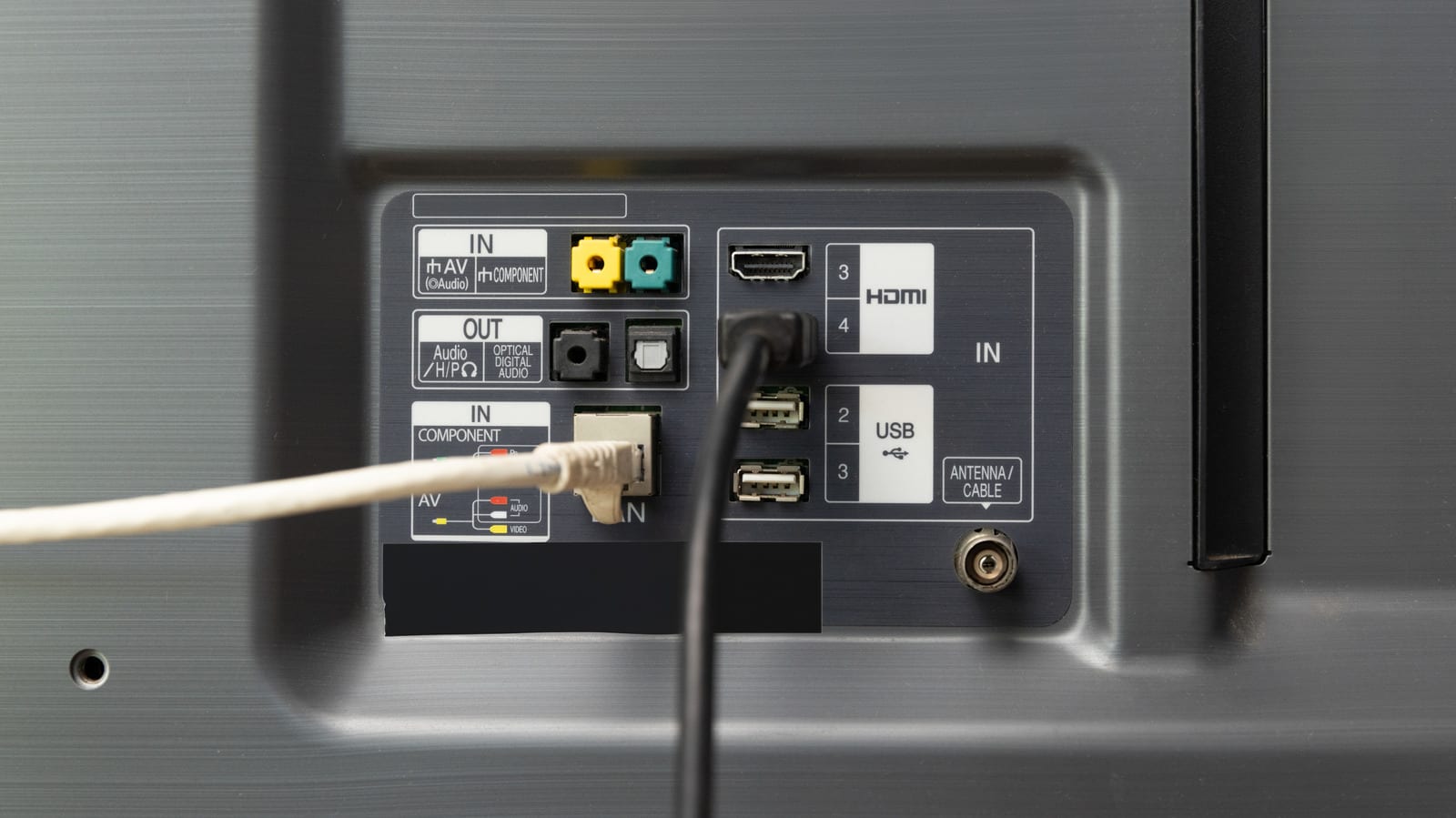
Plugging a cable into your TV will probably not make it faster. Many TVs can pull more data over Wi-Fi than through their Ethernet port. What a cable does offer is a steadier connection, which matters if your movies keep stalling. That is the point of an Engadget explainer on how to get a TV online.
How much speed you need
Netflix and Disney+ typically recommend at least 5 Mbps for 1080p video. Mbps means megabits per second, a measure of how fast data moves. For 4K HDR, the sharper, richer picture, the suggestion rises to 25 Mbps or better. Even half a gigabit of Wi-Fi is more than enough for most households, and older Wi-Fi 5 TVs are fast enough for streaming.
Why the cable port can be slower
Many TVs and streaming devices have Ethernet jacks capped at 100 Mbps. Faster gigabit ports have existed for decades. Engadget calls it a cost-cutting move. Wi-Fi 6, found on many TVs, can exceed gigabit speeds with a compatible router in ideal conditions. Real-world speeds are lower, since your home internet is shared among every connected device.
Why a cable is still steadier
Within an average home, a decently shielded Ethernet cable is effectively immune to range and interference problems. A Cat 6 cable can carry 1 Gbps up to 100 meters (328 feet). Wi-Fi fades well before that unless a mesh or extender system boosts it. Each wired device also gets its own lane, so crowded Wi-Fi is not an issue.
That steadiness matters because a weak or interrupted signal can make an app pause to re-buffer or drop to lower picture quality. A 500 Mbps or 1 Gbps Wi-Fi link adds little for streaming, apart from faster updates, which are uncommon and small on TVs.
What to do
A 10-foot Cat 6 cable costs less than $10. The catch is the layout. If your router is far away, cables may run across the living room or a hallway, and hiding them can be more trouble than it is worth. Flat cables sound handy but often do not work as well. Engadget suggests using Ethernet only if it is convenient or you have serious reliability problems.
- Lift the router off the floor and put it in the open, away from obstacles.
- If the TV cannot be wired, connect another device, such as a laptop, by cable.
- That frees up wireless bandwidth for the TV.
If your Wi-Fi already works well, the occasional hiccup is likely outweighed by quick downloads and one less wire. Try these fixes before spending on a faster internet plan.
The takeawayIf your TV keeps buffering, fix your router's placement or use a cable before paying for a faster internet plan.