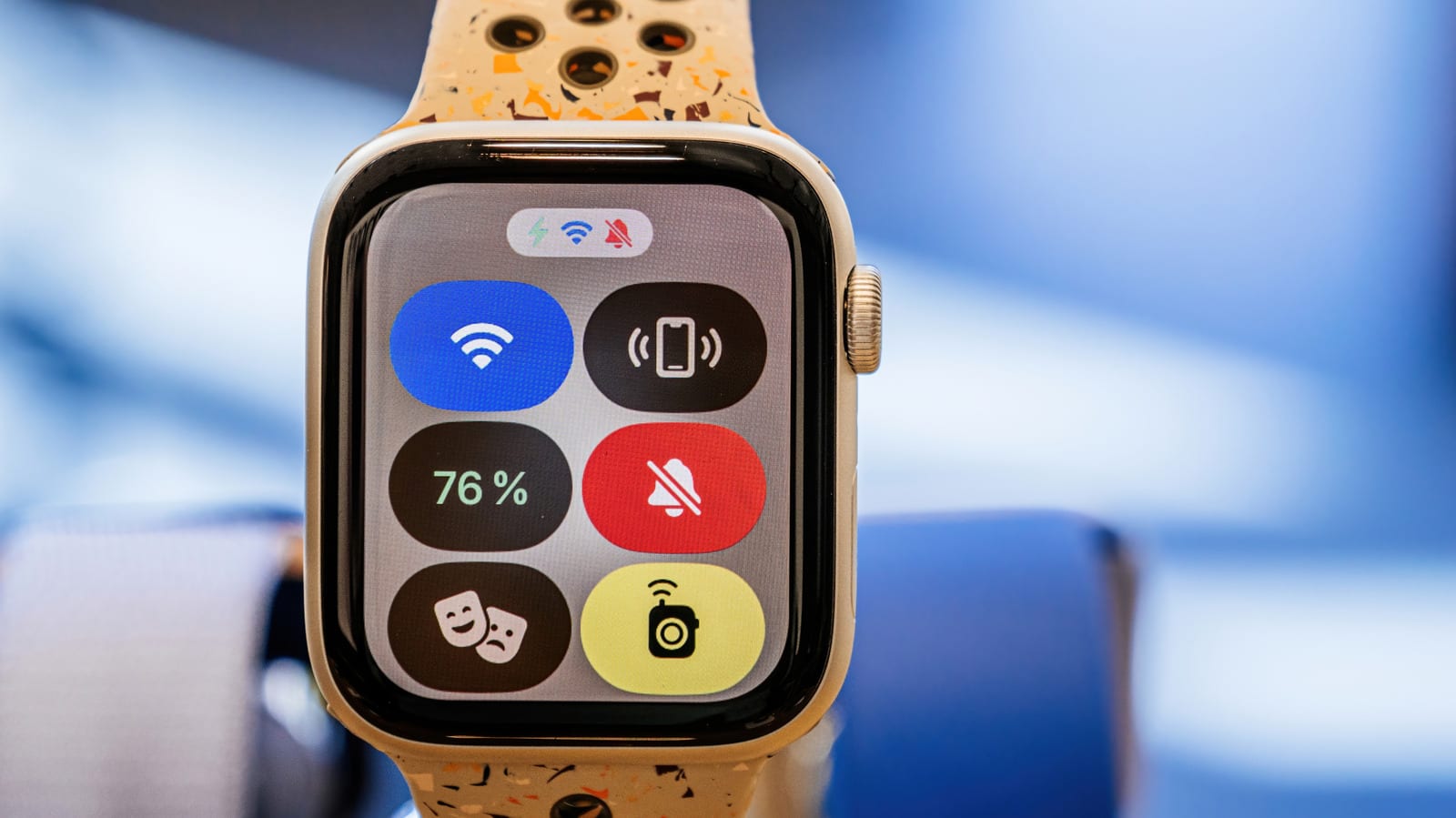
Apple Watch has a setting called Theater Mode that keeps the screen dark and the sound off, yet still gives your wrist a buzz when a notification arrives. It sits between normal use and Do Not Disturb, which blocks alerts far more completely. It works on any Apple Watch, even the original model from 2015.
What it does
Turning it on dims the watch and quiets it down. The display goes off, the device is silenced and visual notifications are disabled. The screen also stops lighting up when you raise your wrist. To see it again, tap the screen or press either of the watch's buttons.
The big difference from Do Not Disturb, apart from the dark display, is that haptics stay on. Haptics are the small vibrations you feel on your wrist. You still know when something comes in, and nobody around you notices.
How to turn it on
- Press the side button, the flat oval one, to open Control Center.
- Tap the icon that looks like the comedy and tragedy theater masks.
- Tap the same icon later to switch the mode off.
Unlike Do Not Disturb, Theater Mode has no timer and does not end after an event. You have to turn it off yourself, so it helps to remember before you leave the theater or the meeting room.
When it helps
It suits places where being quiet matters, such as a play or a movie on the big screen. It also fits meetings and social events that need your full attention. The mode blocks distractions that could irritate people nearby while quietly keeping you in the loop.
Extra benefits
Because the watch no longer wakes with every wrist movement, Theater Mode can reduce battery drain. You can also choose to suppress some health readings, such as blood oxygen, while it is on. Open Settings and tap the reading you want to keep on or off during Theater Mode, if that option applies.
The feature arrived with watchOS 3.2, which is why older watches have it too.
The takeawayUse Theater Mode when you want to stay reachable without a lit screen or sound, and remember to switch it off by hand afterward.