A writer at How-To Geek says a new Android setting let her use her phone in moving vehicles again. It is called Motion Assist. It arrived with Android 17 on Pixel phones. Writer Namerah Saud Fatmi says it eased the motion sickness that had made her Pixel 10 hard to use in cars, trains and buses.
What Motion Assist does
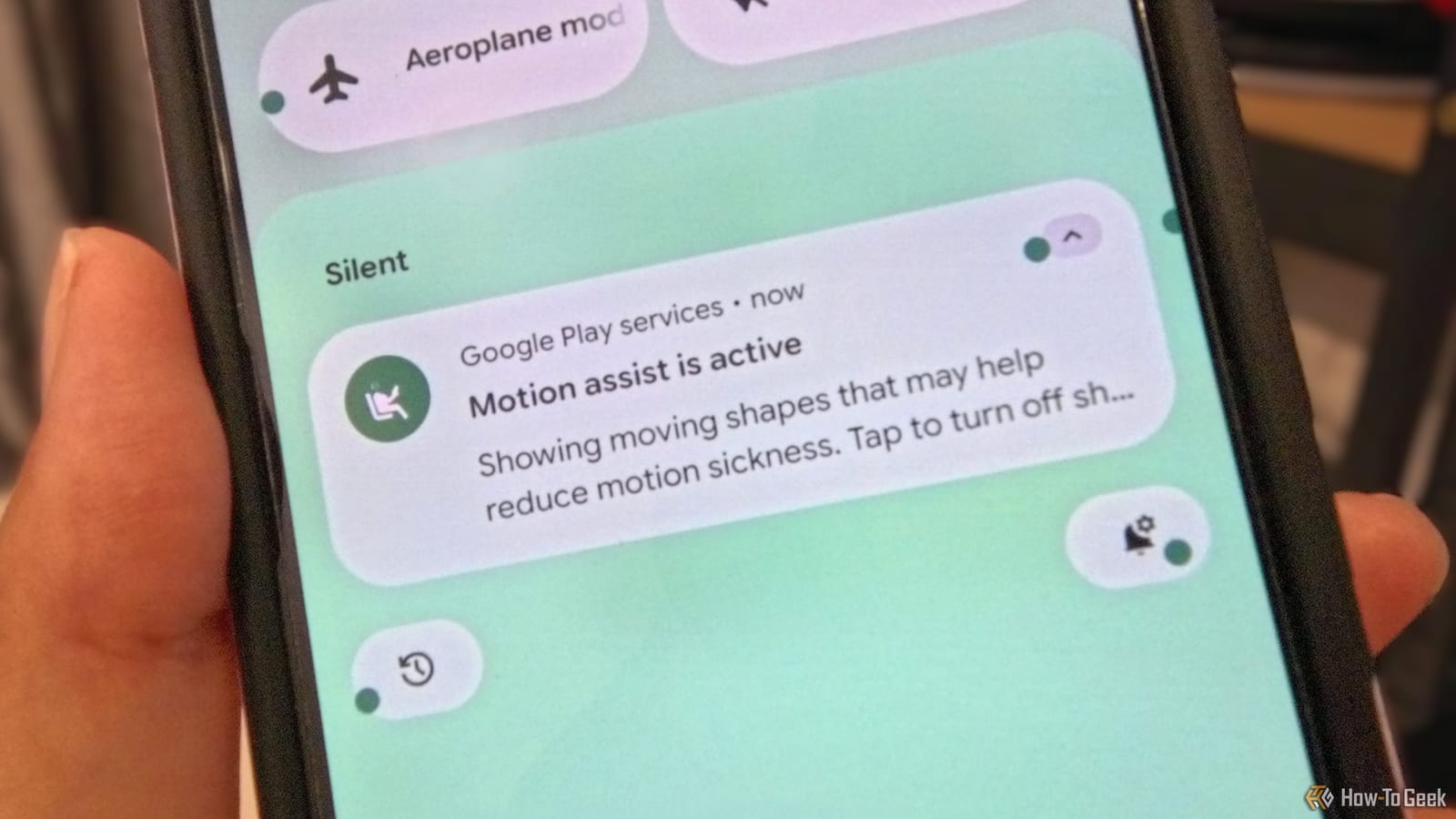
The feature places floating shapes over your screen. The shapes move in step with the vehicle. Motion sickness is often described as a mismatch: your body feels movement while your eyes see a phone that sits still. The moving shapes help your brain line the two up, so looking at the screen is less likely to bring on nausea or dizziness.
Once it is switched on, Motion Assist can detect a moving vehicle and start by itself. You can still tap a shortcut tile to turn it on or off at any time.
Why the writer needed it
Fatmi says her motion sickness got much worse over the year since she moved from a OnePlus phone to the Pixel 10. She says she once vomited on a road trip after using the phone too long. She also points to screen flicker. Tech reporters have written that the way some OLED screens flicker can cause headaches and nausea for roughly 10% of people. This is her own account, not a lab test.
How to find and adjust it
The setting is buried deep in the menus. Fatmi had to use the search bar to find it. These steps can make it easier to use:
- Search for Motion Assist in your phone's settings.
- Add the Motion Assist tile to Quick Settings for one-tap access.
- Change the shape, color and opacity of the floating shapes.
Those options matter because the shapes sit on top of your screen. Fatmi says she adjusted them so the phone stayed usable.
What it did and did not fix
She calls the results a boon, with significant improvement. She can now look at her phone without feeling sick. It is not a cure, though. She still cannot use the Pixel for the whole length of a longer road trip.
When other phones get it
Google says Motion Assist is coming to all Android 17 phones in the coming months. The rollout has started, so if you do not see it yet, it may simply not have reached your phone. This is one person's experience, so how well it works for others is not yet known.
The takeawayIf your phone makes you queasy in a car, search your settings for Motion Assist or add its Quick Settings tile, then adjust the shapes until they work for you.