Samsung's new Driving Report grades how a person drives, not just where they went. It is part of One UI 9, the software that runs on Galaxy phones. A writer at How-To Geek tried it and found that Google Maps offers nothing quite like it. The catch is that it needs your location at all times.
What it does
The feature is off by default. Once it is turned on, the phone starts recording a trip whenever it connects to a car over Bluetooth. There is nothing to start by hand before leaving home.
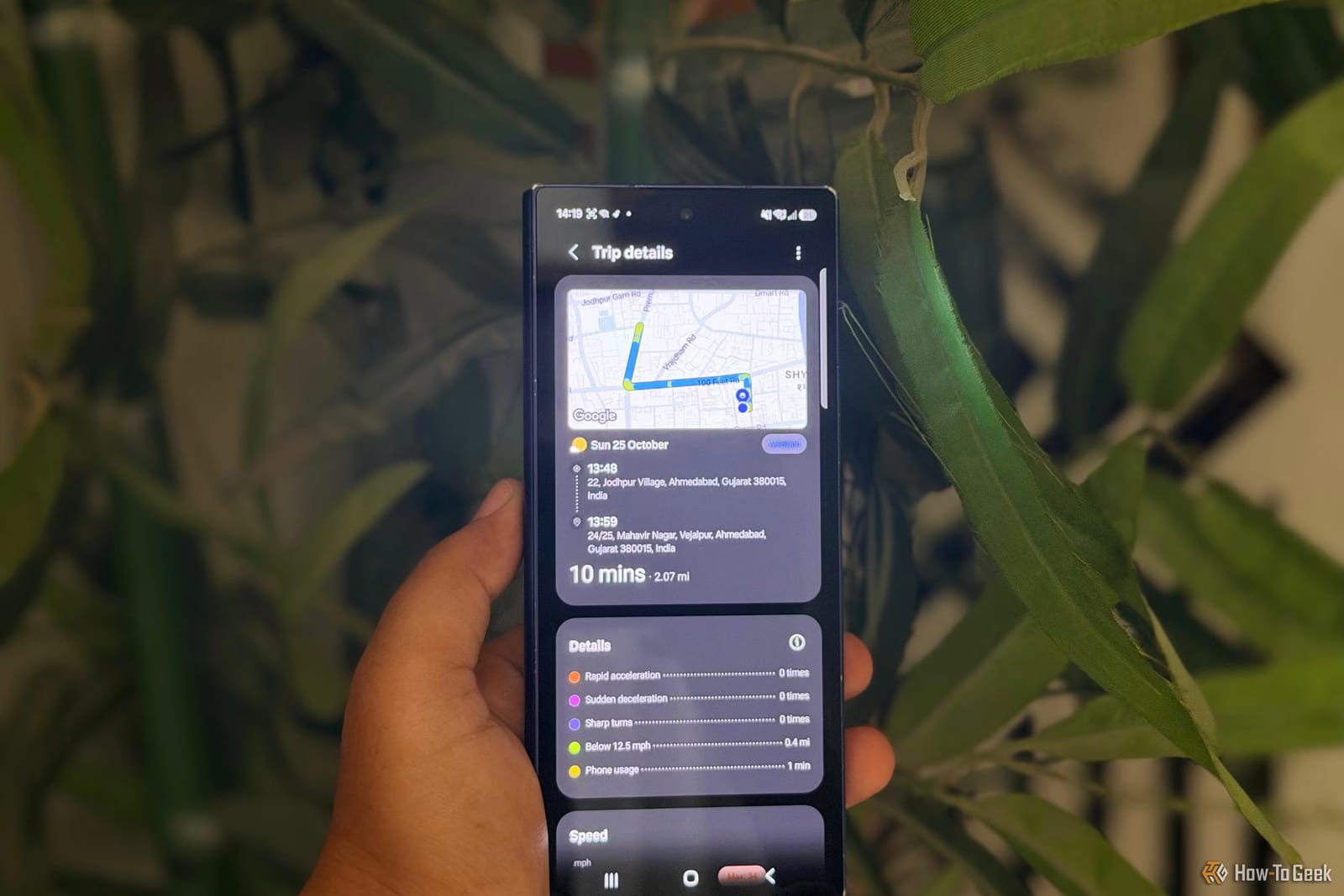
Each report lists the route, timestamps, total distance, driving time and average speed. The more unusual part is driving behavior. The phone's built-in sensors flag rapid acceleration, sudden braking and sharp turns. It also logs how much the phone is used while driving, and which apps are open. Those numbers may not flatter everyone.
After each drive, Samsung sends a notification with the report. A weekly summary gathers recent trips in one place.
How Google Maps compares
Google Maps has Timeline, which saves past journeys if Location History is turned on. It shows places visited and routes taken. It does not show how someone drove. The writer still prefers Maps for directions and traffic updates, and would like Google to add similar driving stats to Timeline.
The catch
Samsung needs access to location all the time to track drives. That means the phone can check where it is in the background, not only while someone is behind the wheel. For people careful about privacy, that is a tough sell.
Battery is the other cost. Background location tracking can use extra power, though the actual drain depends on the phone and how it is used.
What to do
- Open Settings, then Connected devices, then Driving report, and follow the setup prompts.
- Make sure the car is paired with the phone over Bluetooth.
- Turn on automatic trip recording so drives are logged without any effort.
The feature suits people who like checking numbers. The writer's brother found it useless because he does not care about his driving stats. The article does not say which Galaxy models get the feature or when One UI 9 reaches them, so check your own settings. If the stats do not interest you, leave it off.
The takeawayDriving Report is a fun look at your habits, but it costs constant location access, so turn it on only if you want the stats.