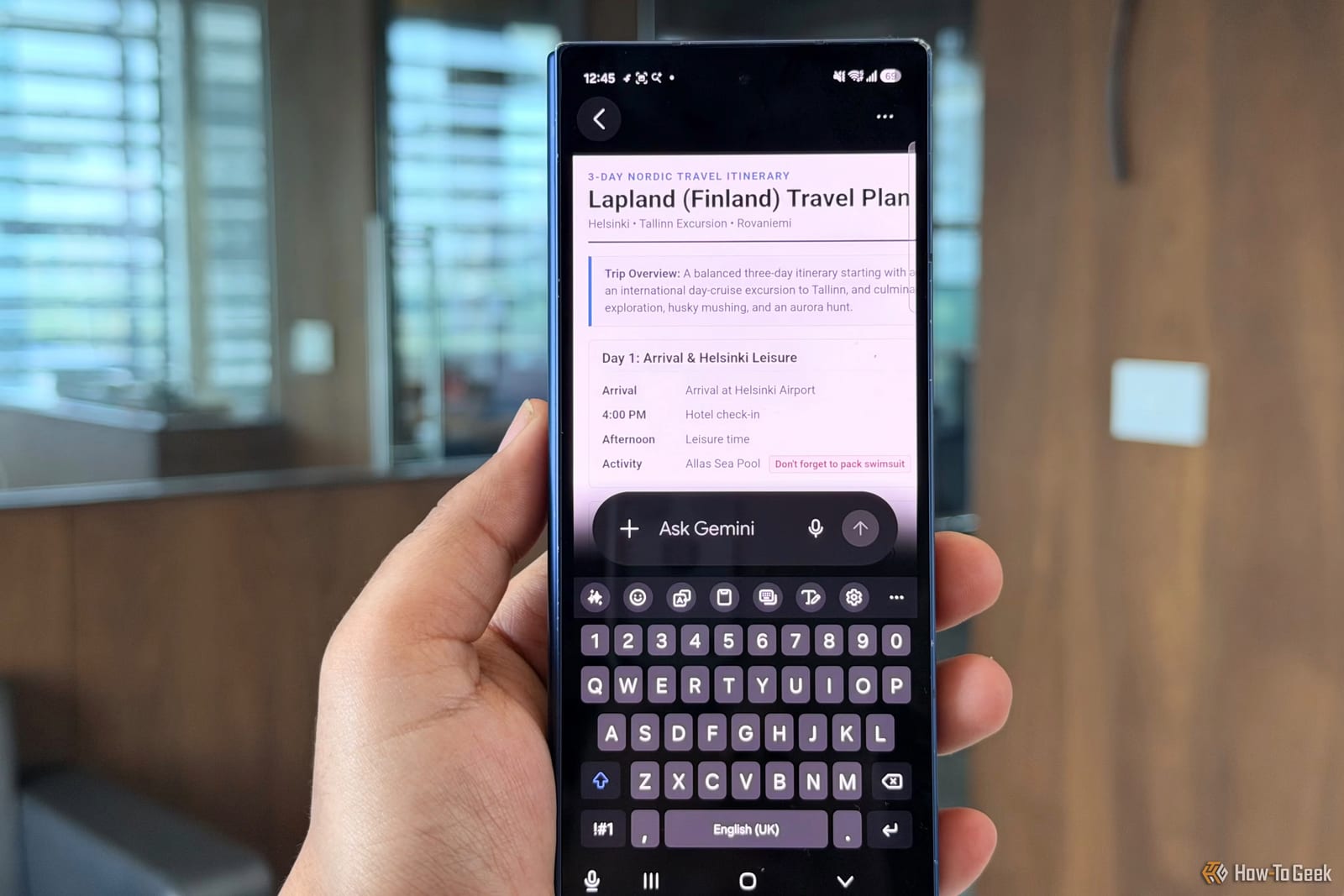
Gemini, Google's AI assistant, can now edit a PDF it created without sending you to another app. A How-To Geek writer, Sanya Shah, tested it by turning a photo of handwritten Finland trip notes into a three-day itinerary, then changing it in the same chat.
What changed
Before, Gemini could make a PDF, but fixing a section meant downloading the file and editing it elsewhere. Google has now updated Gemini's interactive canvas, the workspace where documents open inside the chat. Changes can be made there directly, in an expanded document view.
How the test went
The writer uploaded a photo of notes covering hotel check-ins, train journeys, sightseeing, booking reminders and activity costs. Gemini organized them into separate days with headings, timings and bullet points. It caught most details, including a 10 AM Tallinn cruise and a reminder to pack a swimsuit.
It also made one mistake that was partly the user's. The original heading said 21 days, but only three days of notes were uploaded, so Gemini produced a three-day plan. The writer fixed the length afterward.
Beyond the PDF
Staying in the same conversation saved repeat explaining. Gemini turned Day 3 into a cleaner visual schedule while keeping the original timings. It then made a PowerPoint presentation and a separate booking and packing checklist.
- The checklist included the Tallinn cruise, train journeys and Northern Lights tour.
- It added AirPods, which the writer had left off the handwritten notes.
- Booking reminders and packing tasks were sorted into separate categories.
Where it works
PDF editing is available on mobile and the web. The update also supports Google Docs, Google Sheets, Markdown, plain text files and code snippets, but those formats currently work only on the web. The writer suggests uses such as turning meeting notes into a presentation or organizing expenses in a spreadsheet.
What to keep in mind
The writer still reviewed the checklist for anything Gemini might have missed, and checked how well it had read the handwriting. This is one person's test with one set of notes. Dates, times and costs are worth confirming before you rely on them.
The takeawayGemini can now fix a PDF inside the same chat, but check every time, date and cost it pulls from your notes.