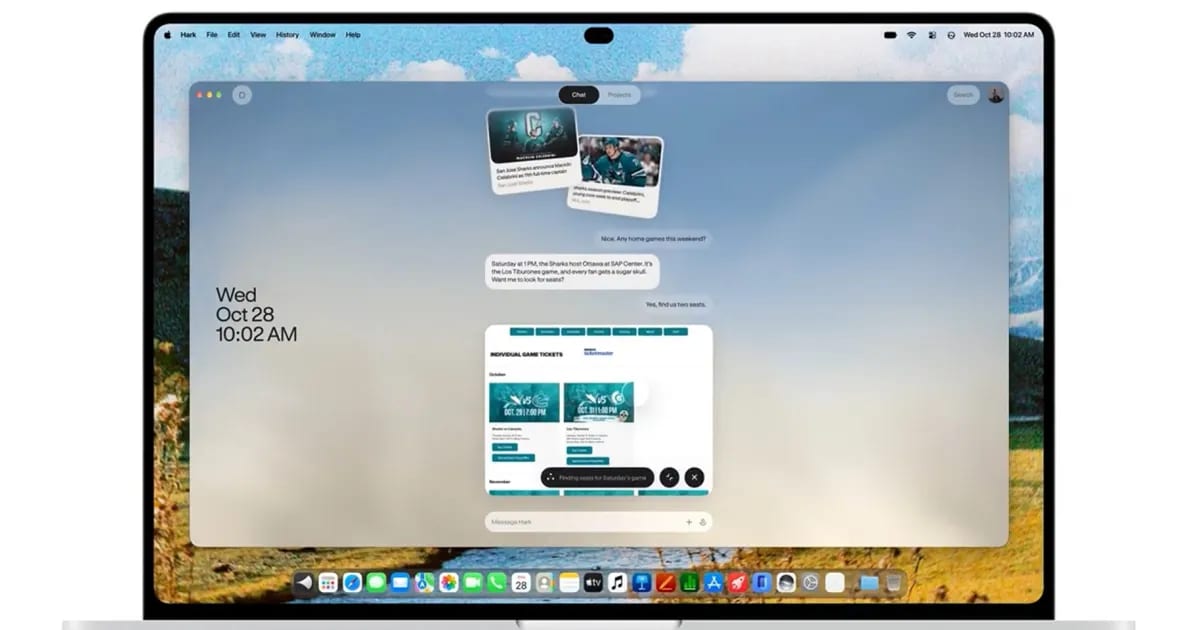
Hark, a free AI assistant that handles errands for you, is now available on Mac. Founder Brett Adcock announced the release on X. The service launched earlier this month on the web, iPhone and Android. The Mac version is described as the same Hark, now on the desktop.
What it does
Hark runs tasks on its own cloud computer, meaning a remote machine that does the work instead of your Mac. Its task agent is called Handoff. The company says Handoff can sign in to websites and make purchases for you. If you connect Google or Outlook, Hark can see your email and calendar.
It also says it will spot unfinished business before you ask. Suggested Action Buttons let you approve a task, such as paying a bill or canceling a subscription you no longer use. The announcement does not describe any new features made just for Mac.
Extras and cost
Panels are small custom apps you describe in chat. One example is a Panel that shows your Strava workouts and lets you ask questions about them. A memory feature stores your preferences and context.
The free tier includes the full feature set. Paid plans only add usage. Hark Pro² costs $20 a month for twice the base allowance. Hark Pro³ costs $100 a month for ten times as much. The pricing page gives no number for the free allowance, so it is hard to tell whether free covers occasional errands or daily use.
What to check
Handing off errands means giving an app access to your accounts. Hark's privacy policy says it asks before sending messages or making purchases, unless you have approved that kind of task to run without confirmation. Review those settings before you let it touch anything involving money.
There is also a regional limit. According to the privacy policy, memory is not offered in the European Economic Area, the U.K. or Switzerland. Memory is central to the personal touches Hark advertises, so users there may get a plainer product.
What to do
- Download the Mac app from hark.com/mac.
- Start on the free tier with a small task you can easily check.
- Look at which task types can run without asking you first.
- Wait on bigger jobs, like booking a flight, until you trust it.
Hark joins other assistants for Apple devices, including MacPaw's Eney.
The takeawayBefore letting Hark handle email or money, check which tasks it can do without asking you first.