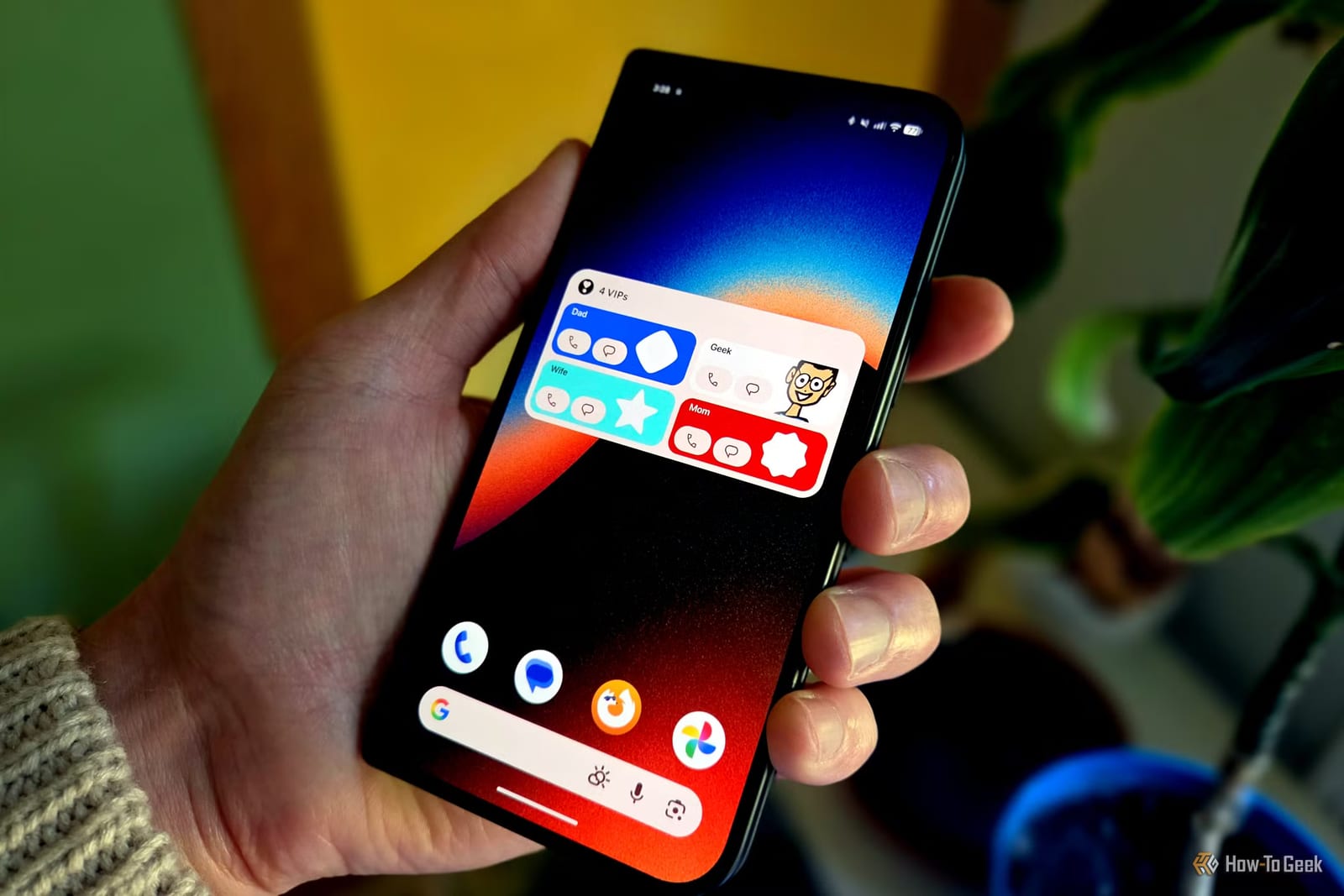
Google's Pixel VIPs feature, which launched in June 2025 and was easy to ignore, is now worth a second look. The September Pixel Drop fixed its two biggest annoyances. Tapping a person in the widget opens their full info page right away, and WhatsApp now works with it. The change comes from a How-To Geek writer who had given up on the feature.
What Pixel VIPs does
Pixel VIPs lets you pick your closest contacts and show them on your home screen in a widget. A widget is a small panel that sits on your home screen and shows information at a glance. Tap a person and you see recent conversations, shared location and even their local weather. You also get shortcuts to call or message them.
What changed
Before the update, tapping a contact slid up a card from the bottom of the screen. You then had to swipe it up again to see the full details. That extra step defeated the point of a quick shortcut. The feature also did little outside Google's own apps.
- Tapping a VIP now goes straight to their information page.
- WhatsApp now works alongside Google Messages, Meet and Maps.
- If a contact uses WhatsApp, the message shortcut lets you pick the app.
Do Not Disturb
Every VIP is automatically added to your Favorites. Favorites are not silenced by Do Not Disturb mode. That means your VIPs can still reach you when everyone else is muted. The reverse is not true: all VIPs are favorites, but not all favorites are VIPs.
How to set it up
The feature is part of the Contacts app and works only on Pixel phones. Open Contacts and go to the Organize tab. Scroll down and choose Pixel VIPs, then tap Next. Google suggests people you contact most often and who have the most details filled in. Pick from those or add anyone from your full list.
- Tap Next, then add the widget to your home screen when the menu appears.
- Return to the Pixel VIPs screen and tap the settings gear to check permissions.
- Resize the widget: the smallest shows photos, larger sizes add call and message shortcuts.
The widget may also show details such as upcoming birthdays. Swipe left or right on a VIP's page, or use the toolbar at the bottom, to move between people.
The takeawayIf you own a Pixel and gave up on VIPs, try it again: a few minutes of setup gives one-tap calls and texts to your closest people.