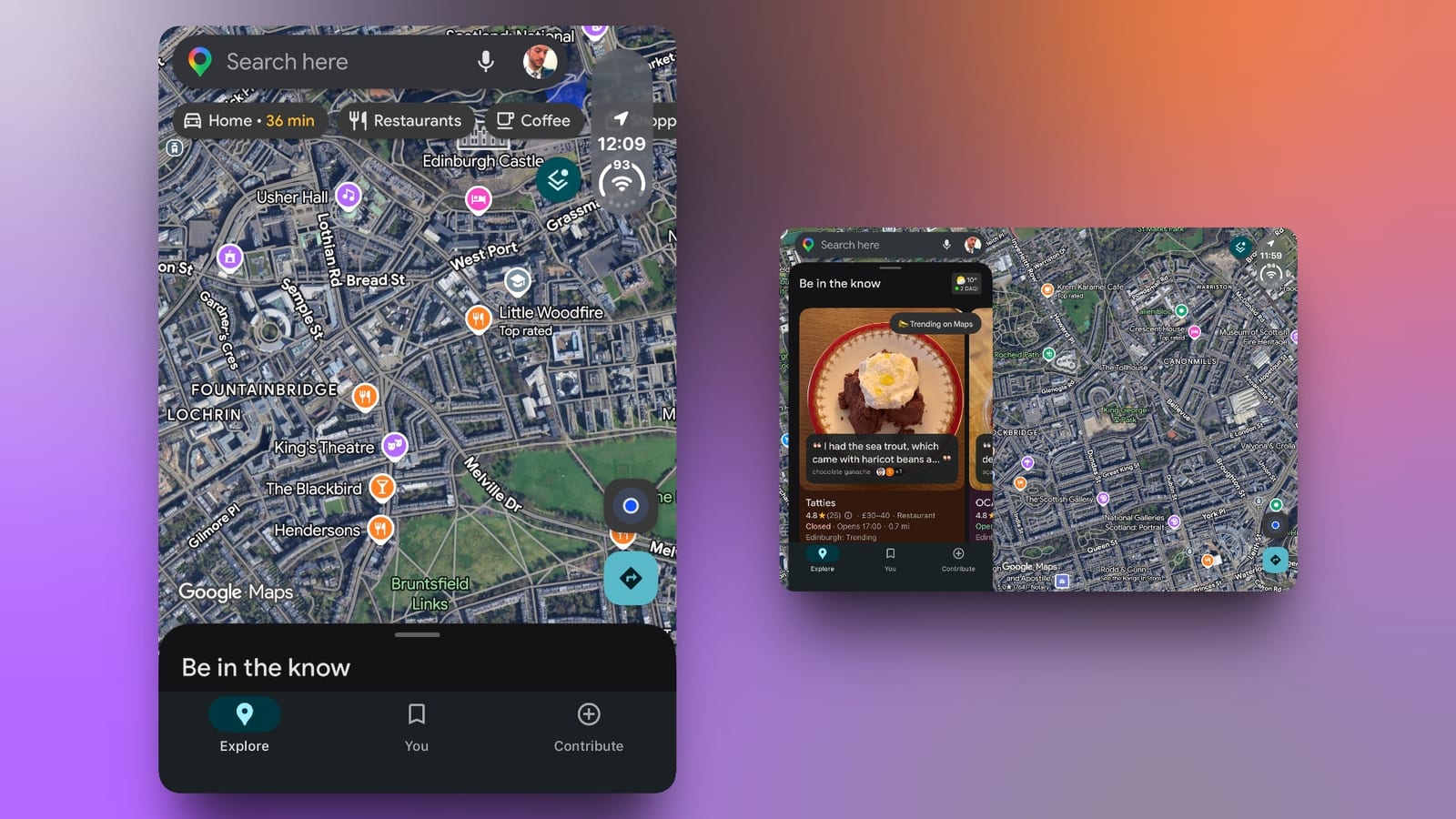
Google Maps now fills the whole screen on the iPhone Duo, Apple's foldable iPhone. The app used to leave an unused black strip along one edge. An update, version 26.44.4, fixes that, and it is available now on the App Store.
What changed
The earlier version, 26.43.1, was only partly adapted to the device. It showed a vertical black border along the right side of both the inner and outer screens, where the circular status bar sits.
In the new version, the map stretches across the inner screen. The search field sits in the upper-left corner. A panel on the left holds the Explore, You and Contribute tabs. Map controls are on the right.
Google does not mention Duo-specific changes in its release notes. The difference is easy to see on the device, though.
Who it affects
This matters to anyone who owns or plans to buy a foldable iPhone and uses Google Maps for directions or finding places. Everyone else will notice nothing.
Google Maps is part of a growing group of apps being adapted to the Duo. Earlier this week, Zoom, Word, PowerPoint, Excel and OneNote were updated for the device too.
What to do
- Open the App Store and update Google Maps to version 26.44.4.
- Check for updates on other apps you rely on, since more are being adapted.
It is not yet clear which other apps are next, or when. Google has not said anything about further Duo changes to Maps.
The takeawayIf you have a foldable iPhone Duo, update Google Maps to version 26.44.4 to get the full-screen map.