Google Keep is where many people dump groceries, errands and half-formed ideas. Gemini, Google's AI assistant, can now help tidy that pile. Sanya Shah, a writer at How-To Geek, tried it and reports that it builds checklists, finds old notes and adds items to lists she already has.
What it does
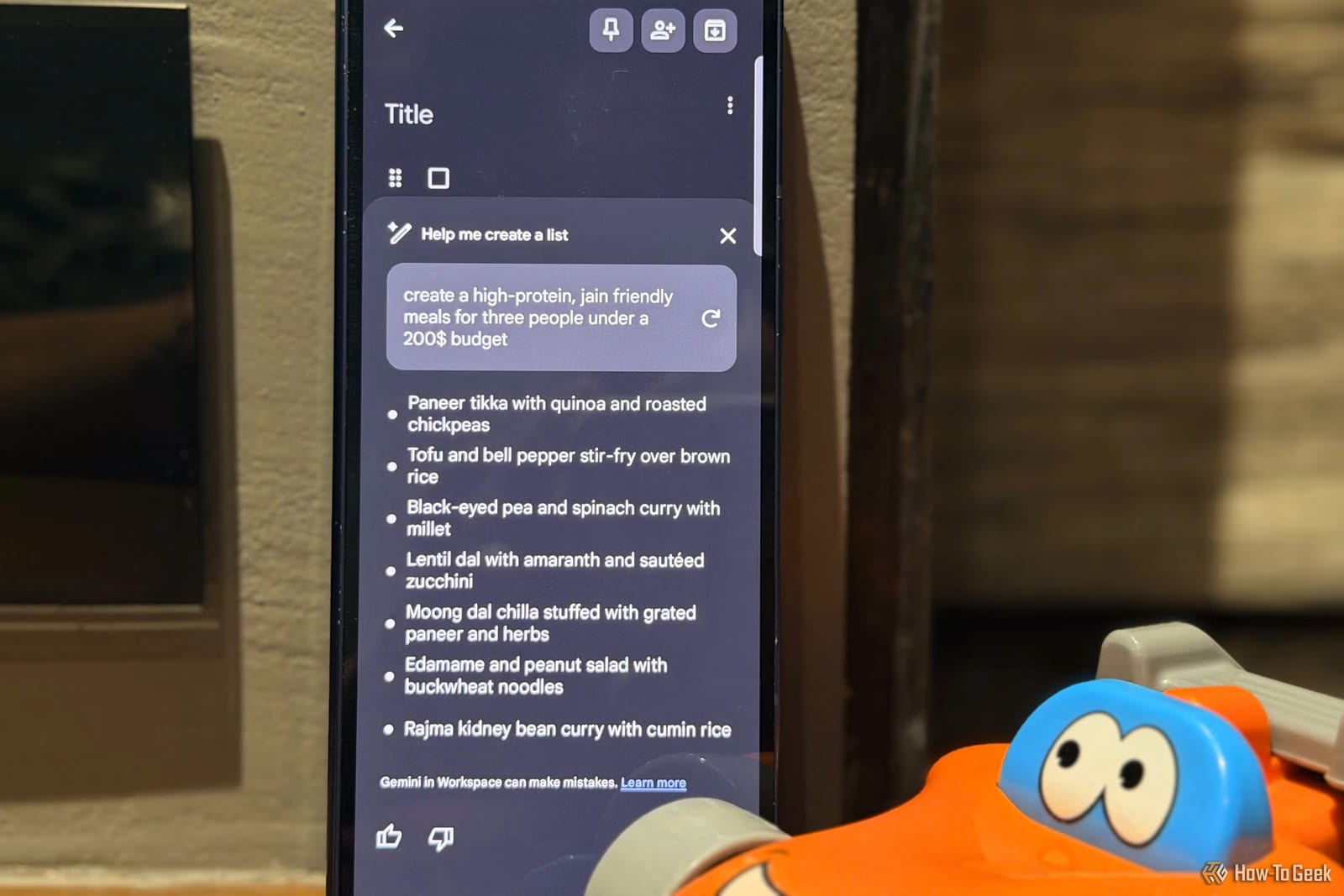
Keep has a feature called "Help me create a list." Type a request, and Keep turns it into a checklist you can review and save. One example prompt asked for a packing list for a two-day family trip to Delhi in December. Gemini suggested things the writer might overlook, such as a jacket for cooler weather.
A second option works inside the Gemini app. Typing @Google Keep lets Gemini find, summarize or add to notes you already have.
How to set it up
- Open Gemini and go to Settings.
- Select Apps and connect Google Workspace.
- Make sure Google Keep access is enabled.
- Start a chat and type @Google Keep before your request.
Where it helped
The writer asked Gemini to find the note holding her Delhi travel details, instead of scrolling through every note. She also asked it to add lasagna sheets and cheese to a list called Weekly Groceries, so she did not have to start a new list.
For work, she saved article ideas in Keep. She asked Gemini to find those notes, group them by topic, suggest three to start with and explain why. She still decides what to write. Gemini just saves the sorting.
What to watch
The writer says she still checks that Gemini updated the correct note. That is a sensible habit, especially if you keep several lists with similar names. Her tests were on a Samsung Galaxy Z Fold 6.
The article does not say which accounts, countries or plans can use these features, so availability is not clear. Connecting Gemini to Google Workspace also gives it access to your Keep notes, which is worth knowing before you switch it on.
The takeawayIf your Keep notes are a mess, connect Gemini in Settings under Apps, try one small request, and check the right note was changed.