Apple's HomePod can now work as a fast wireless speaker for a Mac. The 27.2 software update sharply reduces the delay between what the Mac plays and what the speaker sounds. It applies to the HomePod mini 2 and the 2nd-generation HomePod, and it comes with a few other new features.
What changed
A HomePod could already play Mac audio wirelessly. The problem was delay, called latency. It was fine for movies, but easy to notice in real-time tasks like playing instruments in Logic Pro, or on audio and FaceTime calls.
With 27.2, the HomePod behaves more like it does with an Apple TV. Instead of regular AirPlay, the Mac and HomePod make a direct connection, which keeps the delay minimal.
Who can use it
Only two speakers qualify: the HomePod mini 2 and the 2nd-generation HomePod. The first-generation HomePod mini does not get the option. The Mac also needs Wi-Fi 6E, a newer wireless standard. That rules out some early Apple Silicon Macs, including the M1 family.
The Wi-Fi 6E rule applies to the Mac itself. It does not mean you need a new router.
Other new features
- Lock Controls turns off the touch surface on top, so pets or stray touches cannot start music. It works on every HomePod model.
- With Lock Controls on, intercom, alarms, timers, Check in and FaceTime calls still respond to touch.
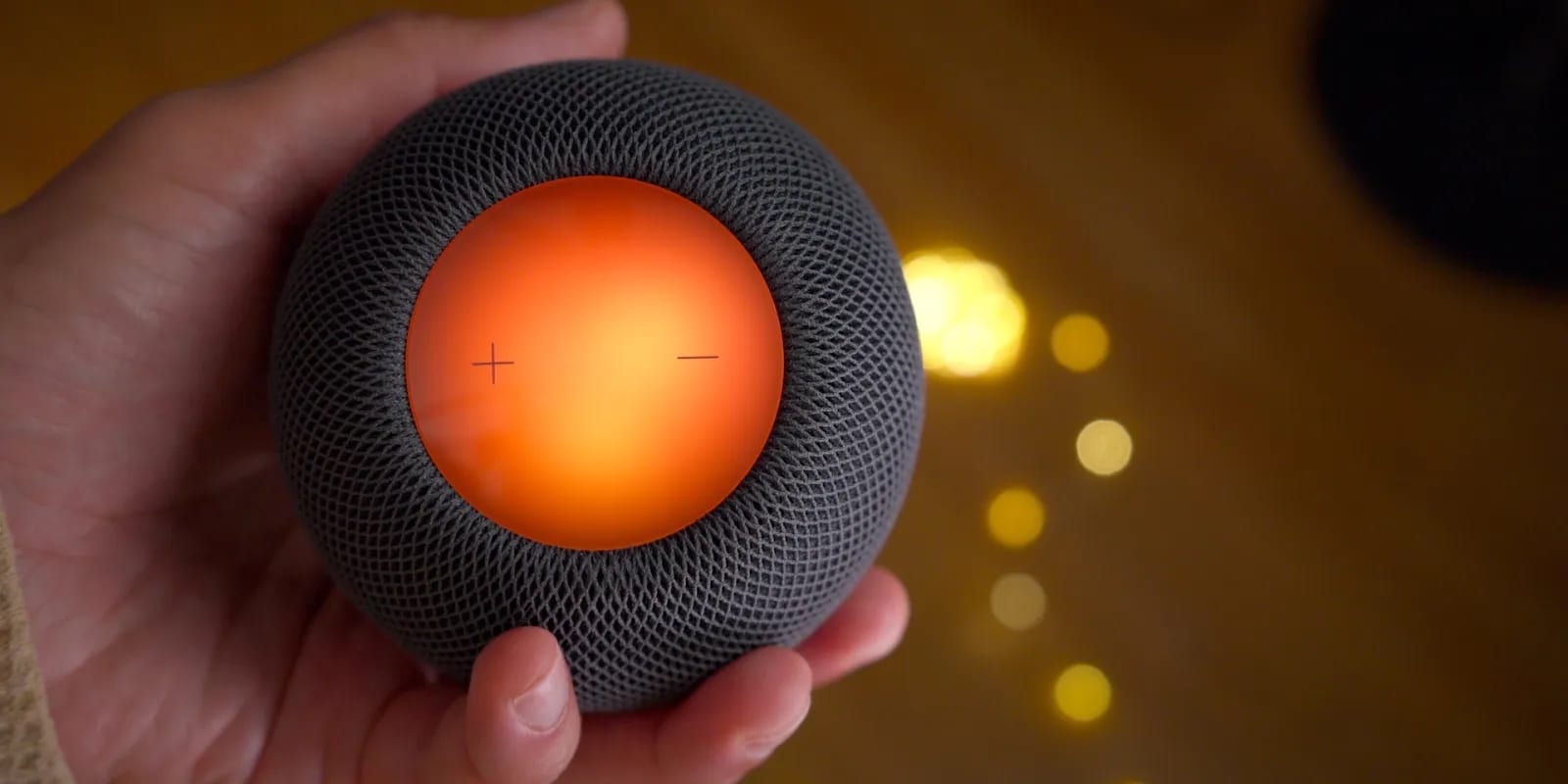
- Sound Glow shows light that matches the album art colors and the rhythm of music or podcasts.
- Turn on Sound Glow in the Home app, in the settings for each HomePod, after updating your iOS device and HomePod to 27.2.
Sound Glow uses the light display under the top cap. The full-size HomePod has 37 RGB LEDs and the mini has 19. Apple says you can also switch Sound Glow on by voice, but that needs an iPhone with Apple Intelligence.
Surround sound and what is unknown
The update also adds a home theater option for the fourth-generation Apple TV 4K. It uses four HomePods: two matching stereo pairs, one in front and one at the back. It works with the HomePod mini 2 or the 2nd-generation HomePod.
The reviewer has not tested this yet and calls it an expensive setup. For comparison, a Sonos four-speaker Dolby Atmos bundle with a subwoofer costs less than $1,600. It is also unclear when Siri AI will come to the HomePod mini 2 or the 2nd-generation HomePod, which could affect the voice control for Sound Glow.
The takeawayBefore counting on a HomePod pair as Mac speakers, confirm your Mac supports Wi-Fi 6E and that your speaker is a HomePod mini 2 or 2nd-generation HomePod.