A reviewer at Android Police ran his workday from a Google Pixel phone plugged into a monitor. His verdict: Android's Desktop Mode is not a perfect laptop replacement, but it gets the job done. For Pixel owners, it could be a handy backup if a laptop gives out.
What it is
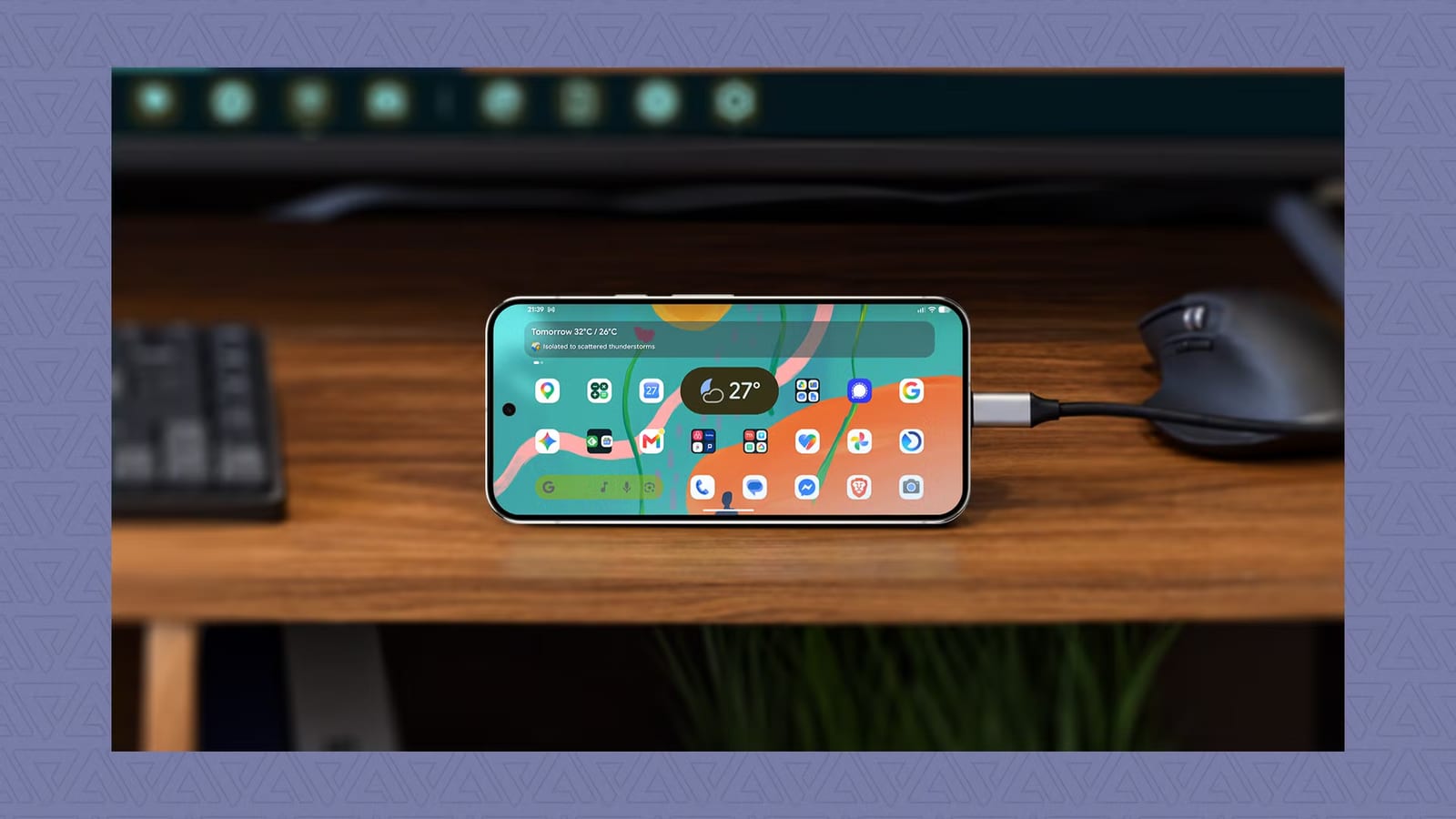
Desktop Mode turns a phone into a basic computer when it connects to a bigger screen. Apps open in windows, and a keyboard and mouse work as they would on a PC. Google introduced it on Android last year and rolled it out to Pixel phones first in March this year. It borrows heavily from Samsung DeX, a similar feature on Samsung devices. Updates since launch have mostly been small fixes to app windows and general speed.
What you need
- A USB-C to HDMI cable and a monitor. The reviewer used an Asus ROG screen.
- A keyboard and mouse. Logitech wireless ones paired with no trouble, and so did a cheap foldable keyboard.
- Optional: a USB-C to USB-C cable, if your monitor accepts video over USB-C.
If the monitor supports Power Delivery, it can charge the phone too. A USB-C hub can also work, but its specs must confirm it handles charging and video output at the same time. With a plain HDMI cable, the reviewer had to unplug to charge his Pixel 9 Pro XL, though that still allowed a few hours of steady work.
What still falls short
The biggest gripe is that Desktop Mode starts with a blank desktop each time. Samsung DeX saves open windows and brings them back on the next plug-in. That matters for anyone picking up unfinished work, such as a document.
The phone screen also cannot stay locked or show a screensaver while the monitor is in use. There is no separate setting for the phone display, and the phone and monitor cannot have different wallpapers. In a text editor with two windows, duplicate typing cursors also appeared.
App support is uneven. YouTube looked like a stretched phone layout and stayed that way after a restart. Opening YouTube in a web browser, with the desktop site turned on, looked much cleaner. YouTube Music has a better two-panel layout. Shopee could not be made to fill a wide screen, which the reviewer says is up to app makers, not Google.
What to do
Pixel owners can test it with a cable and a spare monitor. A slider in the External display settings adjusts scaling and text size, and the same menu offers resolution options. Treat it as a fallback for a few hours of work, not a full replacement.
The takeawayIf you own a Pixel, Desktop Mode is worth testing as a backup workstation, as long as you accept a blank start screen and some awkward apps.