A writer at Android Police says the best Android home screen app may not be one of the famous ones. Parth Shah argues that Smart Launcher, which gets far less attention than Nova, Niagara and Action, does several things better than those rivals. His pick is an opinion, but it points to an easy way to tidy a cluttered phone.
What a launcher does
A launcher is the app that controls how your home screen and app list look and behave. Android lets you swap the default one for another. That is why people can make two phones of the same model look completely different.
Apps sorted for you
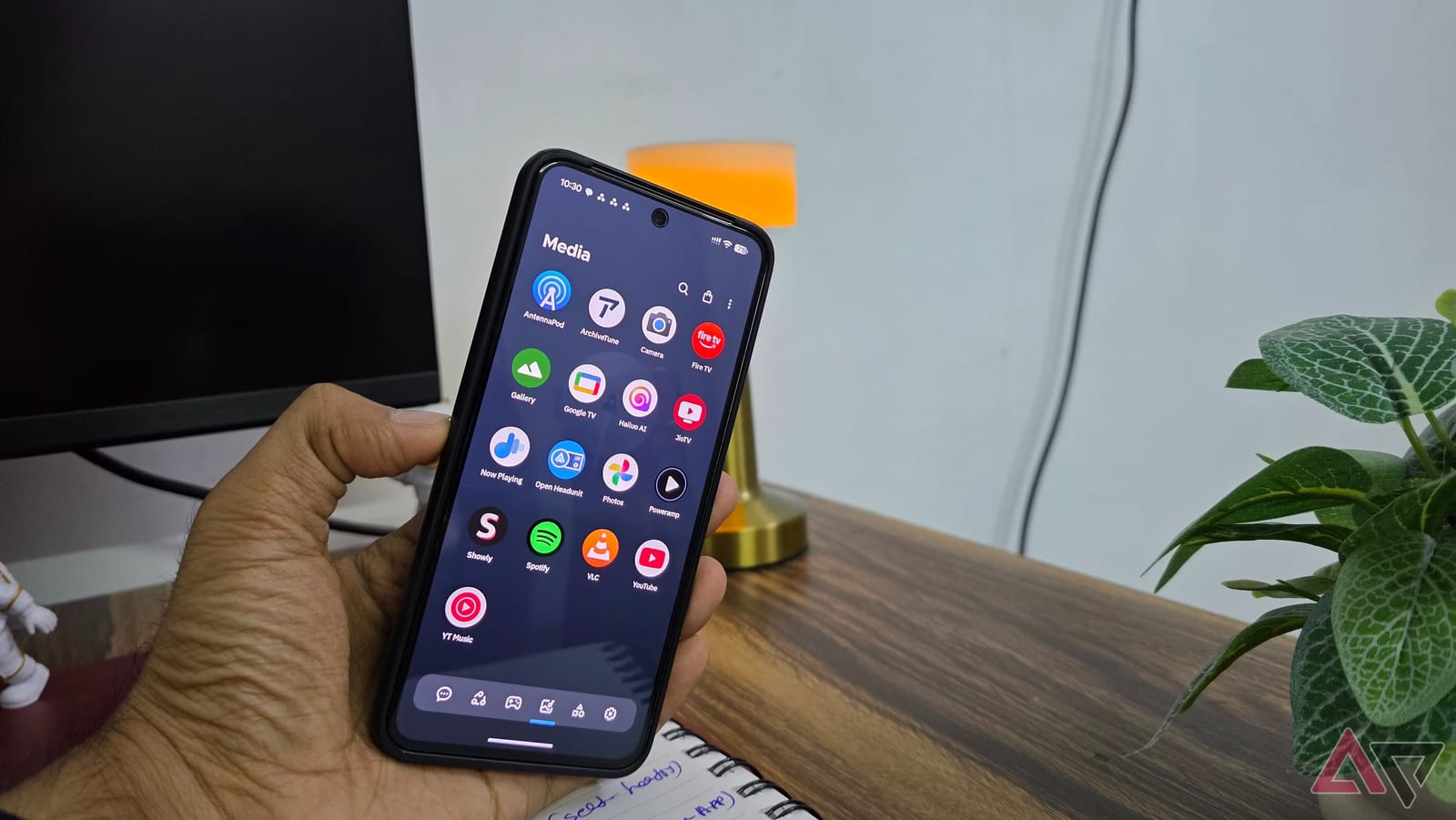
The review's main praise is the app drawer, the screen that lists everything installed. Most launchers show an alphabetical list or a grid. Smart Launcher instead sorts apps into groups such as Communication, Internet, Games, Media and Utilities. Messaging apps land in one place, streaming apps in another.
Nothing has to be filed by hand. Users can still move apps between groups, create their own groups and change the layout.
Widgets and looks
Widgets are small panels that show information on the home screen, such as weather or a calendar. Many third-party launchers rely on widgets from other apps. Smart Launcher includes its own, according to the review:
- Weather and calendar
- Music controls
- Battery indicators
- Photo widgets
Several widgets can be stacked in one spot, and you swipe between them. The reviewer keeps calendar, weather and music in a single space. The writer compares this to Samsung's One UI.
Colors can also follow your wallpaper through a feature called Ambient Theme. When the wallpaper changes, the launcher adjusts to match. Custom fonts, icon packs, background colors and transparency are still available. Options include a frosted glass look for the app drawer and widgets that appear when you swipe on an app icon.
Search and gestures
Smart Launcher can search contacts, shortcuts and files. It also handles quick calculations, unit conversions and web searches. The reviewer does not think search alone is a reason to switch. Gesture shortcuts are supported too, though the review notes they are not unique to this launcher.
What is not covered
The article is one writer's experience, not a set of tests. It does not give the price, which phones it works best on, or how it compares on speed and battery use. The writer also says no launcher is perfect and the right pick depends on personal taste.
The suggestion is aimed at people who have used the same launcher for years or feel their home screen looks dated. For them, trying Smart Launcher is a low-effort way to see whether a different setup feels better.
The takeawayIf your Android home screen feels messy or dated, Smart Launcher is a lesser-known option that sorts apps for you and is worth a try.