If you built or bought a gaming PC, it likely has a second graphics chip that is doing nothing. Many processors include built-in graphics, called an iGPU. When a separate graphics card is added, the built-in chip often stays enabled but unused. How-To Geek lays out several ways to put it to work for free.
Try the motherboard port
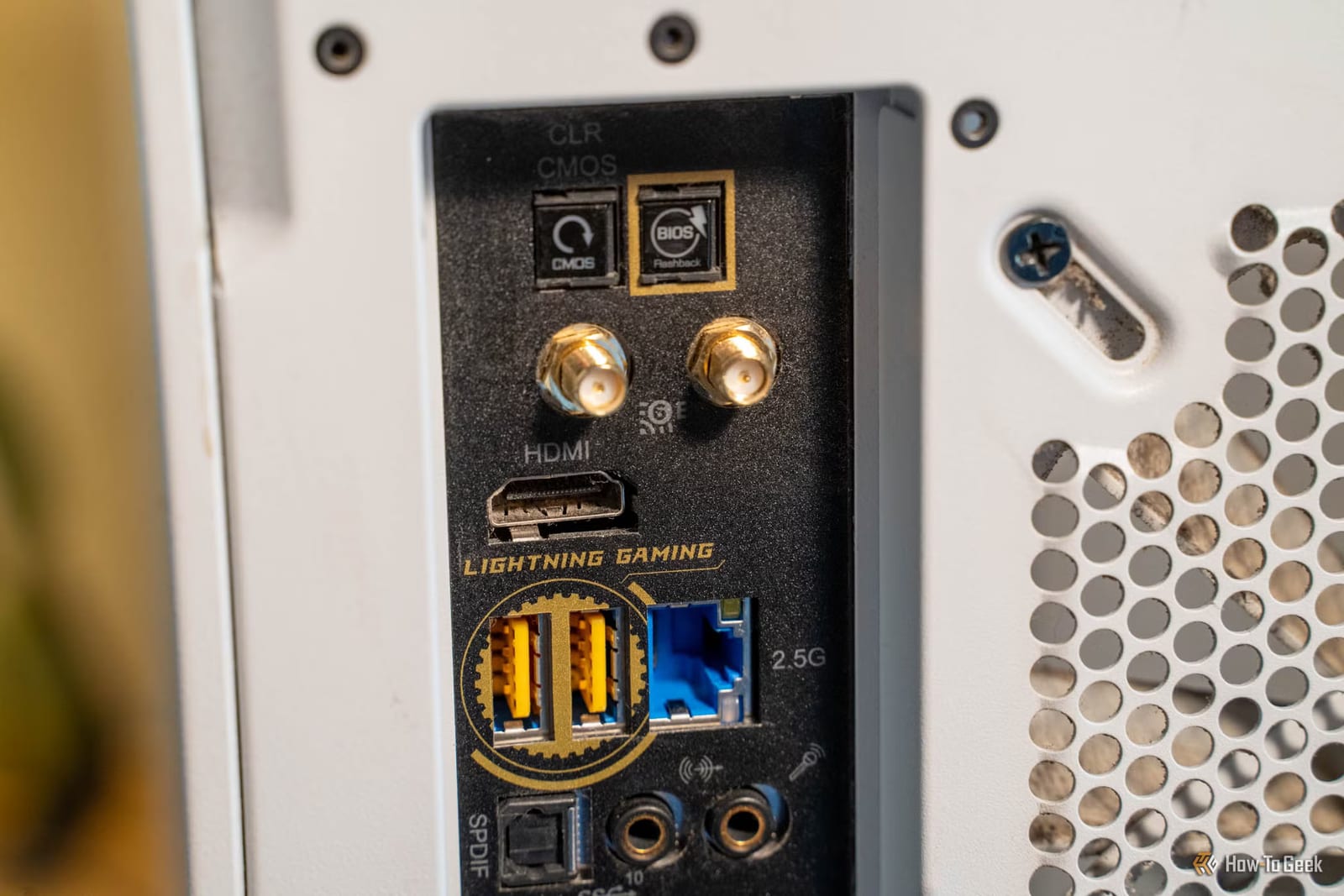
Every screen plugged into your graphics card makes it work harder. Two 4K displays at 144 refreshes per second each mean about 8.3 million pixels per screen, redrawn 144 times a second. Moving a second or third monitor to the HDMI or DisplayPort on the motherboard shifts that load to the built-in chip.
The writer expects only a few extra frames per second. He says the gain could show up more in the 1% lows, the slowest moments that feel like stutter.
A safety net if your card fails
Some pre-built gaming desktops cover the motherboard video port. That makes sense for processors with an F in the name, because F-series chips have no built-in graphics. If your processor does have an iGPU, the cover may just be there to stop people plugging into the wrong port. For gaming itself, the article says to stay on the graphics card.
But if the card dies or a bad driver update breaks it, the motherboard port can keep the computer usable. The writer says that was his first check in his PC repair days: remove the card and plug into the onboard port.
Video editing and media servers
Video editors use two engines: one to play back imported footage (decoding) and one to export the finished file (encoding). In Premiere Pro, Intel's Quick Sync cannot be chosen for encoding when a graphics card is installed, but it can be chosen for decoding. Resolve allows the built-in chip for both.
For some footage, such as 10-bit 4:2:2 H.265 or HEVC, Quick Sync can beat NVIDIA's decoder on every card before the RTX 50-series. The advice is to switch decoding to Quick Sync and leave encoding on NVIDIA's NVENC.
If a gaming PC doubles as a Plex or Jellyfin server, an Intel processor lets you assign the transcoder (the part that converts video for other devices) to the built-in graphics. That keeps it from taking frames away from your game.
Pick a chip for each app
Windows 11 lets you choose which graphics chip each app uses. Discord, a browser, Spotify and wallpaper apps can all be set to the built-in chip, leaving the main card free for the game.
The takeawayCheck whether your processor has built-in graphics, then try the motherboard port for extra monitors and the Windows 11 per-app GPU setting.