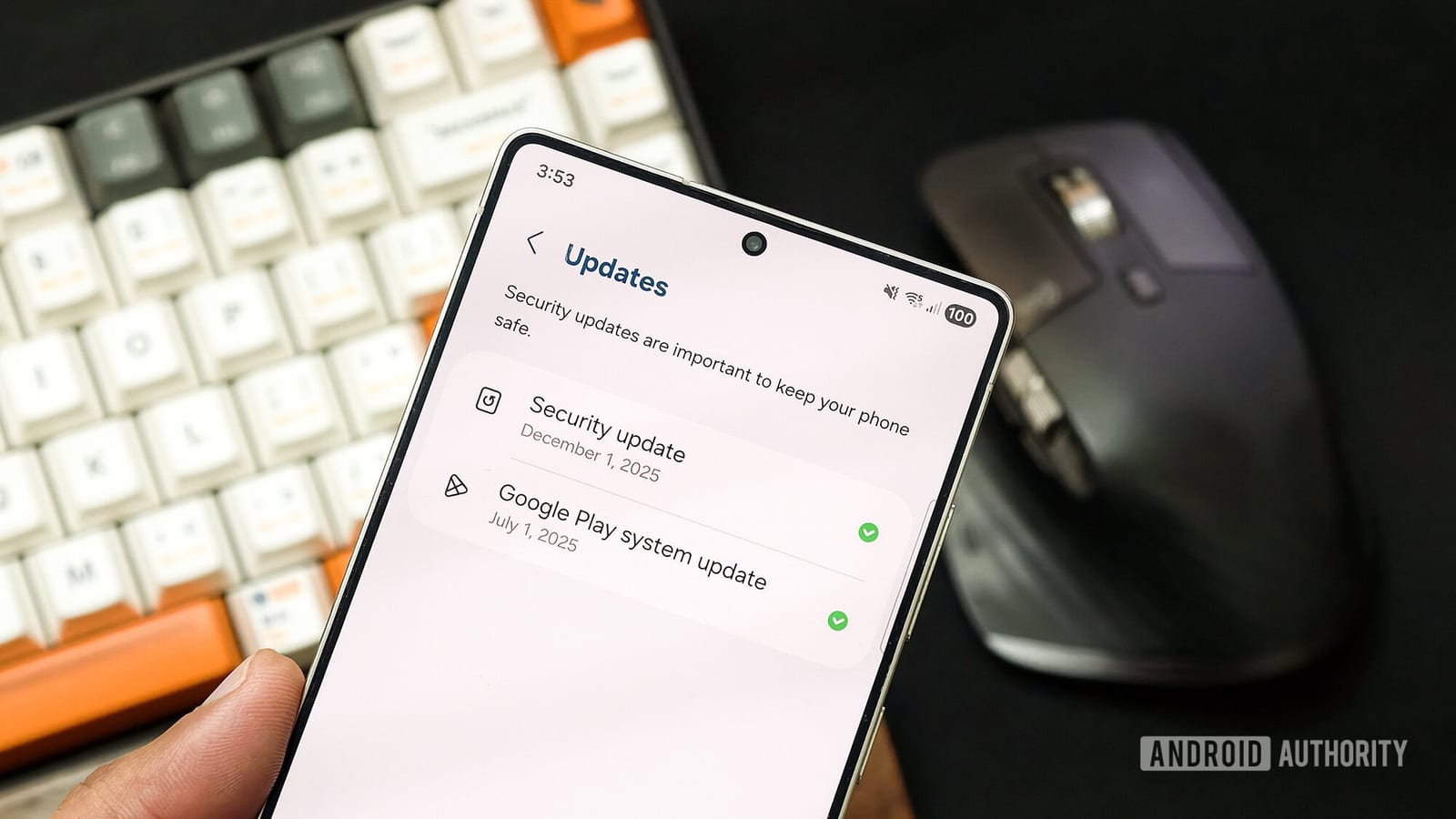
Act this weekWhat happenedSome Android phones are showing a Google Play system update that appears to carry a future date.
Who is affectedMainly Samsung phone owners, and possibly people with OnePlus and Motorola phones.
What to do- 1Open Settings and look under About phone or Software information for the update details.
- 2Do not install anything from a text, email or website that claims to fix the issue.
- 3Keep automatic updates turned on so real fixes arrive on their own.
- 4Watch for word from Google or your phone maker before changing any settings.
Some Android owners have noticed something odd in their phone settings: a Google Play system update that carries a date in the future. Samsung phones appear to be the most affected so far. OnePlus and Motorola phones may be affected too.
What changed
Google Play system updates are small background updates that help keep Android current. They usually arrive without much notice. On the affected phones, the update details show a date that has not happened yet. The report comes from Android Authority.
Who it affects
Samsung owners are the main group seen so far. People with OnePlus and Motorola phones could also see it, but that is not confirmed. If your phone shows a normal date, nothing here suggests you need to do anything.
Why it matters
This looks more like a strange display glitch than a threat. Still, odd-looking update screens are the kind of thing scammers like to exploit. The steps in the alert box above cover what to check and what to avoid. The short version: look at your update details, and ignore anyone offering a fix by text, email or website.
What is not known yet
The cause has not been explained. It is also unclear how many phones are affected, or whether the date is only a display error or a sign of something else. Google and the phone makers have not been quoted on it. Watch for word from them before changing any settings.
The takeawayCheck your update details, keep automatic updates on, and install nothing from a message that claims to fix the date.