Samsung's One UI 9 update, based on Android 17, changes the outer screen of the Galaxy Z Flip. Every time you unlock the phone, you now land on a page called Now Brief. If you don't like it, you can switch it off in Settings. That is how Android Police writer Jade Bryan got his classic cover screen back, at least in part.
What changed
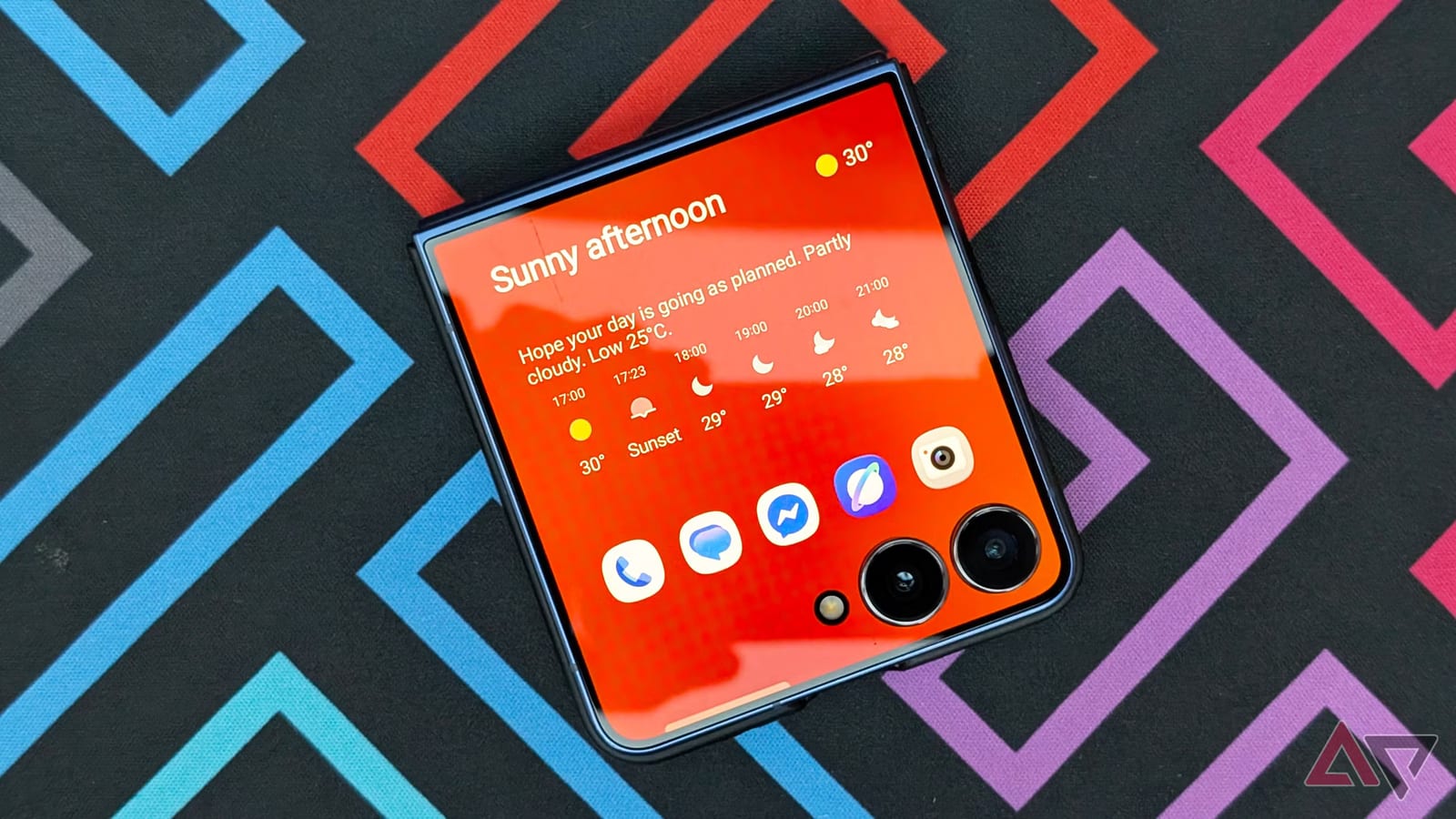
Now Brief is a page with a large weather widget that fills most of the display. Below it sits a new dock for favorite apps. You can pin up to five apps there, customize them, or mirror your main home screen. Now Brief is also the default page, and you cannot move it among your other widget pages.
Samsung also changed how swiping works on the cover screen. Swipe down from the left to open notifications. Swipe down from the right to open quick settings. A one-tap button clears notifications. Swiping up from any widget page opens a new app drawer.
How to hide Now Brief
Unfold your Flip and follow these steps. Both options are on by default.
- Open Settings and tap Cover screen.
- Turn off Show Now Brief and favorite apps.
- Your carousel of widget pages now starts with your first custom page.
Turning this off also removes the bottom dock of favorite apps. That is the trade-off.
What you can build instead
Once Now Brief is gone, you can arrange the remaining widget pages as you like. The writer chose a clean clock or weather widget next to a 4x2 grid of app shortcuts. He says this saves a swipe compared with the app drawer and opens his most-used apps faster.
There is one downside. These app widgets show no notification badges, so you won't see unread messages or missed calls unless you pull down the notifications panel or check the lock screen.
The mixed verdict
The writer likes the app drawer and the new gestures. He says the drawer can be expanded to 50 apps with the MultiStar module in Good Lock, Samsung's customization app. His complaint is that Samsung forced a rigid Now Brief screen with little room to customize. He also notes that reception to the redesign is mixed, and that it can frustrate people who rely on muscle memory or third-party launchers.
The takeawayIf the new Now Brief cover screen on your Galaxy Z Flip annoys you, turn off Show Now Brief and favorite apps in Settings > Cover screen.