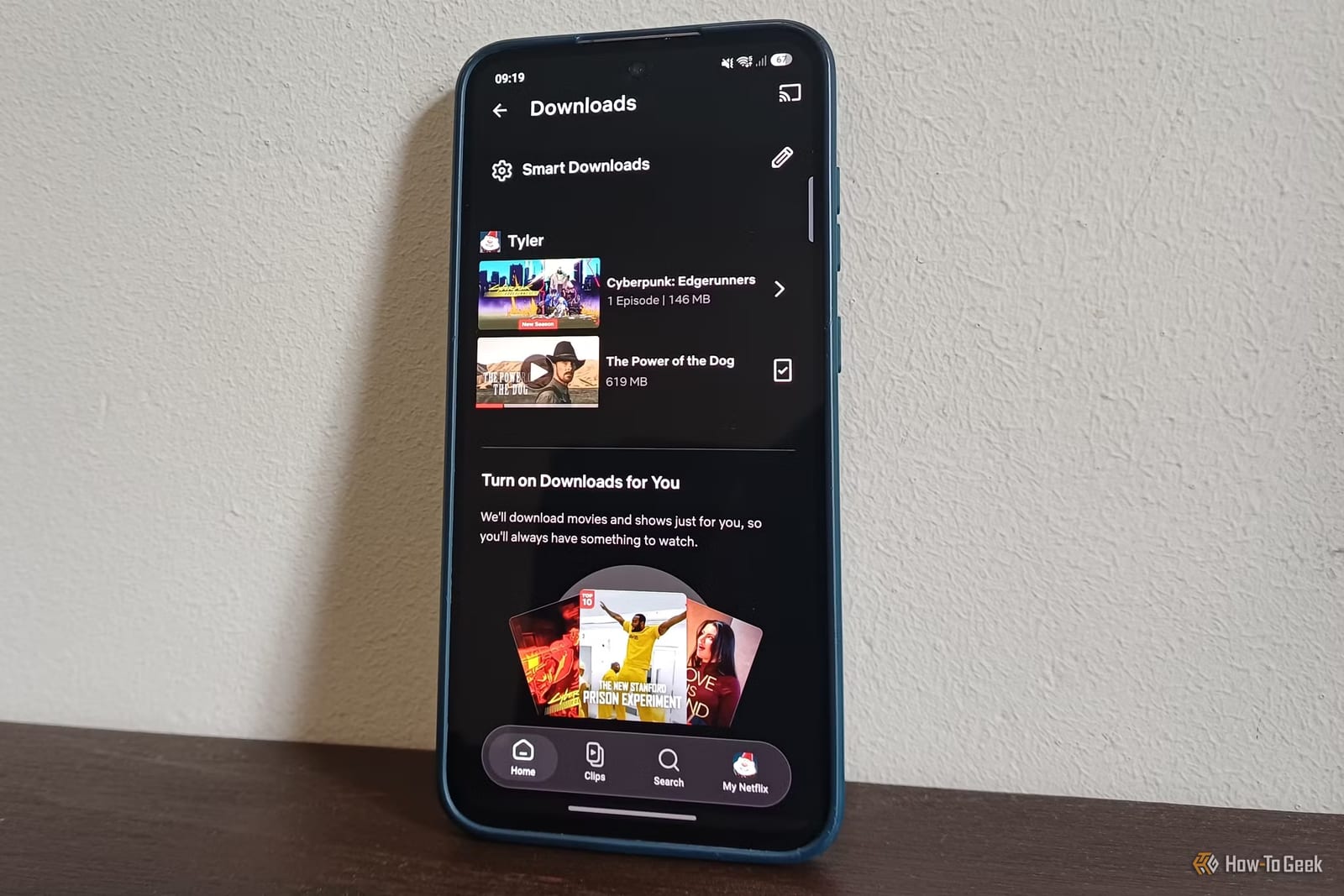
Netflix can download the next episode of a show for you once you finish the one you saved. The setting is called Smart Downloads, and it sits inside the Netflix mobile app. How-To Geek says few people know it exists. For anyone who watches on a bus, a plane or a gym treadmill, it means far fewer trips to the download button.
How it works
Open the Netflix app and go to your downloads. A Smart Downloads tab sits at the top of that screen. Tap it and two options appear. The first is Download Next Episode. Download one episode by hand, and when you finish watching it, Netflix fetches the next one and deletes the one you watched. It waits for Wi-Fi, so it does not use your mobile data plan.
The second option
The other option is Downloads for You. Netflix picks shows and movies it thinks you will like and saves them to your device. You choose how much storage it may use, and you can set a separate limit for each profile on the account. That limit applies only to this feature, not to episodes you download yourself. Netflix also removes titles you have watched and ones left untouched for a while.
What limits it
- It is not available on Netflix plans with ads. You would need to upgrade.
- It is meant for mobile devices, so it may not work on a computer, smart TV, game console or streaming box.
- It only downloads over Wi-Fi, so you need to connect to a network now and then to top up.
Who it helps
The writer at How-To Geek uses it because the Wi-Fi at the gym is poor. After downloading one episode by hand, the next is ready for each later workout. It also helps when the power or internet goes out and your saved list is already watched. Because old episodes are deleted automatically, your phone's storage should not fill up with shows you are done with.
What to do
Check which Netflix plan you have first. If it includes ads, the feature will not appear unless you upgrade. Otherwise, open the app, tap Downloads, then Smart Downloads, and switch on the option that fits how you watch.
The takeawayOn a Netflix plan without ads, turn on Smart Downloads in the app's Downloads screen so your next episode is ready offline.