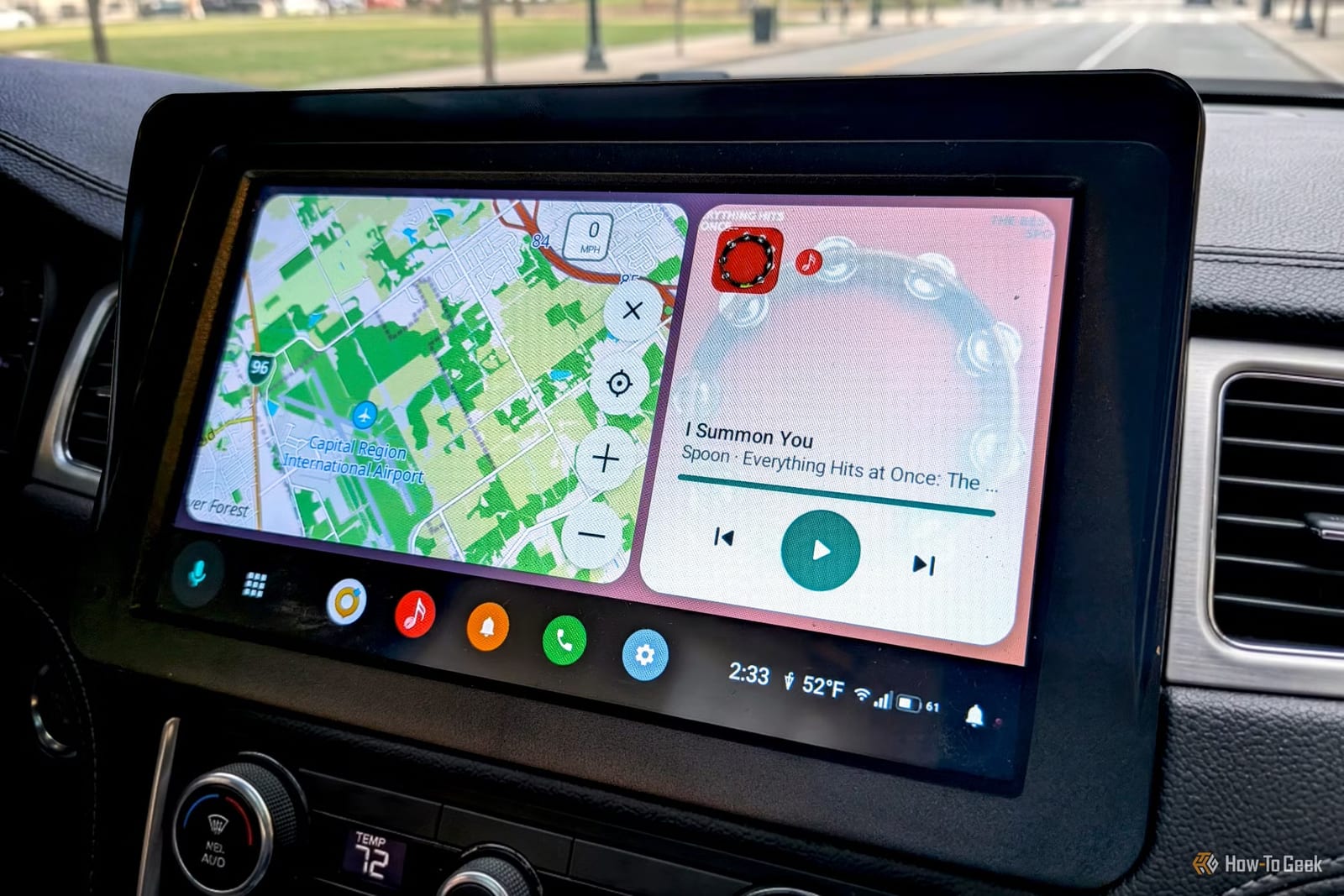
A free app called AARE can replace Android Auto on your car's screen, and it lets you do things Google's version blocks. A How-To Geek writer tried it in his car and found it easy to set up. It is open source and still an early test version, so it is less steady than Android Auto.
What AARE does differently
AARE copies the phone side of Android Auto and uses the same method to show up on the car display. The layout feels familiar. Maps fill the main area, media controls sit to the side, and a taskbar can go on the bottom or the side.
- Pick your own voice assistant instead of being limited to Gemini.
- Use sideloaded apps, meaning apps installed outside the Play Store.
- Mirror your phone screen for apps that do not support car screens.
- Add weather to the taskbar, change the wallpaper, or keep passenger mode on.
The voice assistant runs from the car's voice button and listens through the car's microphone. Some assistants show on the car screen. Others run on the phone.
What works and what does not
Messaging apps such as Messages, WhatsApp and Discord work, because AARE reads notifications. Music and podcast apps work if they use standard Android media services. Phone calls go through a built-in app. Mirroring an app that lacks car support is a bit rough, but it works.
The big catch is navigation. AARE does not need Google Play Services, which are Google's background tools on Android phones. Google Maps and Waze need them to show their car screens, so neither runs on the display. If you start navigation on your phone, AARE shows the next direction as a notification.
How to set it up
Download the latest APK file from AARE's GitHub page on your Android phone and install it. Tap "Preview car screen" to see how it looks before changing anything. Then follow the "Finish setting up" checklist, which walks through permissions and car audio.
- Allow restricted settings before granting Notification Access.
- For car audio, the reviewer recommends the Shizuku method.
- Connect by USB cable or by pairing, then tap "Connect" in AARE.
- Disable Android Auto in Android settings so it does not get in the way.
Who it suits
The reviewer called AARE a proof of concept and said the concept works. If you do not rely on Google Maps or Waze, he saw little downside to using it over Android Auto. If you do, the missing map apps are likely a dealbreaker for now.
The takeawayAARE gives you more control over your car screen for free, but without Google Maps or Waze and with some rough edges expected.