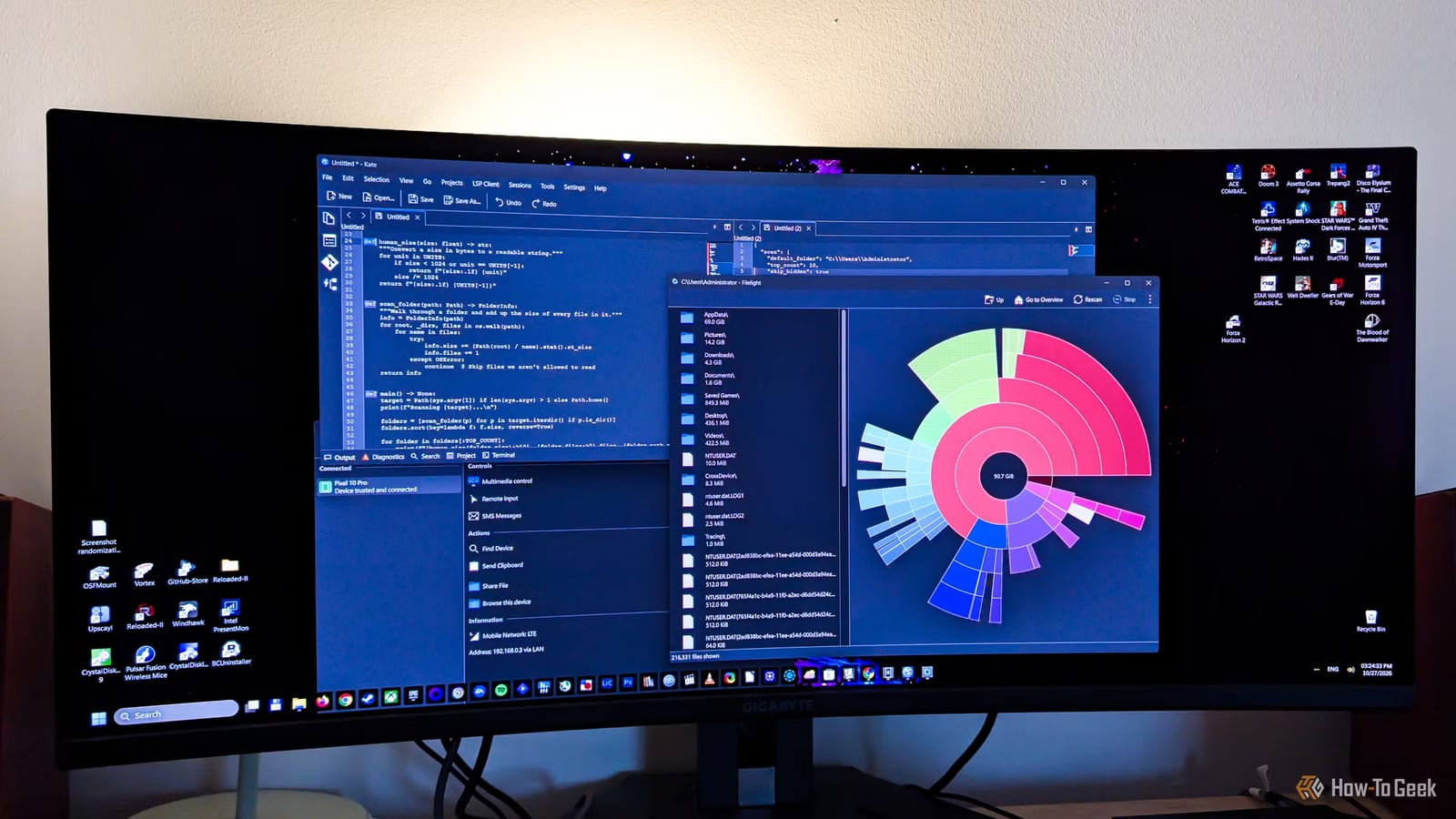
Several free apps that began on Linux also run on Windows, and a How-To Geek writer says they do some jobs better than the tools built into Windows. The apps cover finding what fills your drive, reading PDFs, linking your phone and taking screenshots. They are open source, which means their code is public and anyone can use them at no cost.
Find what is filling your drive
Filelight shows a drive as nested rings. The center is the folder you are viewing, and the rings around it are its subfolders and files. A bigger slice means a bigger folder. The writer spotted an AppData folder of almost 70GB, and more than 20GB of it was Spotify's cache, which was deleted. Filelight is in the Microsoft Store.
A stronger PDF reader
Okular is a document viewer the writer rates above the free Adobe Acrobat Reader and the PDF readers in Chrome, Firefox and Edge. It lets you annotate PDFs, add notes, and copy text, tables or any area you select. It also opens ebooks, comic files, images and Markdown files. It has no ads.
- Digital signing works, but setting up the certificate is elaborate on Windows.
- It opens EPUB and MOBI ebooks and CBR and CBZ comic files.
- It is free and open source.
Phone and screenshots
Microsoft's Phone Link can browse phone files, show texts and make calls. The writer says its connection drops at random and some features refuse to work. KDE Connect was more stable for them. It does not demand every permission at first launch. It can ring your phone to find it, turn it into a mouse and keyboard, and control media between devices.
KDE Connect cannot make calls or use the phone as a webcam. It also offers fewer features on iPhone than on Android. It runs on Windows and macOS too.
Flameshot is the screenshot pick. It lets you mark up an image inside the capture screen, with no separate editor. It can blur or pixelate any part of a screenshot. Snipping Tool's redaction only works on text it detects, such as email addresses and phone numbers.
What is not clear
The headline counts five apps, but the text available covers four in full. The fifth is not named here. These are one writer's opinions and experience, not lab tests. Results on your own PC may differ.
The takeawayIf your drive is full or Phone Link keeps dropping, Filelight and KDE Connect cost nothing to try on Windows.