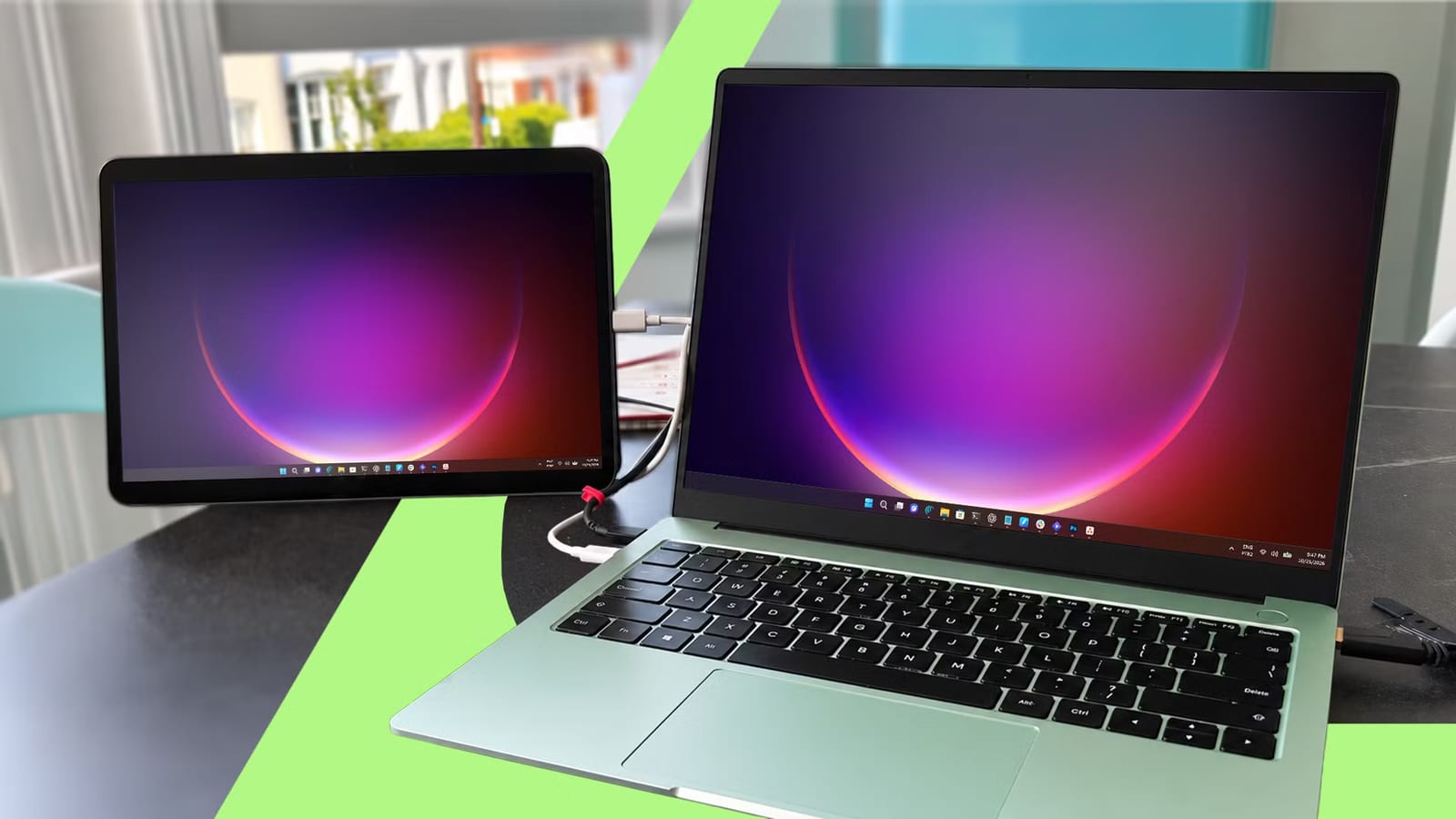
A tablet sitting unused on a shelf can work as a second screen for a laptop, and it can cost nothing. A writer at Android Police did this with a Xiaomi Redmi Pad that had gathered dust for months. The setup was described as about ten minutes of work, with no money spent.
What it does
The tablet becomes an extra display next to the laptop. The writer works on an HP Pavilion x360 and often has several windows open at once, such as notes, files and an AI assistant. Instead of switching between them or squeezing them into split-screen, the writer glances at the tablet. One main use is a checklist that stays in view while the real work happens on the laptop.
The app behind it
Newer, high-end tablets often have a built-in way to act as a monitor. Budget and older tablets rarely do, so an app has to fill the gap. The writer found several options, including SuperDisplay, Duet Display and Wired XDisplay. Spacedesk won because it was the only free one found that connects by both USB cable and Wi-Fi.
Use the cable if you can
At first, the cursor on the tablet moved very slowly, even though the picture was sharp. The cause was simple. The connection was running over Wi-Fi, not USB, and the cable was only charging the tablet. The fix had two parts:
- Turn off Wi-Fi on the tablet.
- On the laptop, tick USB Cable Android in Spacedesk's Driver Console, under Communication Interfaces.
After that, the lag went away. One trade-off: this option disables other apps that use the USB cable, including file transfer. Unticking the box brings them back.
Windows settings
Once the laptop's screen showed up on the tablet, a few changes in Windows display settings finished the job. The writer switched from Duplicate these displays to Extend these displays. Then the tablet's box was dragged beside the laptop's to match its place on the desk. Content scale was set to 200% for easier viewing.
The catch
Spacedesk's free version expires on Dec. 31, 2026, and what comes next is unclear. The company withdrew its free offering at the end of each of the last two years. Both times, it released another free version the following year. That is a pattern, not a promise.
The takeawayIf an old tablet is idle, try Spacedesk with a USB cable as a free second screen, but know its free version is due to expire Dec. 31, 2026.