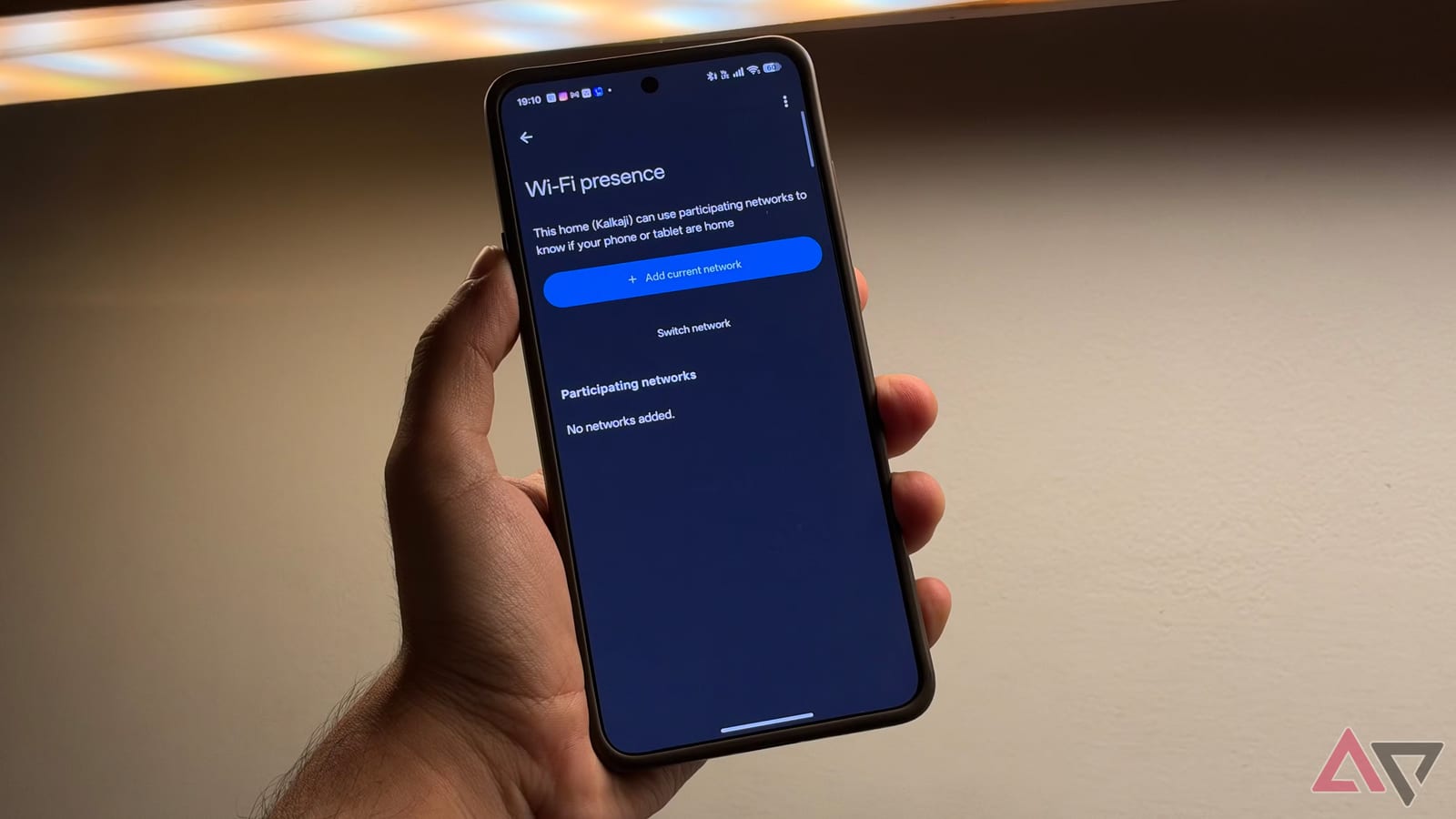
Google Home has a setting that lets it check whether your phone is on your home Wi-Fi, not just where the phone says it is. Android Police writer Dhruv Bhutani says adding it fixed his unreliable Home and Away automations. It is free and sits in the Google Home app.
What changed
Google Home already decided if you were home using your phone's location and related smart home hardware. That information can trigger actions, such as turning off lights and lowering the thermostat when you leave, or switching on a porch light as you head back.
The new option adds a second clue. If your phone is connected to the Wi-Fi network you picked, Google Home treats that as a sign you are at home.
Why location alone slips
Phones work out location using a mix of GPS, cellular networks and Wi-Fi signals. Bhutani says that can work well or not trigger at all. He describes his home thinking he was still there while he was at the gym, and welcome-home routines that did not start after he was back.
It can also go the other way. Near a building like an apartment block, automations can fire before you mean them to. His example is not wanting the home to unlock or play music while he is still down the street.
How to turn it on
- Open the Google Home app and tap your profile picture.
- Go to Home settings, then Presence settings.
- Choose Home Wi-Fi networks and add the network your phone is on.
Once added, the network becomes one of the inputs Google Home uses to decide if you are home.
What it can do
Bhutani uses it to turn off a fan and an air purifier when he gets home. Another routine turns off his study lights and shuts down his monitor when he leaves. He says lighting benefits most. Smart lights in the stairwell to his apartment now come on when his phone joins his Wi-Fi.
His reasoning is simple. Your location may be nearby, but your Wi-Fi network will rarely reach beyond your home.
What to know first
The Wi-Fi check works alongside location detection and does not replace it. That means location must stay on. Bhutani lists a few settings to confirm:
- Google Home has permission to use your phone's location at all times.
- Phone location sharing is enabled under Presence sensing.
- Your home is allowed to use your phone's location.
It is not foolproof. If your phone is dead, it will not work. Bhutani calls that an edge case. This is one reviewer's experience with his own setup, so results in other homes may differ.
The takeawayIf Google Home gets Home and Away wrong, add your home Wi-Fi under Presence settings, and keep location access on.