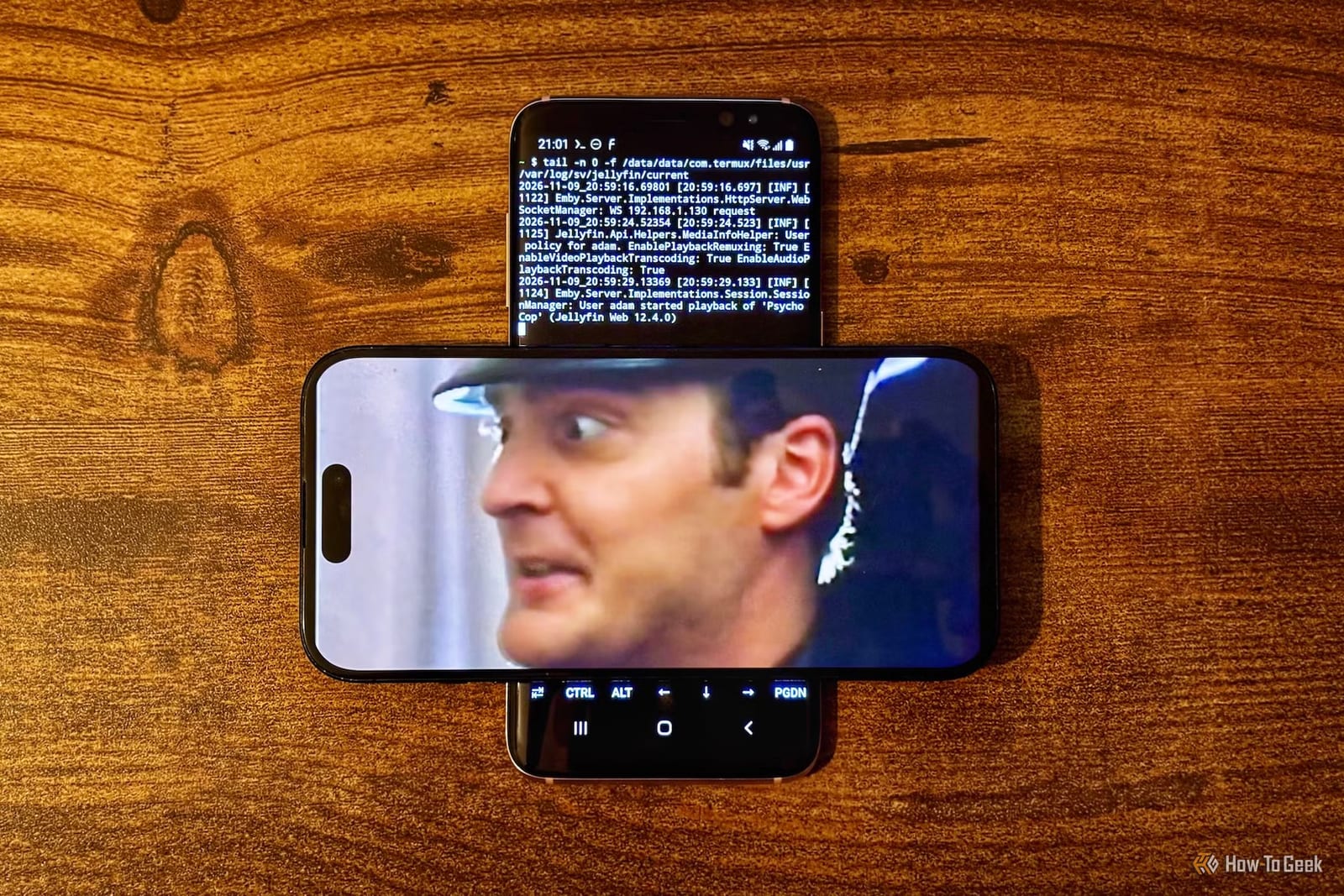
An old Samsung Galaxy S8 can work as a home movie server. How-To Geek writer Adam Davidson installed Jellyfin, a free program that streams your own movies and shows, on the phone. He then watched a film on his iPhone with no internet connection involved. That makes a spare phone a possible travel movie player.
What was done
Jellyfin is a self-hosted media server. You keep your movie and TV files on one device, and other devices stream them from it. People often run it on a Raspberry Pi, a small low-cost computer, or on a mini PC. Davidson has used both, and now uses an old Dell OptiPlex PC.
His Galaxy S8 has 4 GB of RAM and 64 GB of storage. A microSD card can add up to 256 GB. On paper, he says, that beats the Raspberry Pi 3B+ he used before, and the phone also has a battery and a screen.
How it works
There is no official Jellyfin server app for Android. The workaround is Termux, a free app that gives the phone a Linux-style command line, where you type instructions instead of tapping icons. Termux can install a Jellyfin version made for it. Davidson also gave Termux access to the phone's storage and set it to keep running with the screen off.
How it performed
- A small DVD rip (640 x 480, H.264 video) played perfectly on his iPhone.
- A short 4K clip, averaging around 69 Mbps, played smoothly once it started.
- The 4K clip took a long time to begin playing.
- The phone was not asked to convert video formats, which he expected it would struggle with.
The offline trick
The real appeal is travel. On a camping trip with no Wi-Fi or mobile signal, a home server is out of reach. Samsung's built-in hotspot would not work because the old phone has no working SIM card. The free NetShare app created a wireless network anyway, and the iPhone joined it. The movie then streamed with no outside internet, and the phone can run on its battery for a while.
What to know before trying
Setup takes some tinkering and comfort with typing commands. Only one small movie and one 4K clip were tested, so how it handles a full library is not covered. Large 4K files may leave you waiting before playback begins. For a phone sitting in a drawer, though, the cost is mostly time.
The takeawayAn unused Android phone can serve your own movies without internet, but expect a technical setup and slow starts on large 4K files.