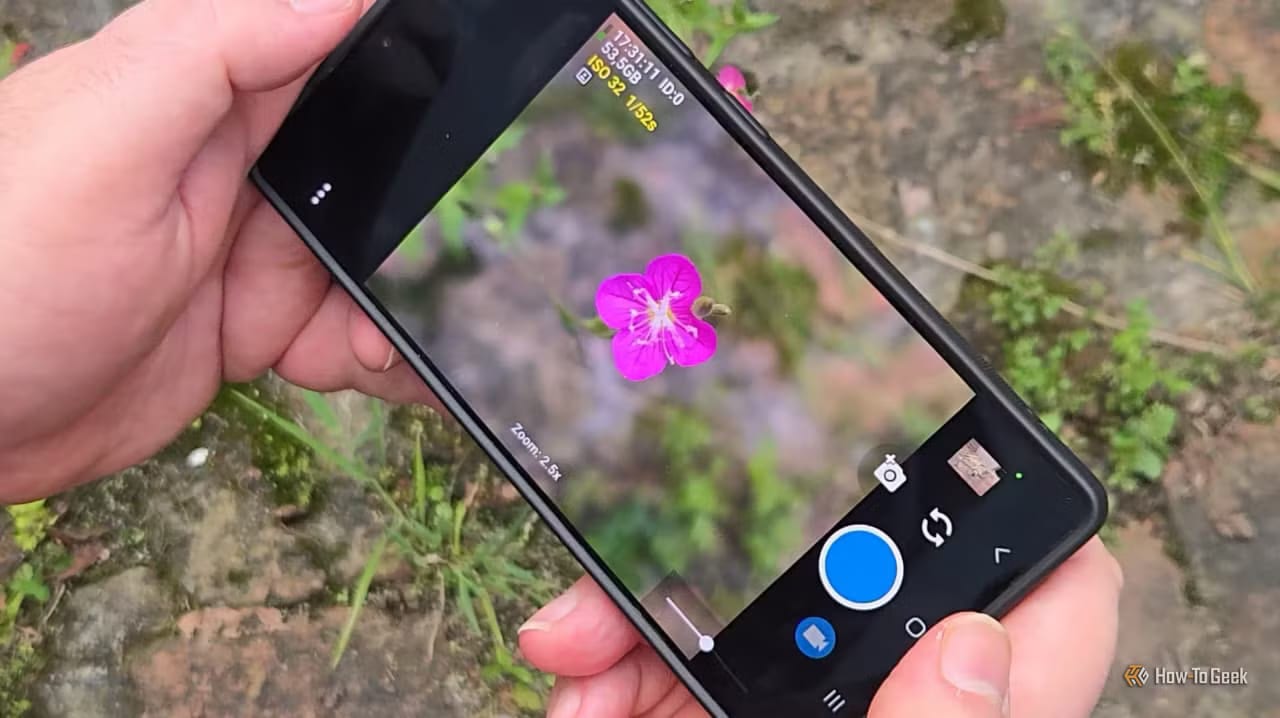
A tech writer at How-To Geek says he stopped using the stock camera app on his Samsung Galaxy for serious shots. His reason: he wants to see what the camera sees, not what an AI thinks he should see. He now uses Open Camera, a free open source app, and edits photos afterward.
What changed
Modern phone cameras do a lot more than record light. Samsung, Apple and Google each apply their own processing, so the same scene can look different on each phone. The writer points to the Samsung moon controversy. When the phone detected the moon, it used deep learning to show what the moon would look like if the camera could really see it. He says other brands do similar things.
What the Galaxy lets you turn off
Samsung does give some control. According to the article, these settings can be changed:
- Scene Optimizer can be switched off. It is behind the AI-enhanced moon shots, among other things.
- Quality Optimization can be lowered to its minimum, but not turned off.
- Auto HDR and Picture softening can also be switched off.
- Pro mode gives finer control and helps with close-up macro shots.
Even so, he says automatic mode is unreliable at spotting a small subject like an insect.
Why Open Camera
Open Camera is free and available through F-Droid and the Google Play Store. It has more than 100 million downloads on Google Play. It is not processing-free. It still includes face detection, edge detection and denoising. But each one can be tuned, and the writer calls it far from the generative AI filters in big mainstream apps.
The screen is busy. It shows details like the lens spec and resolution of each sensor. The writer's main gain is better focus control on each lens, even compared with Samsung's Pro mode.
The trade-off
The photos are less polished than Samsung's. He accepts that. When he edits in an app like Snapseed, he is not stacking editing on top of editing. For a photo to share right away, he still opens the Samsung app. He has no objection to the processing, as long as people know what they are getting.
The article text provided ends before his full conclusion.
The takeawayIf you plan to edit photos later, switch off the AI extras in your phone's camera settings or try a free app like Open Camera.