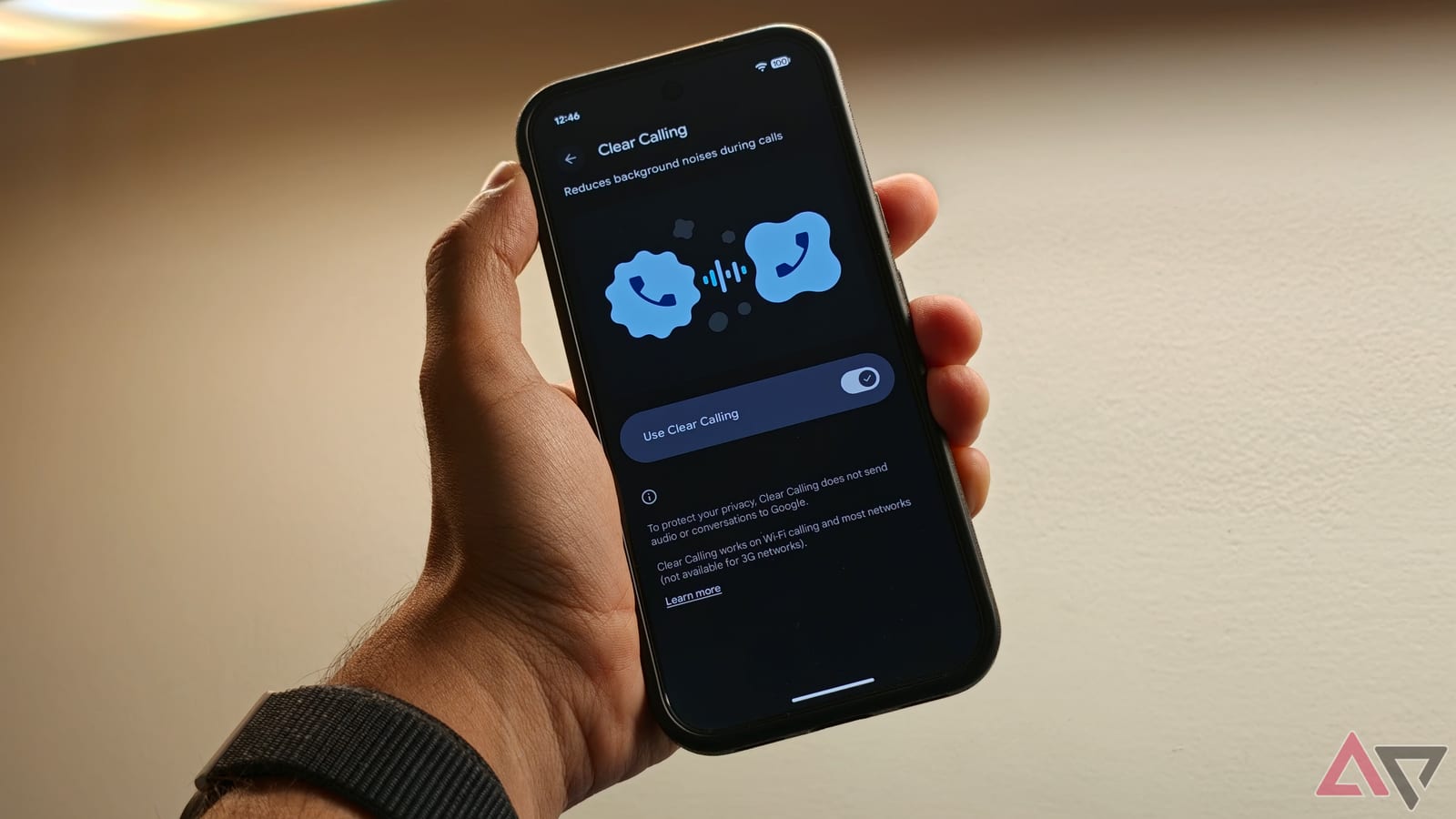
Google Pixel phones include a setting called Clear Calling. It removes background noise from your voice during calls, so the person you are talking to hears you more clearly. Android Police writer Dhruv Bhutani says it made his work calls from a noisy home far easier to follow. He switched it on first when he moved to a Pixel 11 Pro earlier this year.
What it does
The name can mislead. Clear Calling does not clean up what you hear in the earpiece, and it does not cancel noise on incoming audio. It works on your side of the call. It filters out the sounds around you so the other person hears your voice and not the room.
Google uses machine learning for this. That means software trained to recognize patterns, in this case the difference between a voice and everything else. According to the writer, it picks out his voice and suppresses the noise around it in real time. There are no microphone settings to manage.
His examples are ordinary ones: a power drill from construction across the street, a delivery doorbell, a noisy ceiling fan. Without noise reduction, he notes, the microphone picks up almost everything nearby. He says Clear Calling cuts those distractions down to a mild hum at best.
How to turn it on
Open Settings on your Pixel and scroll down to Sound and vibration. Tap Clear Calling and switch it on. After that, it runs by itself during calls.
Who can use it
- It works on the Pixel 7 and newer models, so older Pixels are covered too.
- It works on regular phone calls and on internet calls such as WhatsApp.
- Processing happens on the phone, and the writer says no call data is shared with Google.
Limits to know
Clear Calling is not magic. Google recommends keeping the microphone close to your mouth. The writer says that as long as you do not hold the phone too far away, it works fine. A good microphone and a quieter room still help.
There is also no way to turn it off in the middle of a conversation, and the setting sits deep in the menus. The writer says it works well enough that he sees no reason to switch it off. His advice for anyone who takes a lot of calls is to leave it on.
The takeawayIf you own a Pixel 7 or newer, open Settings, then Sound and vibration, and switch on Clear Calling so people hear you better.