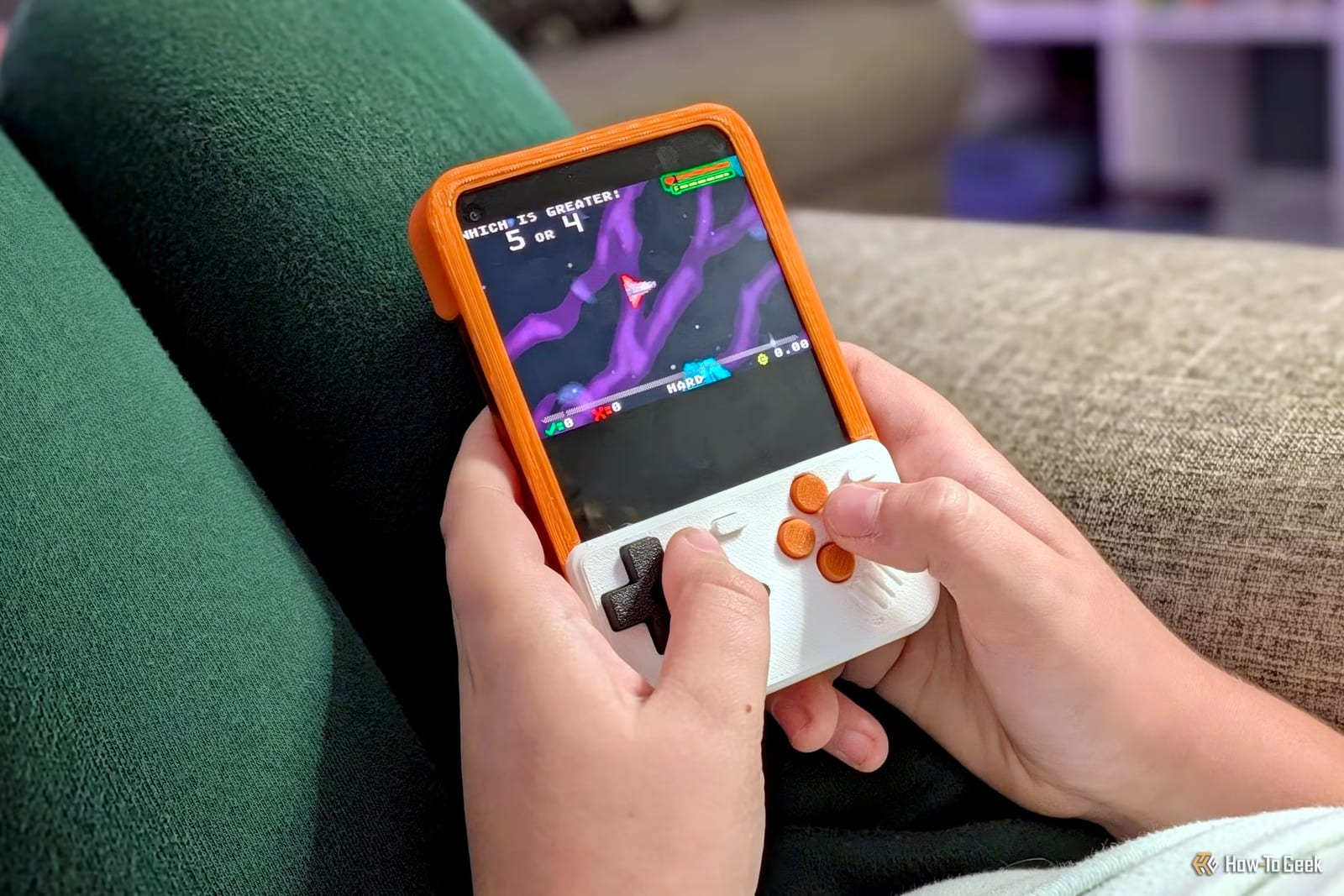
A tech writer at How-To Geek says a keyboard phone he had given up on is now a handheld game machine. The change came from a 3D-printed cover called Titan Boy. It snaps onto the Unihertz Titan 2 Elite and turns the physical keyboard into a game controller.
What it is
Titan Boy is a Game Boy-inspired cover made for one phone, the Titan 2 Elite. The designer goes by Yoshi on MakerWorld, a site where people share printable designs. Three versions are offered: a classic two-button layout, a four-button layout made to fit over the official Unihertz case, and a two-button version for a phone with no case.
Easy to print
The parts need no supports, which are the extra scaffolding some prints require. They do not take very long to print. No glue or fasteners are needed, so the cover simply snaps on. Yoshi also supplies print profiles, which are ready-made settings for the printer.
Why this phone suits it
Add-on controllers already exist for regular phones, including the 8Bitdo FlipPad and covers with touch switches that press buttons on the screen. Both block the bottom half of the display. The Titan 2 Elite already has a small screen, and its keyboard sits below it, so the cover costs no extra screen space.
The catch
The writer printed the four-button version without reading the description. It was meant to go over a case, and he had none. The case-less version has only two buttons, and the games he wanted need four. The official case costs $30, so he added the extra buttons himself. He also trimmed the ridge along the display and printed it in orange to match his phone.
How it plays
The files include a ZIP of settings for many game consoles, made for RetroArch, a free app that plays retro games on Android. Loading the right file is all it takes, with no manual setup. He played Donkey Kong Country for the SNES there. For Commander Keen 4, he used an app called Commander Genius and mapped the buttons himself.
- The buttons fit the phone's keys and do not slip off.
- Tactile feedback is described as great.
- The virtual keyboard is on for typing.
- Game Launcher is set as the home app.
The writer still does not like typing on a physical keyboard. He says the printed cover has him excited about the phone again.
The takeawayIf a keyboard phone is gathering dust, a printed cover and a free retro game app may turn it into a handheld, as long as you pick the right version.