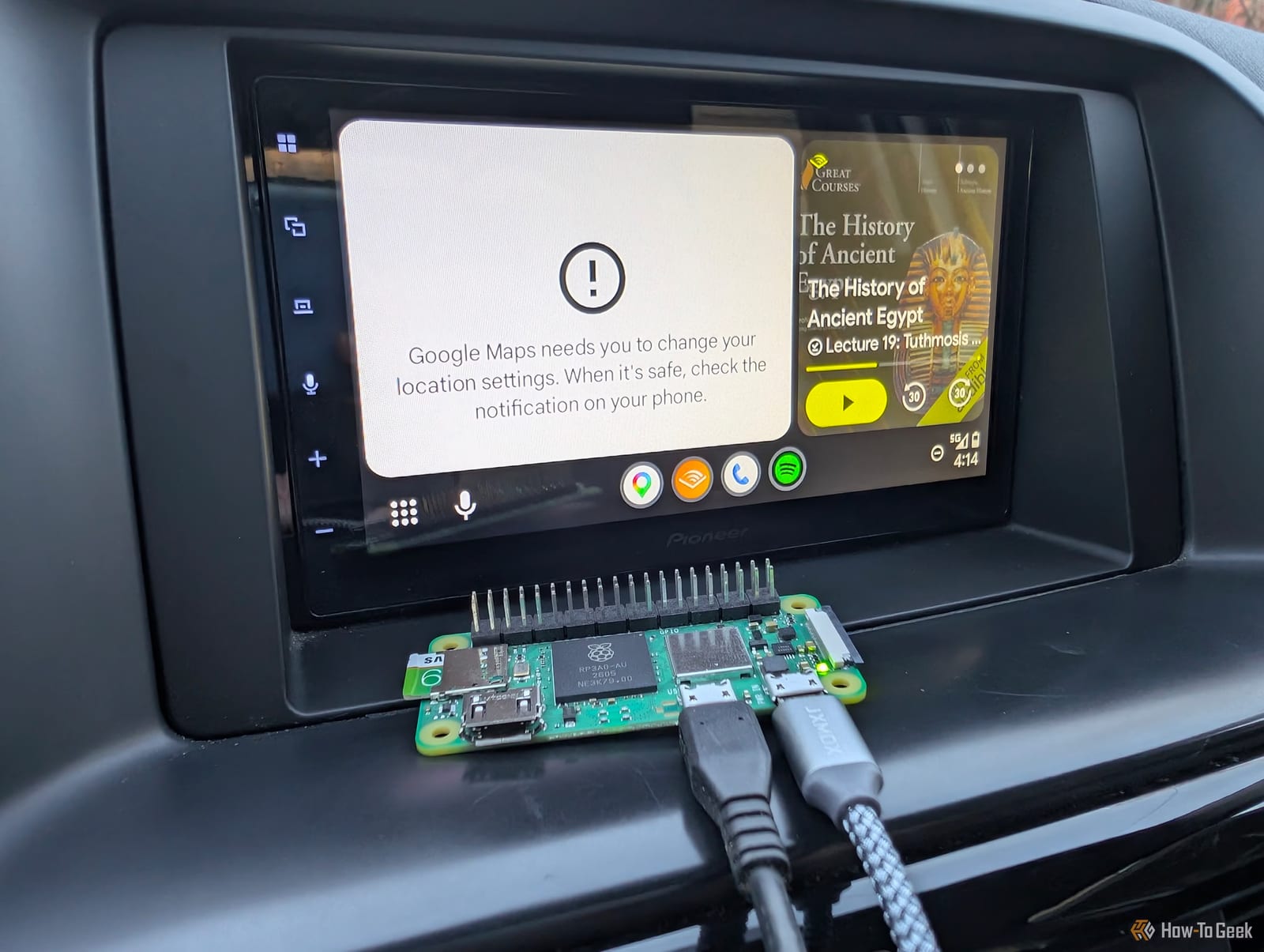
A tech editor at How-To Geek turned his car's wired Android Auto into a wireless setup using a $15 Raspberry Pi Zero 2 W. He says the whole project took less than an hour and worked every time. Store-bought wireless adapters start around $30, and some cost much more.
What it is
Android Auto puts your phone's maps, music and messages on your car's screen. Many cars and aftermarket car stereos from the last decade support it, but a lot of them need a USB cable. The Raspberry Pi is a tiny, low-cost computer. Here it acts as a go-between. It plugs into the car by USB and talks to your phone over Bluetooth and Wi-Fi.
The software is a free, open-source project called WirelessAndroidAutoDongle. It is a small, purpose-built Linux system. It includes the drivers and code needed to pass Android Auto's data back and forth between the phone and the car.
What you need
- A Raspberry Pi Zero 2 W, which costs $15 when in stock
- An 8GB microSD card
- A microUSB cable that carries data, not just power
- Your phone and a computer to set up the card
A charge-only cable will not work. The Pi has to communicate with the car's screen over USB.
How the setup works
Download the software image from the project's release page and write it to the microSD card with the Raspberry Pi Imager or similar software. The image comes as a compressed XZ file, so it must be unpacked first unless you use Raspberry Pi Imager. Then edit a file called aawgd.conf on the card to set your Wi-Fi country code.
In the car, plug the cable into the Pi's middle microUSB port, labeled USB. Pair your phone with the Pi over Bluetooth first. It should appear as something like "WirelessAADongle-####" or AndroidAuto-Dongle. Your phone then joins the Pi's Wi-Fi, and Android Auto shows up on the screen.
How it held up
The editor turned the car and the Pi on and off more than 20 times. It worked every time, with little delay. Android Auto appeared as soon as the car's screen started. He saw no lag during navigation, music or speech-to-text, and calls it as reliable as a commercial unit.
If something goes wrong
If you see a "Looking for Android Auto" message, try swapping the cable first. If your phone asks for a Wi-Fi password, redo the Bluetooth pairing. The Pi can sit on the dash, behind the car's screen if it has a USB port back there, or in the center console.
The takeawayIf your car needs a cable for Android Auto and you have a spare Pi Zero 2 W, a free download and a data-capable cable may get you wireless for little money.