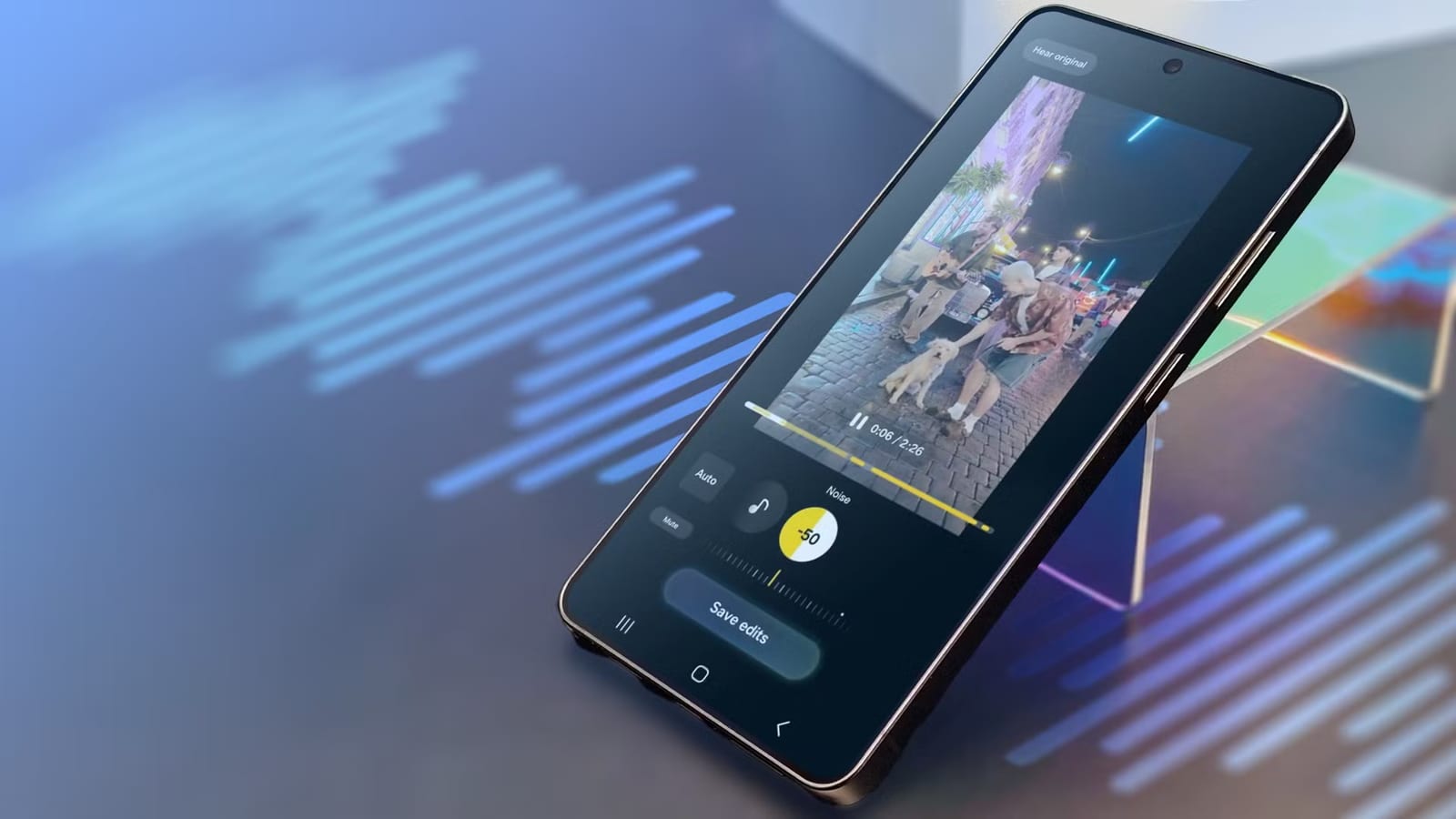
Samsung's Audio Eraser can make a noisy video sound much better, but it can also delete your words. In one hands-on test by Android Police, a dropped chair landed while the speaker was talking. The tool removed the crash and the words spoken at that moment, because it treated them as one sound.
What it is
Samsung introduced Audio Eraser with One UI 7, the software that runs on Galaxy phones. It finds background sounds in a recording, such as wind, crowd chatter or general noise, and lets you turn them down. The tester, Haroun Adamu, had used it before to clean up voice recordings and wanted to see how good it really is.
Where it worked
With a fan running close by, the tool picked out wind and noise. Its Auto setting made the voice noticeably clearer, with no odd artifacts, meaning no strange side effects in the sound. Two more tests followed:
- Crowd chatter: the voice sounded slightly muffled, but every word was clear.
- Traffic: the voice got clearer, though S and T sounds came out slightly sharper.
The tool called the fan noise wind. Samsung warns it may mistake one sound for a similar one. That did not hurt the result.
Where it failed
The chair test was the problem. The crash was loud enough to overshadow the voice, so the tool could not separate them. When someone talked over the speaker, it kept both voices clear and easy to tell apart. There is no way to keep one voice and remove the other.
Why -90 beats -100
The tool's sliders go down to -100, and a lower number cuts more sound. Auto set wind to -100 and everything else to -90. Pushing other sounds to -100 removed more noise but not always cleanly. Some noise slipped through, and syllables that overlapped with loud sounds got wiped out, leaving choppy audio. At -90, some background stays, and the voice sounds more natural.
Auto's wind setting caused another issue. In the traffic clip, wind was detected in only one section. Setting it to -100 made that part noticeably quieter than the rest.
Where to find it
The full tool, which shows each sound including your voice and lets you adjust volumes, only works in Samsung Gallery. Voice Recorder, the voice recorder in Samsung Notes and Samsung's Video Player offer only Auto. You can switch it on or off, but not edit what it changes.
After updating to One UI 9, the tester found an Audio Eraser tile in the Quick panel that works with YouTube. It appears once a video starts playing and has a Strength slider. The tool also works on videos you did not record, such as clips downloaded online.
The simple rule
If your voice is easy to tell apart from the noise, the tool probably can tell too. If your voice blends into the noise, it may not do a good job, and turning the sliders all the way down can remove some of your words.
The takeawayOn a Samsung phone, try Audio Eraser on noisy clips, but keep sliders near -90 so loud overlapping sounds do not take your words with them.