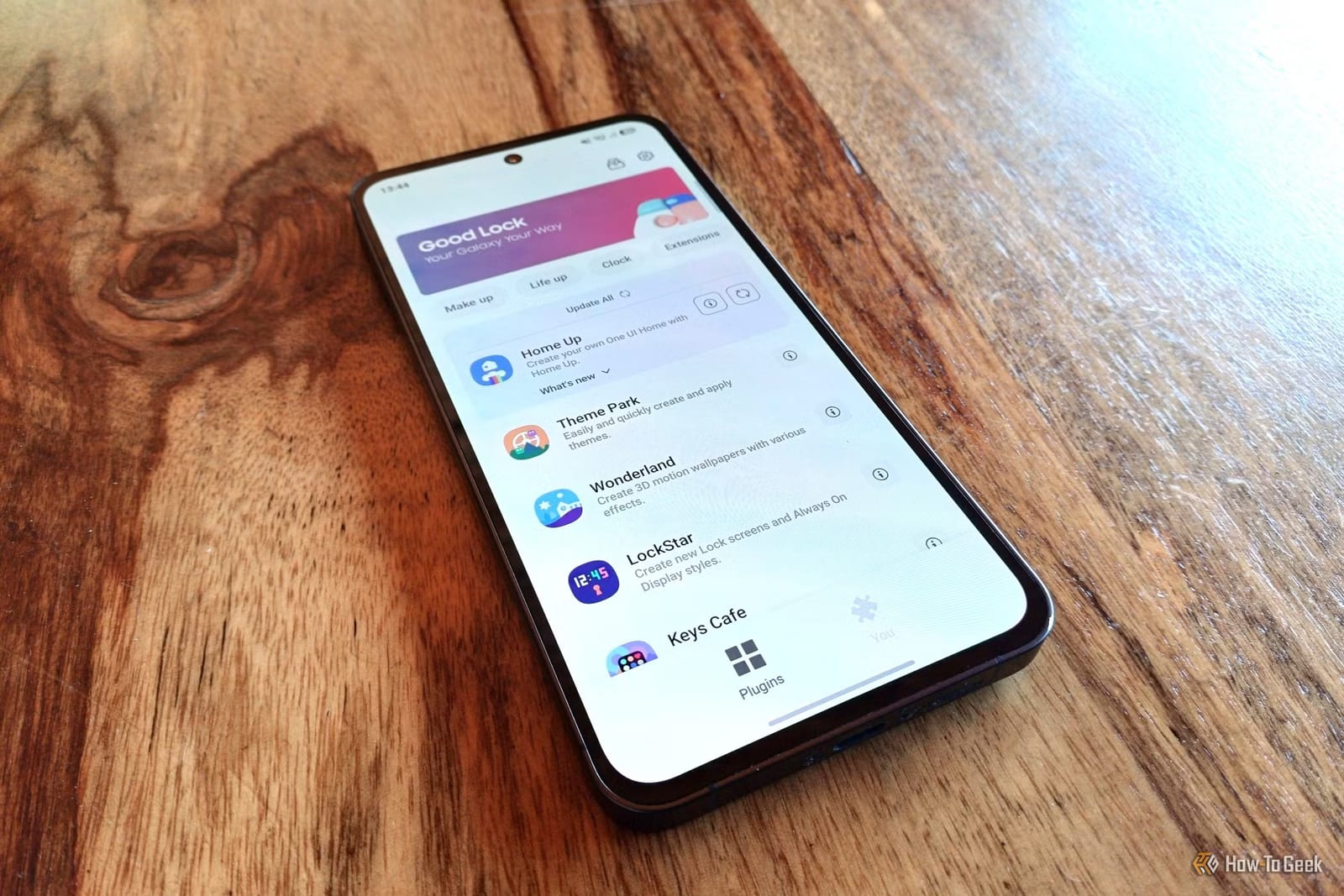
Samsung makes a free, official app called Good Lock that lets Galaxy owners change how their phone looks and works. Tech site How-To Geek has ranked eight of its add-ons, called modules, by how much they improve everyday use. Several fix small annoyances, like videos that blast too loud or a settings menu that is hard to navigate.
What Good Lock is
Good Lock is a suite of separate modules, and each one changes a different part of the phone. Samsung designed them to help people personalize their device, get more done and move around it faster. Writer Tyler Dupont says most modules are useful, but a few are good enough that every Galaxy owner should install them.
Looks and typing
LockStar reworks the lock screen and the always-on display, the screen that shows information while your phone is locked. You can place app widgets on the lock screen, arrange them without being tied to a grid, add unlock effects and keep the screen on longer.
Keys Café expands Samsung's default keyboard. You can build shortcuts and gestures, design themes and rebuild the layout. It also shows how fast you type and a heat map of your most common typos.
Home Up is called perhaps the most impactful module. It changes the home screen layout, the recent apps window, folders, animations, gestures and the edge panel.
Camera, settings and routines
Camera Assistant gives more control over how the camera app handles photos. Features include:
- Softening Samsung's heavy image processing
- Capturing the moment you press the shutter button
- Turning off automatic lens switching
- A manual night mode toggle and a 24MP mode
The 24MP option sits between 12MP photos and 50MP or 200MP photos.
RegiStar lets you reorganize the settings menu and keeps a log of your changes, so you can undo them. It also adds back-tap actions, where tapping the back of the phone triggers a task, and lets you remap what the side button does when pressed and held.
Routines+ builds on Modes and Routines, Samsung's way of changing phone settings automatically by place, time or activity. It can open specific apps depending on which fingerprint unlocks the phone, replay touch macros and add cards to Now Brief.
Volume control
One module lets you set a different volume for each app, so music can stay loud while Instagram Reels stay quiet. It also controls which apps can play sound at the same time, how fast the volume buttons change the level, and what the volume keys do. You can change the look and position of the volume panel too. The excerpt does not give this module's name.
What is not clear
The text available covers seven of the eight modules. It does not say which Galaxy models support Good Lock, and the ranking reflects one writer's view of what matters most.
The takeawayIf you own a Galaxy phone, Good Lock is a free way to fix small annoyances like loud videos, a cluttered settings menu or heavy photo processing.