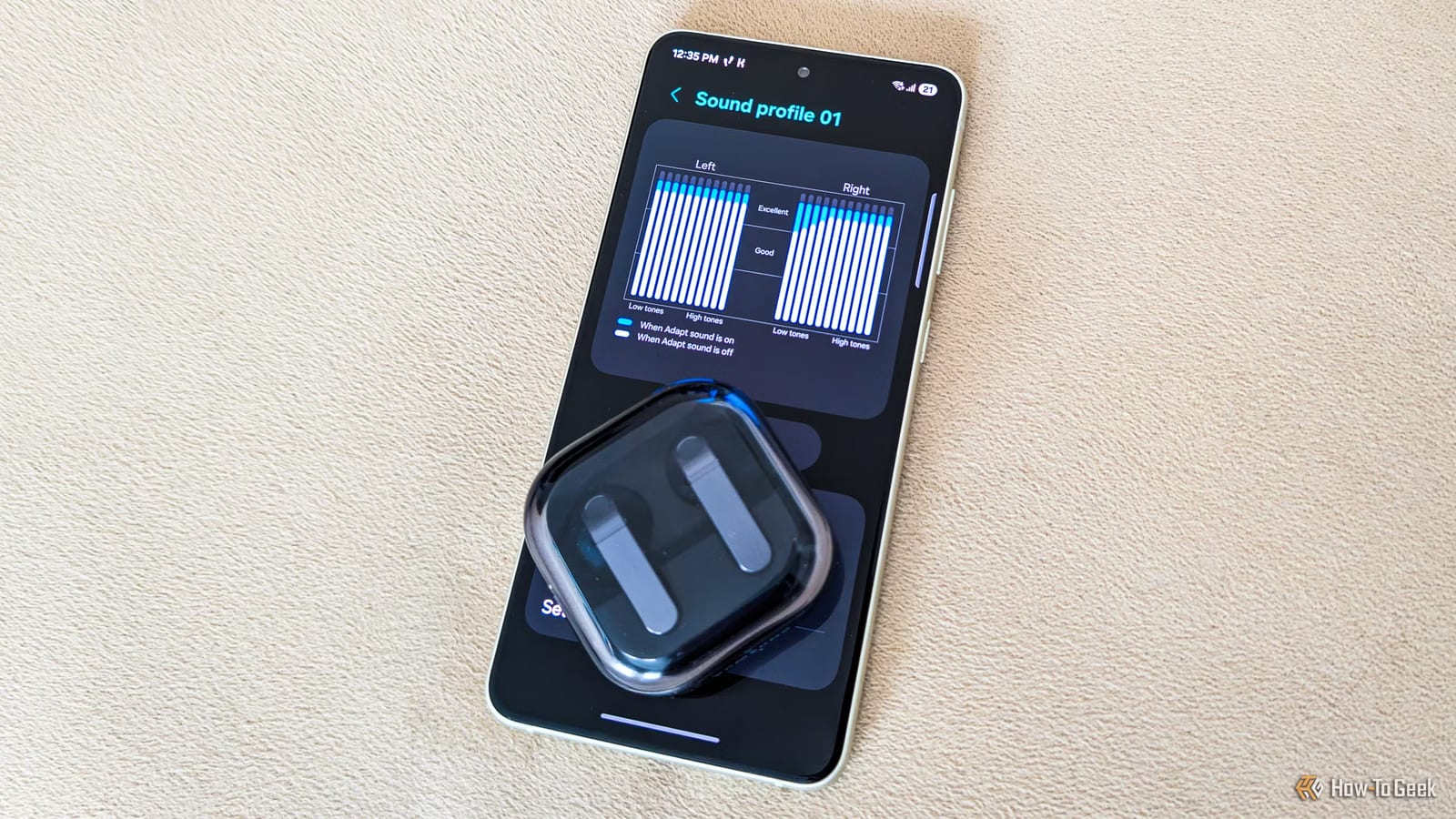
Samsung Galaxy phones have a built-in hearing test that tunes your headphones to your ears. The feature is called Adapt sound, and most Galaxy phones should have it. The test takes about a minute. It may make music, videos and phone calls sound clearer.
What it does
Hearing is as individual as eyesight. Some people hear nearly the full range of pitches, while others miss certain ranges. Adapt sound is part of Samsung's One UI software. It checks which pitches you struggle with, then boosts only those through your headphones or earbuds.
The hearing loss that comes with age is one reason this matters. The tiny hair cells in the ear that pick up sound do not regenerate. Older ears usually lose the higher pitches first.
How to run the test
- Open Settings, then Sounds and vibration, then Sound quality and effects, then Adapt sound.
- Put on your headphones or earbuds and find a fairly quiet spot.
- Tap Add personalized sound profile, then tap Start.
- Wait while the phone plays tones to your left and right ears.
When it finishes, you get a sound profile built around your hearing. The menu also offers three default profiles, but the writer of the original article recommends making a personal one, since every person hears differently.
What one tester found
The writer's left ear handled the pitches in most music and videos nearly perfectly. The right ear had trouble with low tones, so the profile boosts only low tones, and only on the right side. Repeat tests gave very similar results.
The difference in daily listening was small. The bass sounded a bit tighter and fuller, though the writer admits that could be placebo. Trying it costs only a minute.
Settings worth checking
If you keep the profile on, the article suggests turning it on for both calls and media. You can also pick a preferred ear for calls. That should be the ear you usually hold the phone to.
Owners of newer Galaxy Buds or Galaxy Buds Pro may not see Adapt sound in the Sound quality and effects menu. It is replaced by Adjust sound to fit, which tunes audio to your ear shape and how you wear the earbuds, with no hearing test. Adapt sound is still available under Settings, then Accessibility, then Hearing enhancements.
The same menu also has an equalizer, with six presets or nine bands you can adjust yourself.
What is not covered
The article does not compare the in-phone test with a hearing exam from a clinic. It also does not say which Galaxy models lack the feature, only that most should have it.
The takeawayOn a Galaxy phone, put on headphones in a quiet room and run Adapt sound under Sound quality and effects. It takes about a minute.