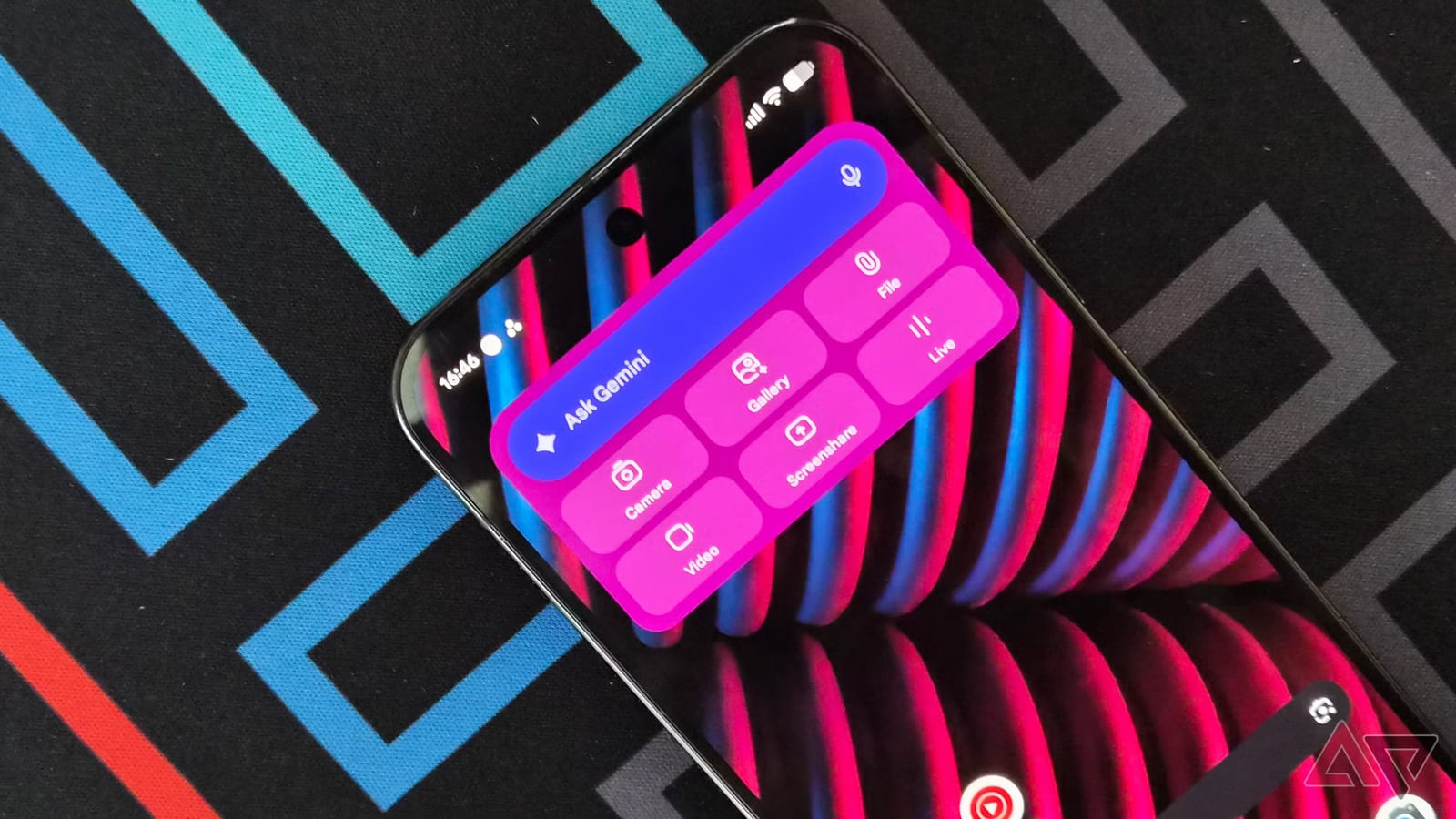
A writer at Android Police says he deleted 12 apps from his Pixel 9 Pro XL and let Google's Gemini assistant take over their work. The result, by his count, was about 5GB of storage back. His point is that Gemini has grown into so many areas that some apps now sit idle.
What he removed
The biggest group was photo and design apps: Adobe Lightroom, Snapseed, Canva and Photoshop. Together they took up about 2GB, with Lightroom the largest. Pixel Screenshots, a Google app that helps find details in saved screenshots, used about 1.4GB by itself. He also dropped OneNote and Evernote, saving about 600MB, and freed another 600MB by removing language learning apps.
What Gemini does instead
- Light photo edits, such as erasing people in the background, fixing exposure, resizing and adding text.
- Batch edits on a whole album, using a newer feature that handles multistep requests.
- Japanese lessons built around his current level, plus speaking practice with Gemini Live.
- A running chat thread for screenshots, notes and reminders, searchable with an @ Google Photos or @ Keep Notes tag.
- PDFs, text documents and spreadsheets made from notes, and file conversion with one request.
Where it falls short
He is clear that this is not a perfect swap. Gemini cannot automatically pull text out of an image. The screenshot has to be uploaded to the chat or shown by sharing the screen. For language study, he still finds the visual lessons in Duolingo and Memrise more effective. Gemini suits someone with intermediate knowledge better than a total beginner.
File creation has a catch too. Documents come out in Google formats like Docs, Sheets and Slides. That may matter if you often share files with people who use other office software. He also describes himself as heavily invested in Google's ecosystem, so results may differ for others.
What to do
If your phone is nearly full, check which apps you rarely open. Ask whether Gemini or a built-in feature already covers the same job. Try the task in Gemini first, then delete the app only if it works for you. Storage savings in this story come from one writer's phone, so yours will vary.
The takeawayBefore deleting anything, test whether Gemini handles an app's job for you, then remove the apps you rarely open to free up space.