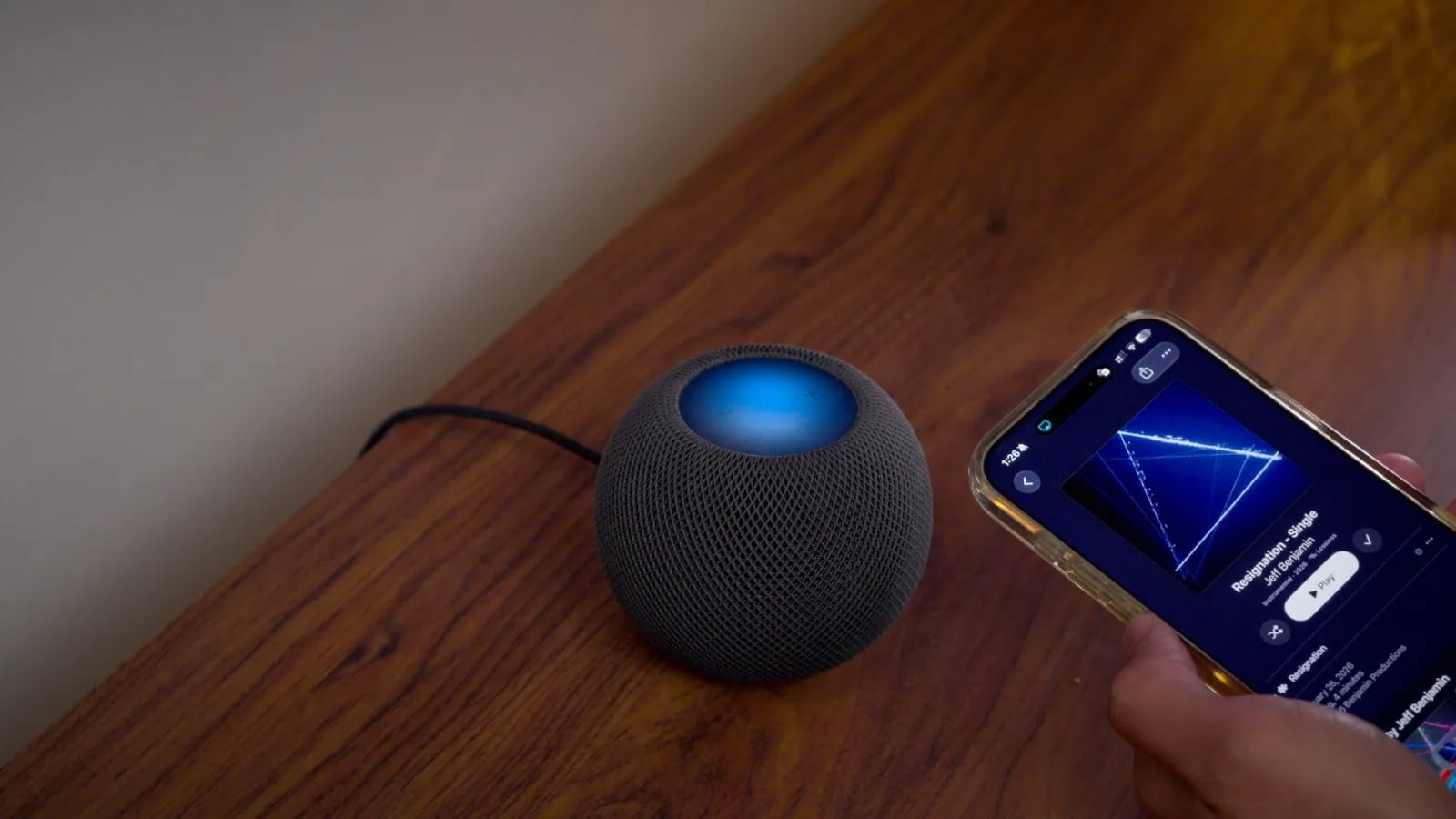
Apple's iOS 27.2 update, now at the release candidate stage, makes the top of your HomePod glow and pulse with your music. It also adds a way to lock the HomePod's touch controls, profiles in the iPhone TV app, and a Messages feature that suggests actions. 9to5Mac tested the changes hands-on.
HomePod gets Sound Glow
Sound Glow turns the HomePod's top surface into an animated display. Colors match the album artwork, and the glow reacts to bass and treble in a song or podcast. Rain, forest and fireplace sounds get their own animations. The tester found it vibrant but not very bright, so it will not light up a room. It works best where the top is easy to see.
It is not limited to new hardware. Sound Glow runs on the first-generation HomePod mini and the second-generation full-size HomePod, as well as the newly announced HomePod mini 2. The toggle sits in the Home app, under the HomePod settings.
Lock Controls stops stray taps
A new Lock Controls toggle sits in the same settings. When it is on, touch, touch and hold, and volume controls on the top are disabled. A touch brings up a red animation that shakes as if saying no. The reviewer's cat sometimes paws the top and starts music, which this would prevent. People can still use Siri by voice or control the speaker from another iOS device.
Some features still respond to touch with the lock on: timers, intercom alarms, check-in and FaceTime calls.
TV profiles and smarter Messages
The TV app on iPhone can now create profiles and switch between them. Apple TV already had this. If a child watches on your phone, they can use their own profile, so their shows stay out of your Up Next queue.
Messages brings back Suggested Actions, a feature that appeared in early iOS 27 betas and was pulled before launch. It offers a shortcut based on what is in a conversation. Paste an address and you may see Open in Maps. Type a date and you may see Add to Calendar.
- Settings, then Messages, then Suggested Actions controls what shows up.
- You can switch Calendar, Reminders, Notes, Maps, and Flight and Packages suggestions on or off.
- Suggestions you never use stop appearing after a month.
Home Theater clues
The same beta also revealed setup assets for the fourth-generation Apple TV's Home Theater feature. It uses four HomePods in two stereo pairs. The files include setup animations and a celebration animation with sound that plays when calibration succeeds.
What is not known yet
The material does not give a public release date for the final version of iOS 27.2. The reviewer also says the beta revealed details about unreleased iPhone and iPad hardware, but those details are not shared here.
The takeawayAfter updating to iOS 27.2, check the HomePod settings in the Home app for Sound Glow and Lock Controls, and set up TV profiles if kids share your phone.