Google Maps is on both Android Auto and Apple CarPlay, but it does not act the same on each. An Engadget reviewer tested both back to back in one car, on one screen. Android Auto made several everyday tasks easier, mainly voice help, comparing stops and planning charging for electric cars. CarPlay won a few small points.
What stays the same
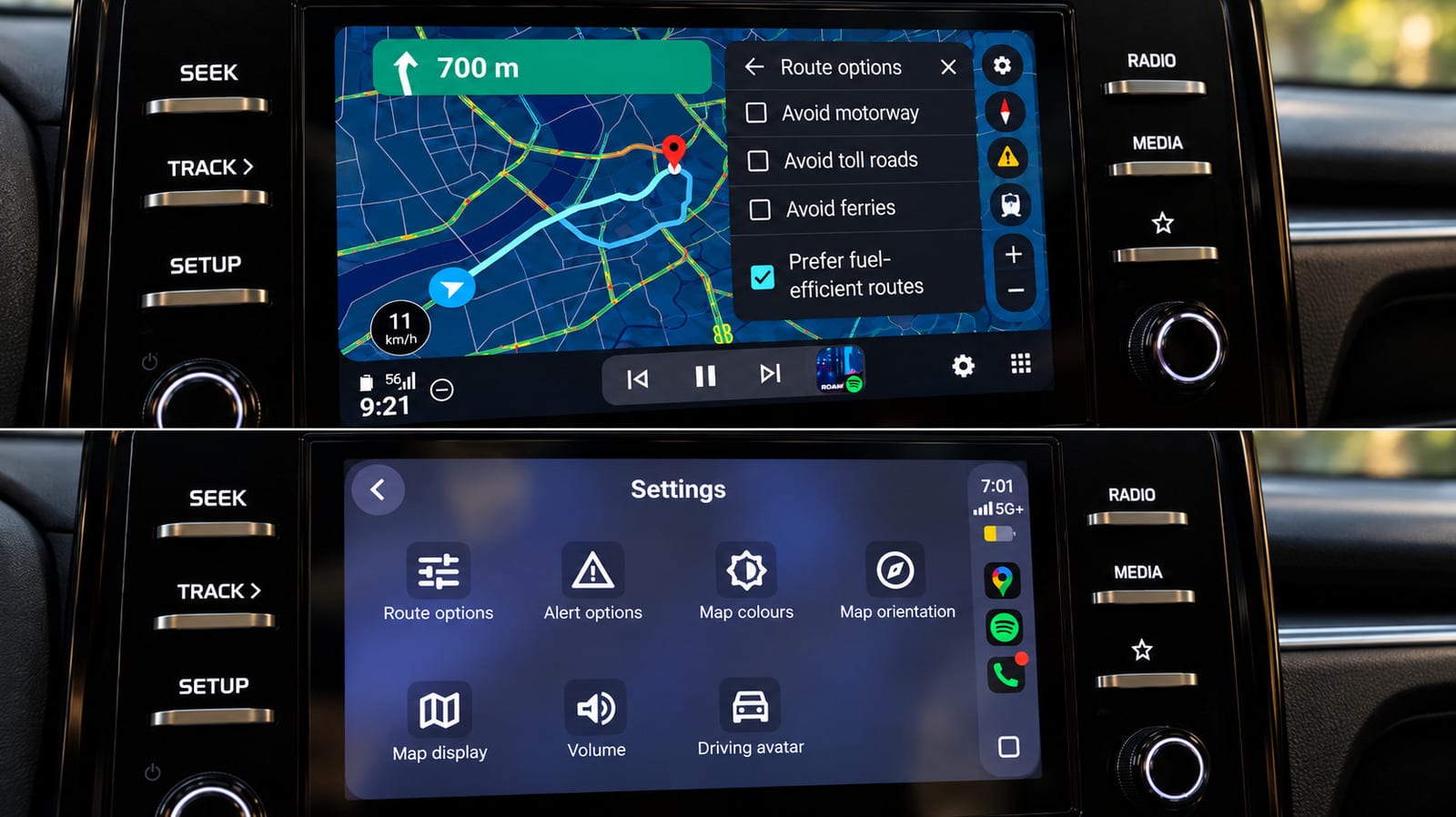
The basics are close. Both systems showed a speedometer, lane guidance, incident reporting and alternative routes. Both also let drivers avoid tolls, highways and ferries. The gaps showed up once Maps was used for more than getting from A to B.
Where Android Auto pulled ahead
The biggest gap is Gemini, Google's AI helper. On Android Auto, the reviewer could start talking to it without touching the screen. On CarPlay, a Gemini button showed up late in testing and had to be tapped. It could not be started hands-free. Google's help page still said Gemini was not available on CarPlay at the time of testing.
Route changes also felt quicker on Android Auto. The reviewer asked for a fuel stop, then a pharmacy, then other ways home, and the options appeared right away. CarPlay handled similar requests once Gemini was open, but more slowly. Gemini was not flawless. It once hung on a loading screen and failed to connect.
- Stops along a route: Android Auto showed several options with ratings and added drive time. CarPlay showed one result at a time with Previous and Next buttons.
- Map zoom: pinch-to-zoom worked on Android Auto. CarPlay required a separate map-control mode, and pinching did not work.
- Starting screen: Android Auto showed a Home shortcut with live arrival time and distance, plus Saved and Recent places. CarPlay's was barer.
Small wins and ties
Fuel-efficient routing exists on both. Android Auto explained it better, marking the most fuel-efficient choice and showing estimated savings. CarPlay did win one point: its Automatic, Day and Night color controls are easy to reach from the car screen.
The electric car difference
The reviewer could not try this in a gas-powered car, but it may matter most to EV owners. On supported vehicles, Android Auto can estimate battery use for a trip. It looks at the vehicle, traffic, road elevation and weather. Enter the current battery level, and Maps can suggest charging stops, estimate the battery level at arrival and add charging time to the arrival estimate.
On iPhone, Google Maps' energy-efficient EV routes do not include charging stops. Google's announcement did not mention a similar CarPlay rollout. The Android Auto feature covers more than 350 EV models from over 15 brands in the US.
What to keep in mind
These results come from one reviewer, one car, a 2025 Kia Sonet, and one stretch of testing. Features may change, and CarPlay may gain Gemini support later. For drivers who care about hands-free help or EV trip planning, the gap is worth knowing about before choosing a phone.
The takeawayIf hands-free Gemini help or EV charging stops matter to you, Android Auto currently does more with Google Maps than CarPlay.