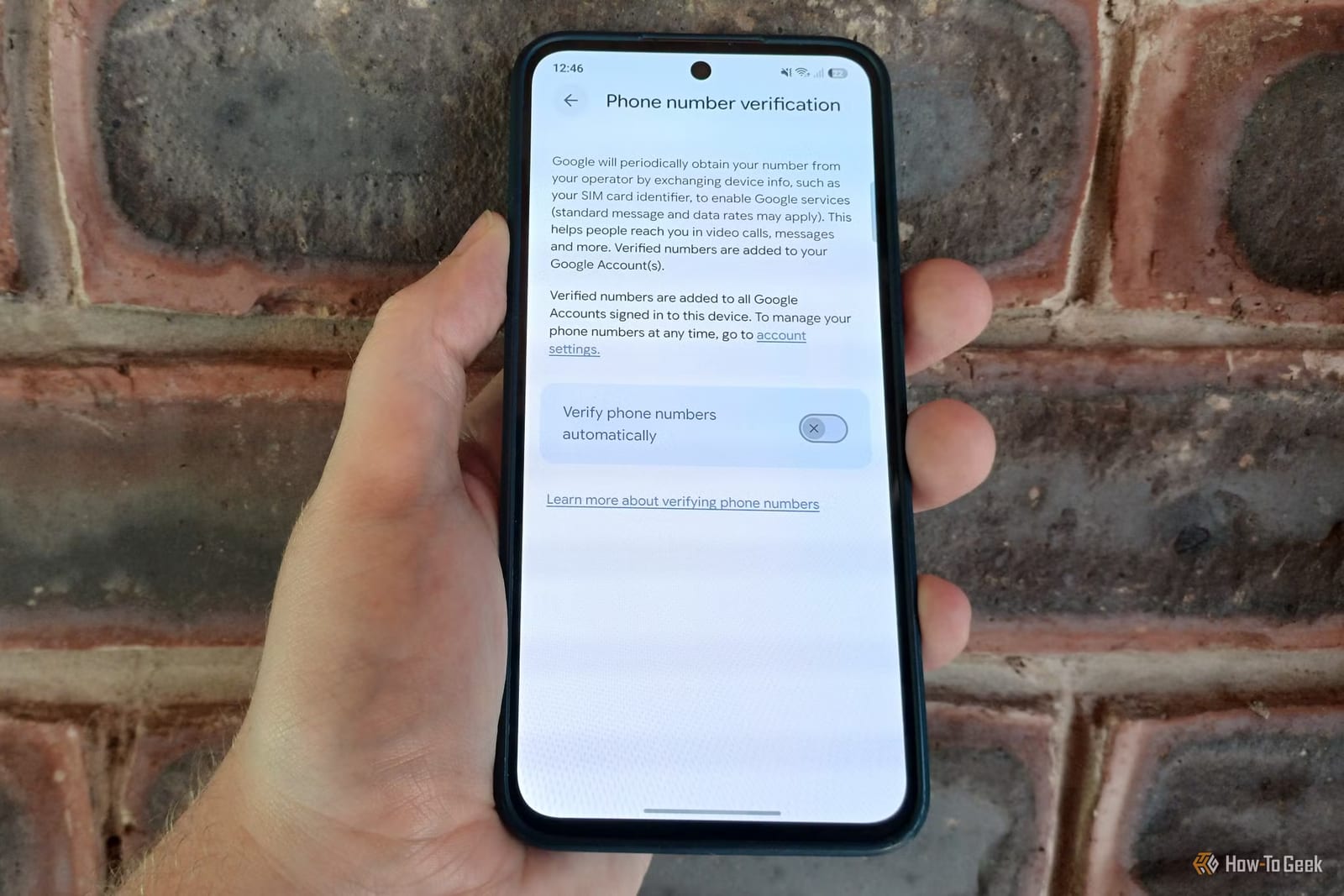
Act this weekWhat happenedGoogle has automatically verified phone numbers and linked them to every Google account signed in on a device, without asking users first.
Who is affectedAnyone with Google accounts signed in on an Android phone, including people who keep work, personal and shared accounts on one device.
What to do- 1Open Settings, tap Google or Google services, then All services, then Privacy and security.
- 2Tap Phone number verification, enter your security PIN and switch it off.
- 3Open Manage your Google Account, go to Personal info, then Contact info or Phone, and delete your number.
- 4Repeat the cleanup for every Google account signed in on your phone.
Google has quietly verified phone numbers and linked them to every Google account signed in on a device. Nobody was asked first. How-To Geek writer Tyler Dupont found out from a notification on his Samsung phone. It said his number had been verified and tied to his account, and the same happened to every other Google account on the device.
What changed
Google says the goal is to make it easier for people to reach you by video call or text. It also says the change makes account recovery easier and smooths sign-in across devices. The company explained this in an email, which also said it will re-check numbers in the background from time to time. Those checks could cost you SMS or data charges.
Why it matters
The main concern is separation. If a work account, a personal account and a shared family account all sit on one phone, one number can now connect them. That makes them look like a single identifiable profile. The writer also suspects the move helps Google sharpen its advertising profiles. That is his opinion, and Google has not said so in the material reviewed.
The possible charges add to the problem. A background check that might cost you money arrived with no chance to say no first. Google does explain how to opt out, but only in the email sent after your number was already linked.
Who can relax
People with a single Google account who are comfortable with their number attached to it may have little to worry about. Google lists real benefits, such as easier recovery if you get locked out. It is not yet clear how widely the rollout has reached, so some readers may not have seen the notice at all. Checking takes a minute.
What to do
The alert box above lays out the steps. Two points are worth knowing. Switching the setting off only stops future linking. It does not remove numbers already attached, so each account needs its own cleanup.
What happens next
Google has not said, in the material available, whether it will add a prompt asking for consent before linking numbers. The background re-checks are planned to continue over time. Anyone who turns the setting off should look again later to confirm their numbers are still gone.
The takeawayTurn off Phone number verification, then remove your number from each Google account on your phone, because the switch alone does not undo what is linked.