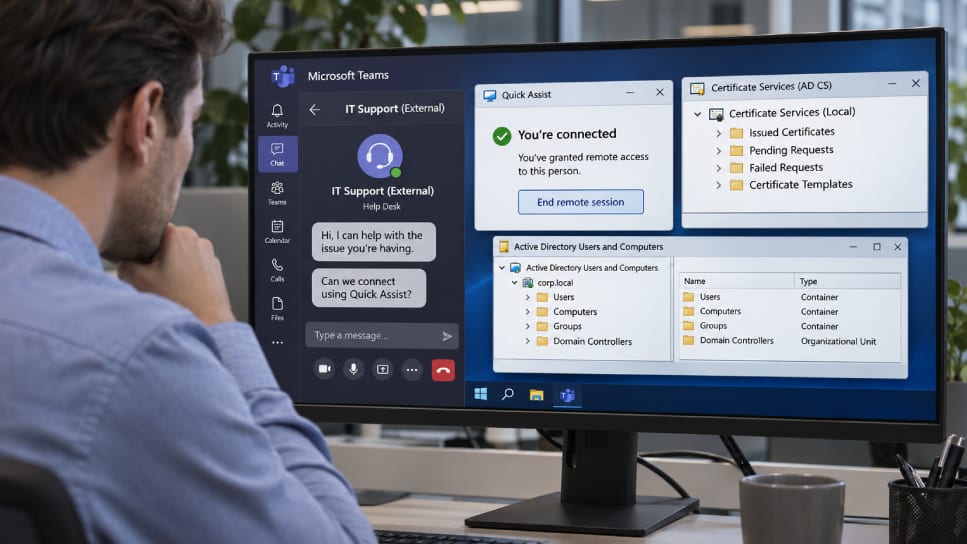
Act this weekWhat happenedAttackers pretending to be IT support on Teams got employees to share their screens' control, then used weak certificate settings to sign in as privileged accounts.
Who is affectedCompanies using Microsoft Teams, Windows Quick Assist and Active Directory Certificate Services, the Windows tool that issues login certificates.
What to do- 1Tell staff that real IT will never ask them to open Quick Assist after an unexpected Teams message or call.
- 2Have staff verify any help request by calling your IT team on a known number.
- 3Ask your IT team to review certificate template settings and turn on EPA protection on Windows Server 2022 and 2019.
- 4Make sure no privileged account is excluded from automatic security responses, and isolate any affected PC quickly.
A message on Teams from the "help desk" can be the start of a full company break-in. Microsoft reported two intrusions in which attackers posed as a company's own IT support, talked employees into handing over remote control of their PCs, and then used weak settings in a Windows tool to sign in as powerful accounts. In one case, company files were copied to an outside server.
What happened
The attackers messaged and called employees on Teams from outside accounts with support-themed names, so the contact looked familiar. They asked each person to open Quick Assist, a remote-help tool built into Windows, and read back the connection code. That gave the attacker hands-on control of the computer.
Next, the attackers went after Active Directory Certificate Services, or AD CS. This is the Windows role that issues the digital certificates people and computers use to log in. If a certificate template is set up badly, whoever holds the certificate can sign in as the account it names.
Why it matters
Microsoft said such a certificate keeps working even after a password reset or after the first infected machine is wiped. In the first intrusion, the attackers got certificates for 11 privileged accounts across two waves, then signed in to a domain controller within seconds. One privileged account had been left out of Microsoft Defender's automatic response. The attacker kept using it, reached a file server and copied data to an outside server. Microsoft did not say how much was taken.
In the second intrusion, the attacker forced a domain controller to log in to a machine the attacker controlled, then used that login to request a certificate for the domain controller itself. Here the response held. The customer isolated one workstation and no further activity followed.
Who can relax a little
Nothing here is a software flaw in Teams, so there is no patch to install or wait for. Microsoft did not link the activity to any named group. Windows Server 2025 turns on a key protection (EPA) for AD CS by default, which makes the second method harder. Servers on 2022 and 2019 need it switched on by hand.
What to do
The alert box above lists the steps. The short version: set a clear rule for staff on who to trust, and ask your IT team to check certificate settings and security exclusions.
What to watch for
The methods are not new. The certificate weaknesses and the login-forcing trick were named in 2021, and Microsoft had described the Teams help-desk entry method earlier in 2026. What is new is seeing them combined in real attacks. Microsoft did not give dates for these intrusions.
The takeawayStaff should never open Quick Assist for an unexpected Teams contact, and no privileged account should sit outside automatic security responses.