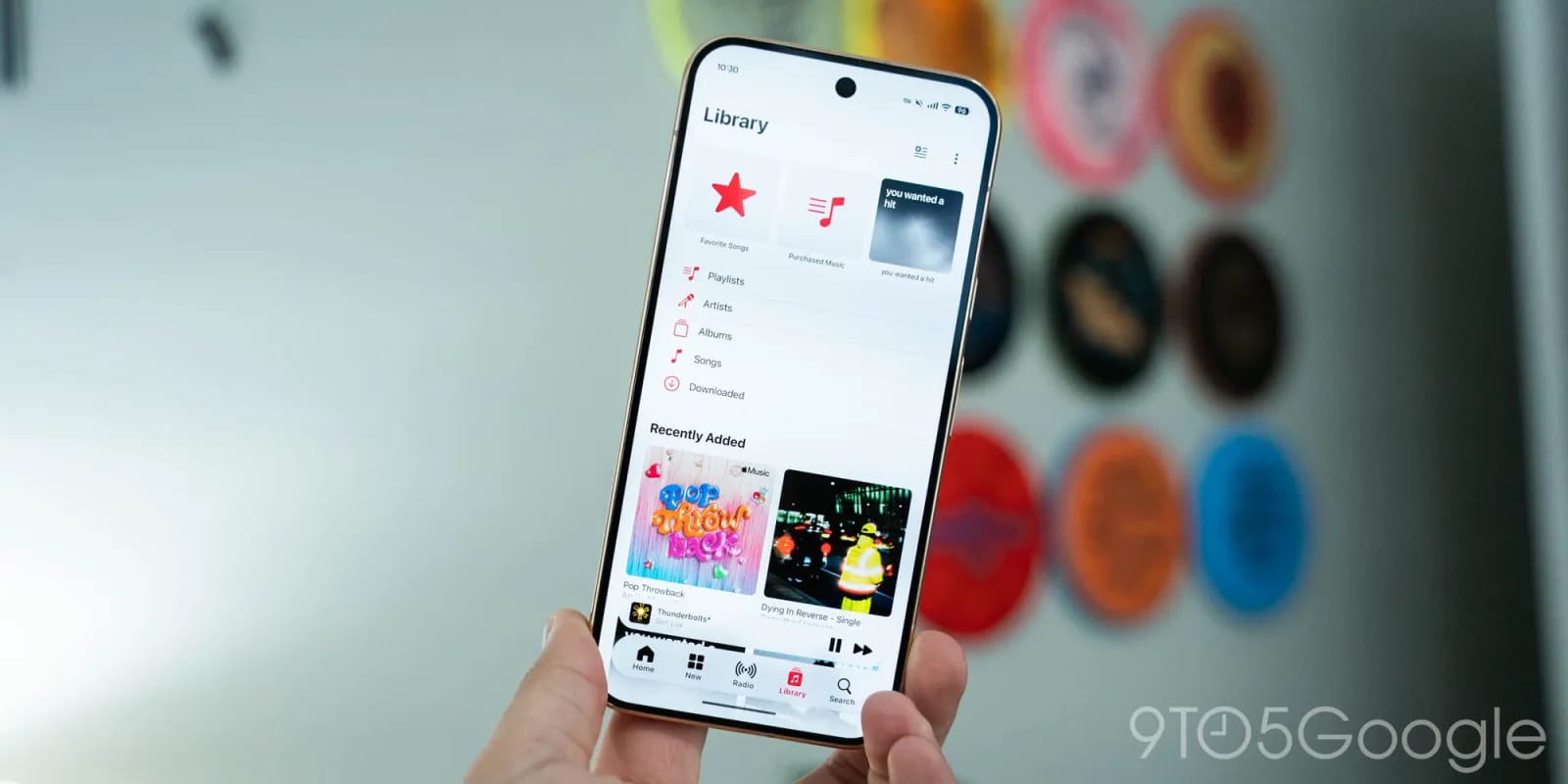
Apple Music on Android just got its biggest visual refresh in a while. Version 7.0 is rolling out on the Play Store after a month of beta testing. The red icon background is gone, and the app's accent color is now blue.
What changed
The new icon is a tweaked music note, black or white depending on your phone's theme. The app follows Apple's Liquid Glass design, which brings light see-through effects. A floating bottom bar now lets you see content above, below and to the sides of it. The translucency is small. It mainly lets you make out solid colors underneath.
The mini-player, the small strip that shows the current song, gets the same treatment. It is no longer attached to the bottom bar. Unlike on iPhone, scrolling does not shrink the bar into a more compact version. The app also now runs edge to edge, meaning it extends behind Android's status and navigation bars.
Menus and pages that moved
- Top bars put the page title and the three-dot menu on one line.
- The three-dot icons are no longer red and sit in circular containers.
- In Library, "Edit Pins" and "Edit Categories" now live in the three-dot menu.
- Artist pages take their background color from the cover image.
- Artist pages have a prominent play button and an info page, with share in the top-right corner.
- Settings is better organized into groups.
Now Playing, the screen you see while a song plays, has no major changes. It did not get a big update on iPhone either.
A new version number
Apple Music for Android recently switched to a numbering system that matches the iPhone's. Version 7.0 lines up with iOS 27. That should make it easier to tell how current your app is compared with the iPhone version.
What to expect
If you use Apple Music on an Android phone, the update should reach you through the Play Store. Rollouts usually reach people at different times, so it may not appear right away. The source article does not say whether any features were added or removed beyond the changes above. It also does not give an exact date for when everyone will have it. After you update, a few controls may not be where you remember them, especially the Library editing options.
The takeawayAfter you update Apple Music on Android, look for the blue accents and check the Library three-dot menu for the pin and category editing options.