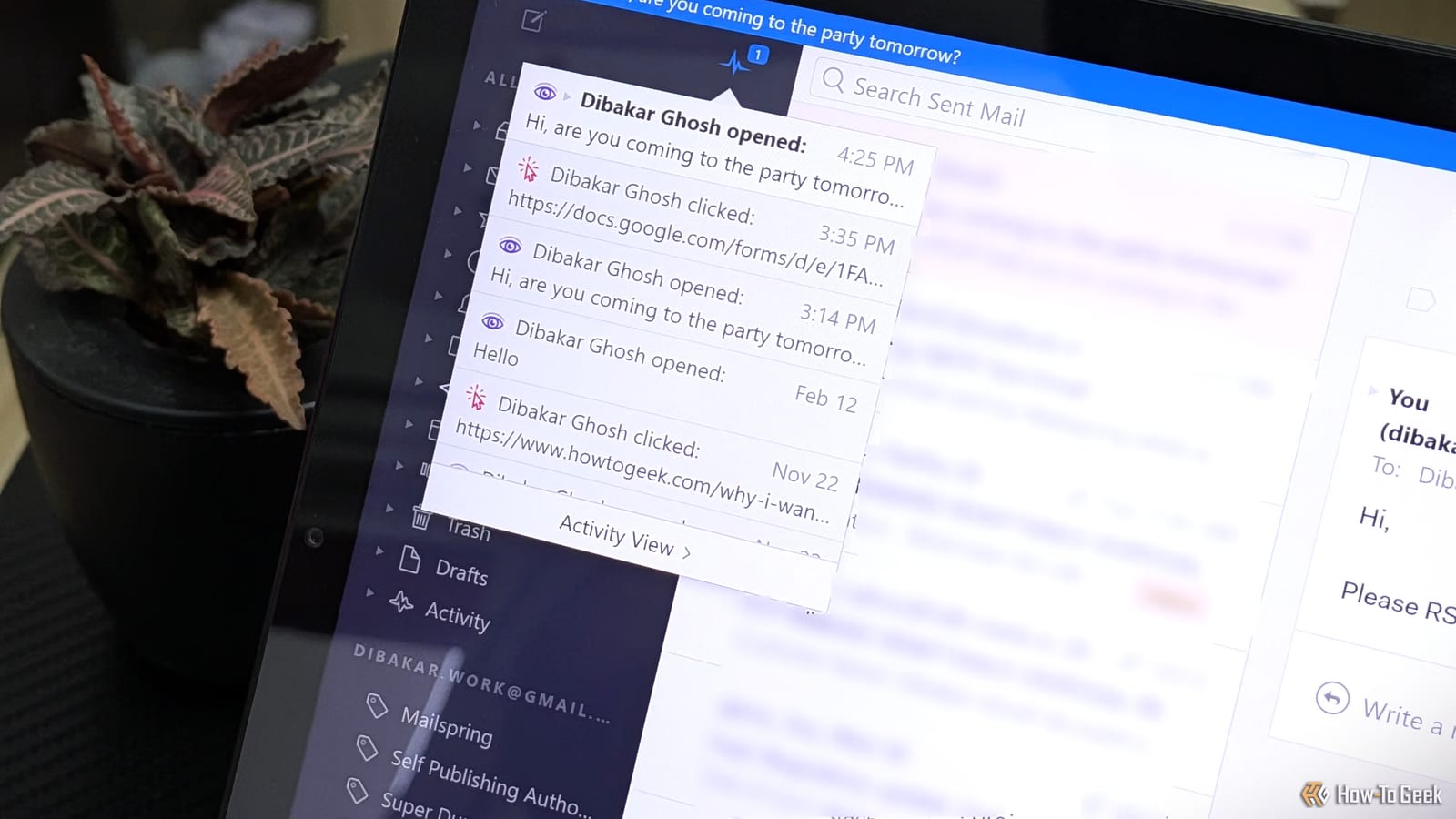
Act this weekWhat happenedA tech writer showed that anyone can track email opens using a hidden one-pixel image, with free or cheap tools like the Mailspring app.
Who is affectedAnyone who reads email, including Gmail users on the web and Android, and people using apps like Outlook or Thunderbird.
What to do- 1Open your email app's settings and turn off automatic image loading.
- 2Repeat this in every email app and every Gmail account you use.
- 3Allow images only for single emails or senders you trust.
- 4For links, copy the link address and paste it into a free tool like URL Decoder to see the real destination.
Anyone can find out when you open their email, not just marketers and employers. A How-To Geek writer showed that a free, open-source app called Mailspring can do it, and a paid plan costs $8. The fix is a setting in your email app that stops images from loading on their own.
What happened
Mailspring is a desktop email program, similar to Thunderbird. It lets a sender switch on "open tracking" and "link tracking" when writing a message. Notifications then appear in the app, along with a dashboard of open rates. It requires a Mailspring ID. The free tier covers five tracked emails a week. Unlimited tracking needs the $8 Pro plan.
How the trick works
Email has no built-in read receipt. It was modeled on regular mail. Tracking was added later, and the most common method is a tiny 1x1 image, called a pixel. The image is not attached to the email. It sits on the sender's server, and the email only holds a link to it.
When your email app loads the message, it also fetches that image. The server logs the request, and the sender learns the email was opened.
This is not a perfect signal. If your app loads images the moment a message hits your inbox, the email shows as opened even if you never looked at it. If your app never loads images, the email shows as unread even if you read it many times.
What to do
The steps in the alert box above cover the setting. The key point is that it works app by app. Turning it off in Gmail on your phone does not carry over to Outlook or Thunderbird, even for the same account. In the Gmail app, each account needs the change separately.
The catch
Many emails are built from images, such as charts or infographics. With automatic loading off, some will look empty or broken. You can allow images for a single email. You can also approve a sender you trust and do not mind knowing when you read their mail.
Links are tracked too
Blocking images does not stop link tracking. Tools like Mailspring wrap the original link in a tracking address. Clicking it pings the sender's server, then sends you on to the real page so quickly you do not notice. If the link in the email differs from the address you land on, that is why.
There is a workaround. Right-click the link, choose "Copy link address," and paste it into a free tool such as URL Decoder. It shows the original destination, which you can open directly.
Who can relax
If you do not mind senders knowing when you read their messages, you can leave things as they are. The only cost of the change is some blank-looking emails. People who value privacy will likely find that trade worth making.
The takeawayTurn off automatic image loading in every email app and account you use, then allow images only for emails or senders you trust.