A tool used to run factory machines and escape rooms can also run a smart home. It is called Node-RED. A How-To Geek writer who runs a Home Assistant server says it earns its place for one reason: it makes tangled automations easier to build and fix. For simple ones, he says, it is not needed.
What Node-RED is
Node-RED lets you build automations by connecting blocks, called nodes, on a screen. One block says "if this." Another says "then that." You draw lines between them. A block can connect to several others, so a complex setup can be built without writing code.
Those blocks can also talk to outside services. In industry, a flow can shut down a machine if its temperature goes above a set limit.
From escape rooms to living rooms
Node-RED can run a whole escape room. With an extension called Node-REDscape, a flow can send messages to prop controllers such as ESP32 or Raspberry Pi devices. It can also start and stop timers, show the remaining time on an LCD display, react when players finish a task, and control sound effects.
The same idea works at home. Home Assistant is software that ties smart home devices together. Node-RED can read a sensor and send commands to other devices. In one example, a temperature reading feeds two paths. One turns on the heating below a set temperature. The other turns on the AC above a different one.
Node-RED can run as an add-on alongside Home Assistant, or on a separate container or device. It talks to Home Assistant through its APIs.
Why not just use Home Assistant alone
Home Assistant once required automations to be written in a code format called YAML. That is no longer true. Its built-in editor now handles complex automations without code, and new features keep arriving. The writer uses it for most of his automations and runs only a handful in Node-RED.
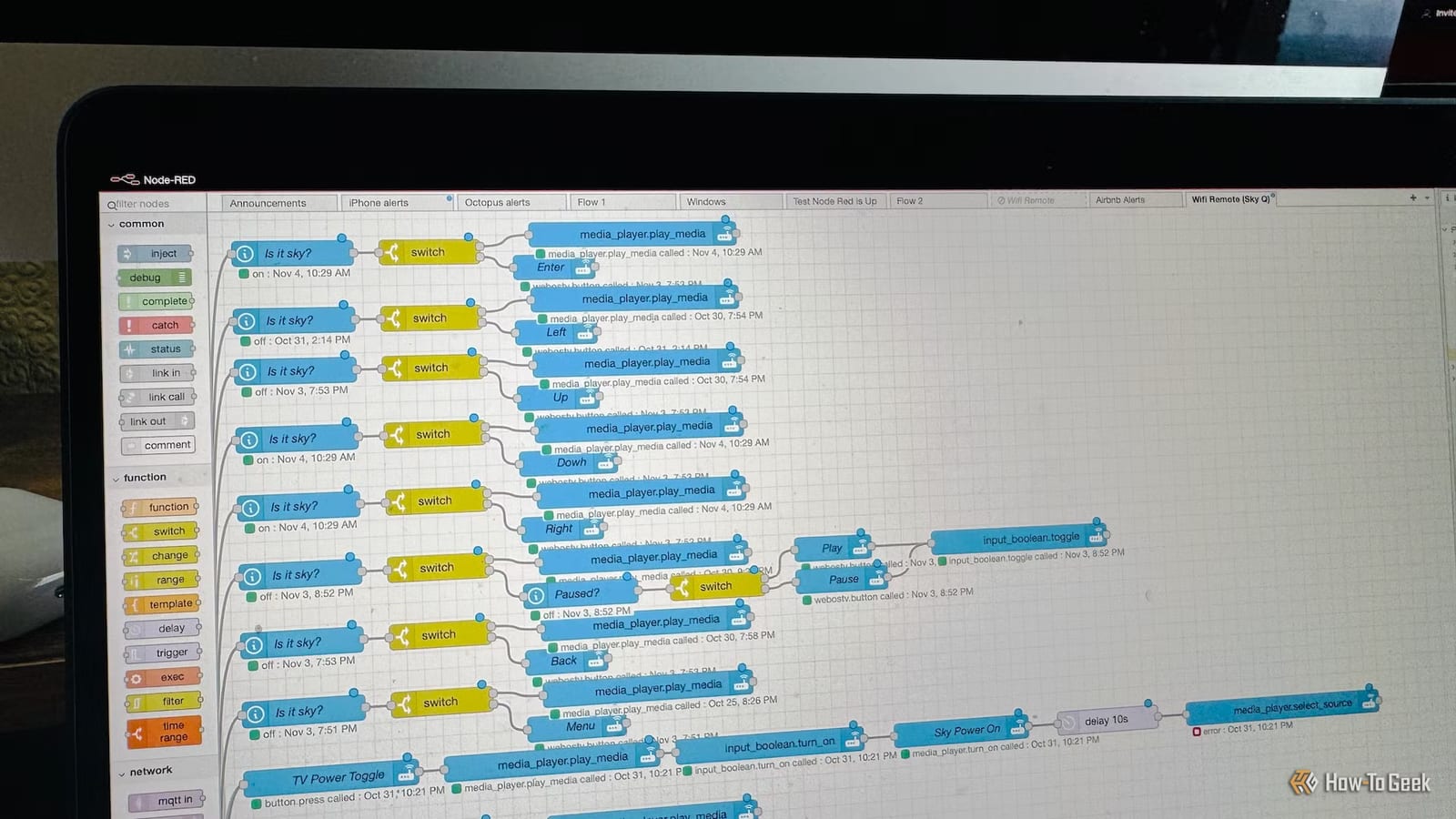
His main Node-RED project is the brain of a universal remote. A Wi-Fi remote controls his TV, surround sound system and set-top box. Each button must do something different depending on which device is in use and whether the sound system is on. Each button has its own flow. He says the result looks like a spider web, but the visual layout made it possible to build, even if it took time.
Easier fixing
Node-RED also helps with troubleshooting. Debug nodes can be placed anywhere in a flow to show what the previous step produced. Inject nodes let you test part of an automation without waiting for a real trigger. Home Assistant has automation traces that help too, but the writer finds the debug nodes a little easier to use.
Who should try it
Anyone with only simple automations will likely see no big benefit. If a complex automation has you stuck, a visual diagram may be worth a try. The writer calls Node-RED a good complement to the built-in editor, not a replacement.
The takeawayUse Home Assistant's built-in editor for simple automations, and try Node-RED only when a complex one gets hard to follow or fix.