A free app called KDE Connect can link an Android phone to a Windows PC without sending anything through the cloud. One longtime Phone Link user at How-To Geek says he switched after years of dropped connections, missing notifications and a find-my-phone feature that rarely worked. Files, copied text and alerts travel directly between the two devices on the same network.
Why Phone Link let him down
Phone Link is Microsoft's tool for connecting a phone to a Windows computer. It began on Windows 10 as Your Phone and was renamed for Windows 11. It relies on Microsoft's cloud servers and requires a Microsoft account. The best features, such as screen mirroring and app streaming, work only on certain flagship phones. Other phones get basic notifications and text messages. It does not exist on Linux or macOS.
How KDE Connect works
KDE Connect began in 2013 as a Google Summer of Code project by developer Albert Vaca, inside the open-source KDE community. Open source means its code is public. The app talks straight between phone and PC, so no outside server sees your data.
When two devices pair, each creates its own security certificates and swaps them. The link is encrypted. A short code appears on both screens so you can confirm you are connecting to the right device. Old connection attempts cannot be reused later.
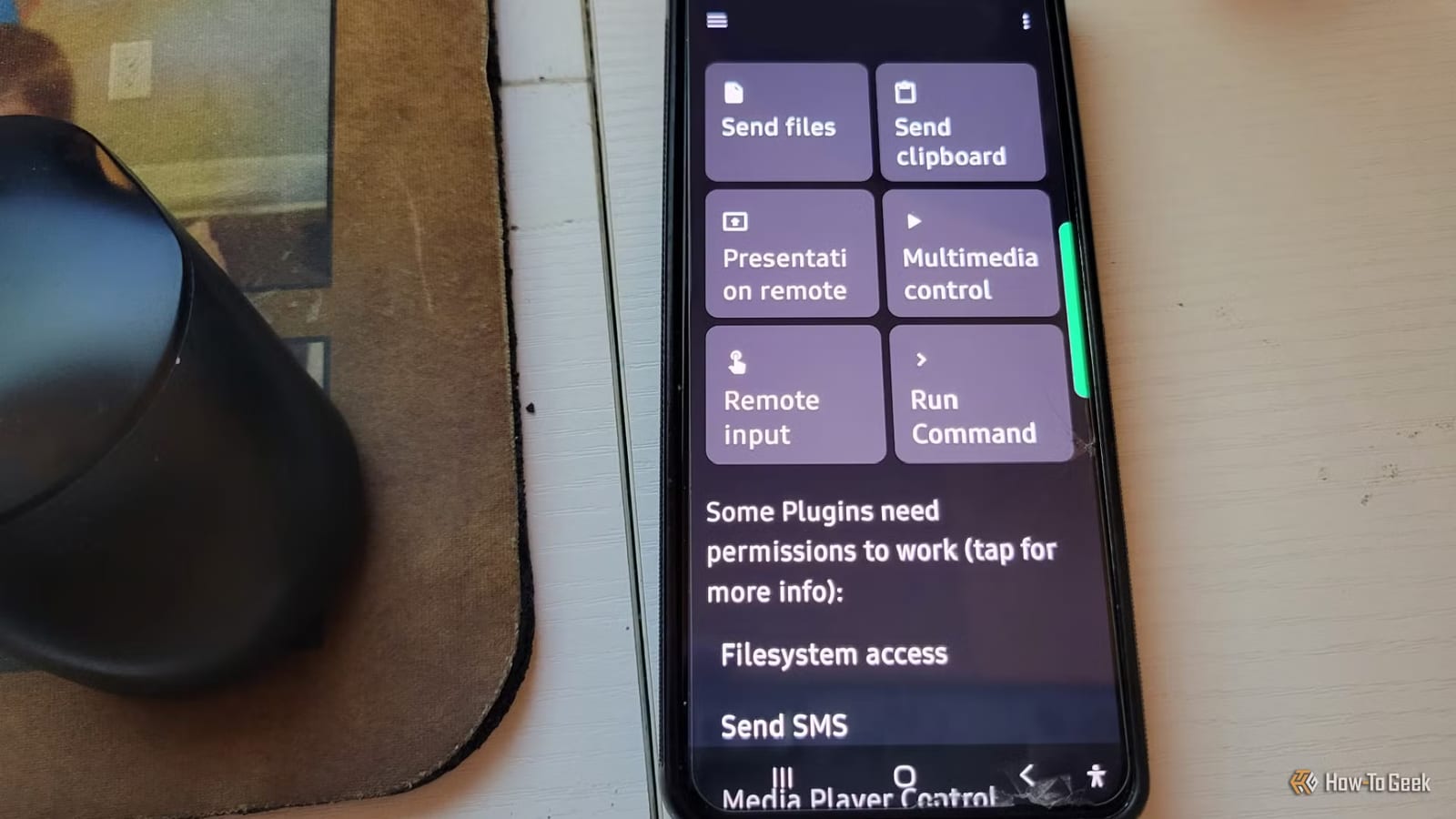
- Clipboard sync: copy on one device, paste on the other.
- Send files and photos from the phone's share menu.
- Read and reply to phone notifications on the PC.
- Use the phone as a trackpad, keyboard or slide clicker.
- Control PC music and volume, or run custom commands like lock or shut down.
What you give up
KDE Connect cannot mirror your phone screen or stream apps to your PC. Phone Link can because Microsoft works with phone makers on system-level software, which a regular app cannot copy without root access, a deep level of control over the phone.
Setup is also harder on Windows. Phone Link comes pre-installed with firewall permissions handled. KDE Connect asks you to open the right ports in Windows Defender Firewall by hand. If your router has wireless isolation on, the devices will not find each other. On Android, the app runs constantly in the background, which costs a small amount of battery.
Who it fits
Both devices must be on the same Wi-Fi or wired network. Install it from the Microsoft Store on Windows and Google Play on Android, then send a pairing request and confirm the code. The writer says people who want screen mirroring, app streaming and a cloud setup that just works may still prefer Phone Link. People who want local data and a tool that works across operating systems may prefer KDE Connect.
The takeawayIf Phone Link keeps failing, KDE Connect is a free local option, but it cannot mirror your screen and needs some manual Windows setup.