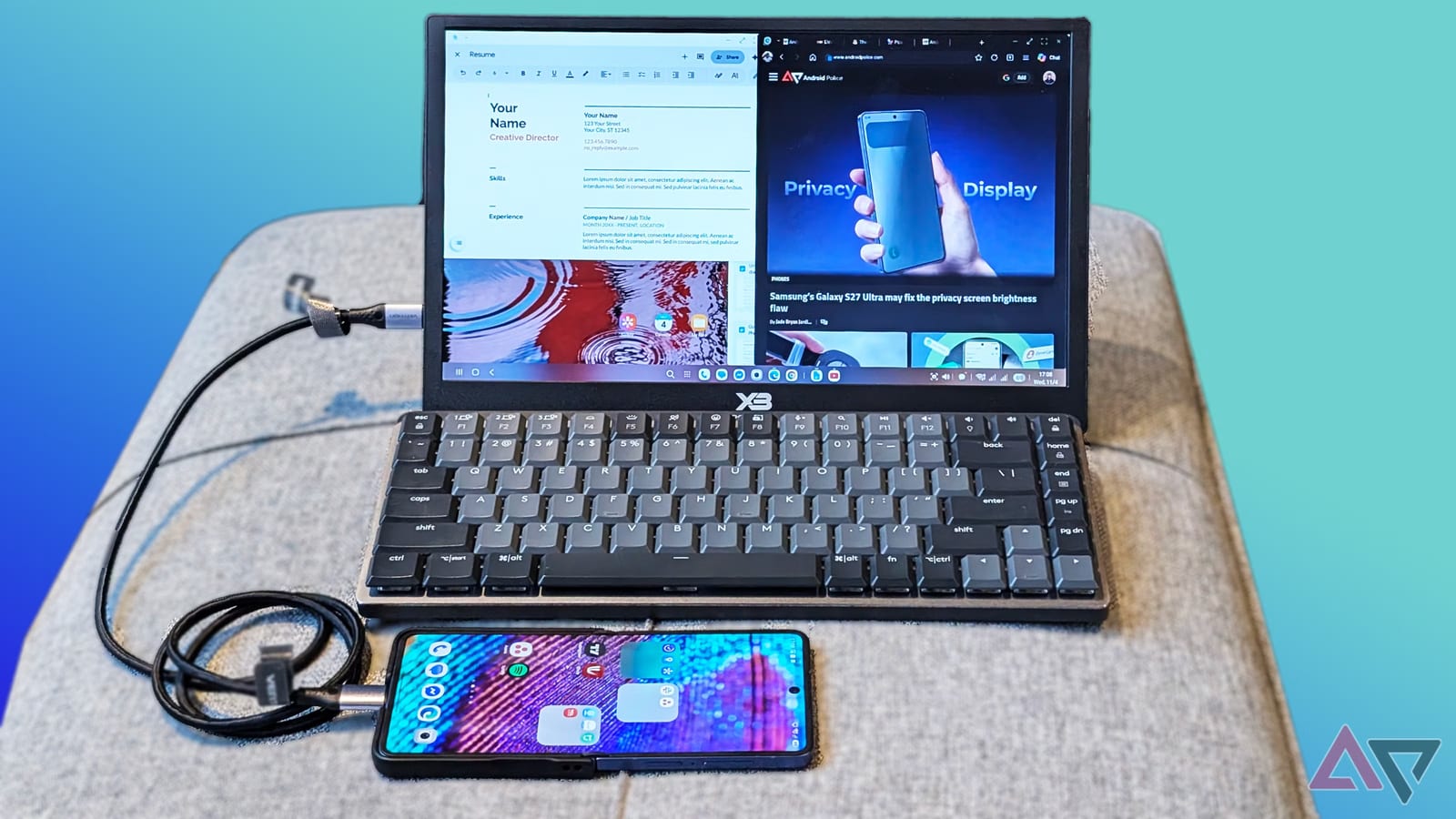
A Samsung Galaxy phone can act like a basic laptop for about $100. Android Police writer Jade Bryan Jardinico built the setup with a portable screen, a foldable keyboard and a mouse. The goal was to see whether it could stand in for Google's new Googlebook, which launched last month and costs almost $1,000.
What the kit includes
- A 15-inch Full HD portable monitor, no touchscreen, for $50
- A foldable keyboard for $20
- A wireless Logitech mouse for $30
The monitor weighs just over a pound. It connects to the phone with one USB-C cable. The writer advises choosing a monitor that supports USB-C PD (Power Delivery), so the phone can power the screen through that same cable. Some monitors have a built-in battery instead.
How it worked
The trick relies on Samsung DeX, a feature that gives supported Galaxy phones a desktop-style screen on an external display. The writer used a Galaxy Z Flip 7. The phone's own screen can work as a touchpad. The mouse and keyboard also worked well, though system keyboard shortcuts cannot be customized.
Performance held up. The writer ran more than a dozen tabs in Edge and Chrome with no hiccups. A YouTube stream also ran in Edge while other apps stayed open. DeX allows four workspaces, which was enough to keep writing and streaming apart.
The catch
Power is the main cost. Running the monitor from the phone drains the battery faster. The writer got about two to three hours of use on half a charge, depending on screen brightness.
The writer also lists trade-offs compared with a Googlebook:
- Chrome on DeX is the mobile version, not the full desktop one
- Some programs built for large screens, such as Photoshop, do not get the same treatment
- Googlebook handles files and phone links more smoothly
- Port access is limited, which may bother heavy users
Who it suits
The writer says the two are not a fair match, and that casual users who want portability can overlook the gaps. The article also calls Googlebook's operating system unfinished, which was part of why the writer skipped it. Laptop-style docks from other makers cost a couple hundred dollars or more, so the monitor route is the cheaper path. Touchscreen monitors cost more than $100. The writer plans to test one.
The takeawayIf you own a Galaxy phone with DeX, a $50 portable monitor plus a keyboard and mouse may handle light work away from your desk.